
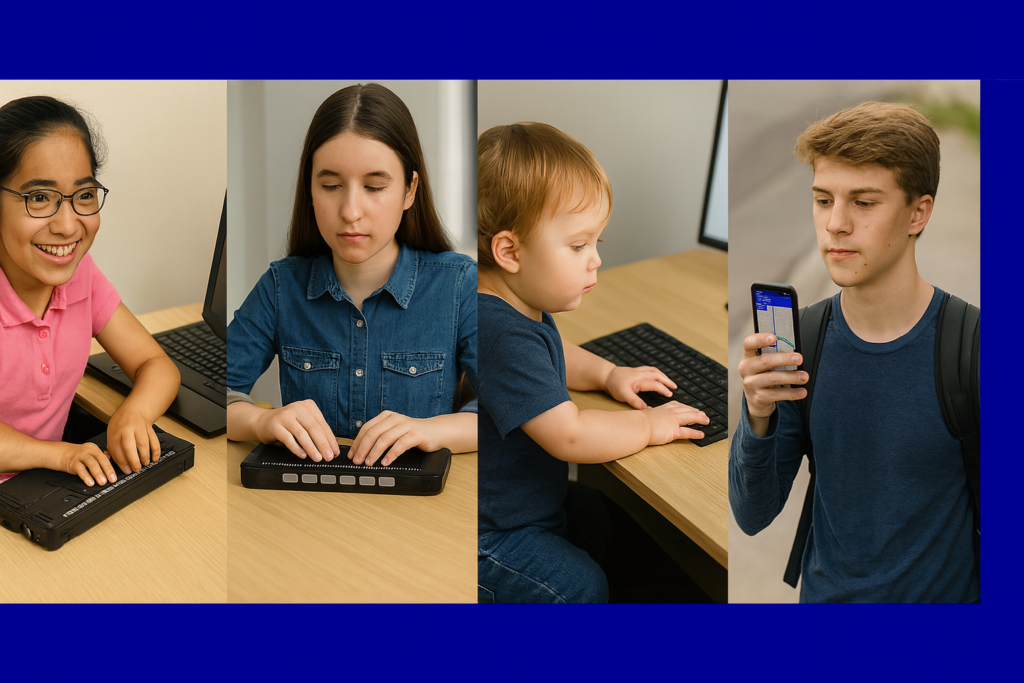
Access Technology: Your Path to Independence
Accessibility opens the world for blind and low-vision people. Access Tech Lessons can help users get the most out of these tools by offering step-by-step guides and support. It removes limits, builds confidence, and gives you real control of your daily life. With the right tools, navigation becomes possible, learning becomes smoother, and work becomes fully accessible.
This page brings together practical lessons that teach you how to use the technology that matters most. Each lesson stays simple, direct, and hands-on so you can learn with confidence. You will explore screen readers, braille displays, iPhone navigation, accessible math tools, and the skills needed to work, study, and travel independently.
As you move through each lesson, your skills will grow, and your world will open. Access becomes freedom. Freedom becomes opportunity. And opportunity builds a future filled with purpose and vision.
Welcome to Access Tech Lessons. Your journey starts here. Contact: TechVisionTraining@yourtechvision.com
For inspiring stories about family and living with blindness, explore our Stories section.
Career & Job Skills
Screen Readers & OS
-
Google Drive Keyboard Shortcuts for Screen Reader Users
-
Speed Up a Slow Computer: Easy Fixes and Access Tech Tips
-
Easily Add “This PC” to Your Desktop for Fast Drive Access
-
Microsoft Edge Switching Accounts? Here’s the Fix
-
LinkedIn with JAWS Commands for total Access
-
Can’t Log In? Fix Password Problems Fast
-
Fix and Speed Up Windows Computer in Minutes
-
Best Computer Specs Guide: RAM, SSD, CPU and What .NET Really Does
-
Restore System & Fix PC issues
-
Speed up and Fix a SLOW Computer
-
Optimize Windows 11 for Screen Readers | Essential Settings and Configuration
-
Setup Windows 11 settings to work best & most efficient with screen readers part 2
-
How to Set up Windows 11 Computer to work the best and most efficiently with screen readers- 1 of 2
-
Blind Students Need Local Admin Access for Screen Reader Success
-
Apply Latest Computer Update-Tech Tip for the Day
-
Commands to Change Mouse Settings, Access Programs Fast, and Use Basic Word Font & Movement
-
Find and Restore Deleted Files or Lost Files & Folders
AI Tools
-
Be My Eyes for Computer: Describe Images, Graphs, and Screens Instantly
-
Screen Readers Can’t Read This!
-
UEB Math Lessons Galore with AI
-
AI to describe images, pictures, or what you want with Jaws keyboard commands by Lucas
-
Transcribe math images into text in WORD math editor with mathkicker and transcriber tricks
-
Take large PDF files and Print to PDF to save just a few pages vs the whole file
-
Perfect Digital Math at all levels using only audio or tactile Braille or both in Mathkicker.ai
-
Transcribing Math Images into Perfect Word Math Editor Equations Using MathKicker.ai and Expert Transcriber Techniques
-
Math & AI: Using MathKicker to Convert PDF Math into Accessible Word Documents
-
How to Prevent AI Cheating in Class and at Home
Typing & Keyboarding
-
Dyslexia and Screen Readers: How Audio Feedback Changes Reading and Writing
-
Teach Touch Typing in Just 5 Hours | Fast Keyboarding Method
-
Teach Touch Typing Early for Blind and Low Vision Students
-
Basic WORD JAWS commands with Typing Trick
-
Proper Touch Typing Methods on the Keyboard
Graphing & Math
-
Desmos graphing calculator with shaded Parabolas, screen reader, braille display and embosser
-
Excel for Geometry: Create Shapes and Label Graphs with JAWS
-
Desmos Graphing Calculator: Creating and Exporting Graphs
-
Desmos Graphing Calculator Solution for Blind and Low Vision
-
Excel Histogram with Keyboard Commands
-
Excel Quadratic Trendline with Scatter Plot Graph Including Equation Using JAWS
-
Excel Scatter Plot Graphs and Trendline
-
Excel Line Plot Graph – Copy to Word for Math
-
Curved Line in Excel Graph with Screen Reader
Math & STEM
-
Best Tactile and Math Graphics for Blind Students
-
JAWS UEB/Nemeth Settings + Accessible Math in Word & Braille Editor
-
Tricks to Learning Math
-
Advanced Math with LaTex using Mathkicker.AI-Matrices
-
Digital Math in WORD and Braille Math Editor for Nemeth or UEB Input/Output via MathCat with JAWS or NVDA
-
Teach or Learn Nemeth using JAWS and braille display
-
Teach or Learn UEB Math with JAWS and Braille Display
-
Nemeth or UEB via MathCat: Math Access in WORD and Braille Math Editor with JAWS or NVDA
-
Trigonometry with Math Editor: LaTex or Braille, JAWS or NVDA
-
UEB Math Lessons Galore with AI
-
Creating Geometry Tables in Desmos from WORK
-
Geometry in DESMOS graphing Calculator with screen reader
-
UEB Math using Braille Math and Word Math Editors with Jaws and split-braille-for-buffer-mode
-
Matrices in WORD Math Editor-Braille Math editor with Jaws using LaTex, auditory and/or Braille
-
Digital Math with UEB Math, NVDA completing Matrices in WORD Math Editor 365
-
Mastering Digital UEB Math & Braille Math Editor in WORD with JAWS UEB Mode
-
STEM: Desmos with JAWS and Embossing
-
Emboss Math from WORD Math editor through Braille Blaster and change to Nemeth fast
-
Braille Math editor Contracted out, computer in mode with Tay–most efficient
-
Perfect Digital Math at all levels using only audio or tactile Braille or both in Mathkicker.ai
-
UEB Math with NVDA in WORD using unicode-LaTex or Braille -easy to advanced math
-
Quadratic Formulas with UEB Math or Nemeth and/or display with JAWS audio & MathCat
-
Accessible Quadratic Math in MathKicker.ai Using JAWS or NVDA with Auditory and Braille Output
-
UEB Math with JAWS in Word: Using Unicode, LaTeX, and Braille for Easy to Advanced Math
-
Transcribing Math Images into Perfect Word Math Editor Equations Using MathKicker.ai and Expert Transcriber Techniques
-
Math & AI: Using MathKicker to Convert PDF Math into Accessible Word Documents
-
Braille Math in Word with JAWS: Using a Braille Display to Easily Navigate Multi‑Line Math Problems
-
Completing Multi‑Level Math in Word Using the Braille Math Editor (BME)
-
Math Work in Excel: Solving Inequalities with Keyboard Shortcuts
-
Accessible MathType with LaTeX: Using JAWS and NVDA for Digital Math
-
Advanced Accessible Math: MathType and LaTeX in Word Using JAWS and a Focus Braille Display with Professor Betsey
-
Using Focus 40 Braille Display to do Math Work in Word with Jaws
-
Creating Excel Math Graphs
-
Tactile Math Learning Tools–Math Window
PDFs & eBooks
Braille Displays
-
JAWS UEB/Nemeth Settings + Accessible Math in Word & Braille Editor
-
Braille Display with Jaws-auto read
-
Focus Braille Display and SD to and from Scratchpad and PC
-
Teach or Learn Nemeth using JAWS and braille display
-
Teach or Learn UEB Math with JAWS and Braille Display
-
Spanish Braille Display or Keyboard Output/Input
-
Split Braille for Buffer Mode in Word for Math
-
Braille Math editor Contracted out, computer in mode with Tay–most efficient
-
Quadratic Formulas with UEB Math or Nemeth and/or display with JAWS audio & MathCat
-
Accessible Quadratic Math in MathKicker.ai Using JAWS or NVDA with Auditory and Braille Output
-
UEB Math with JAWS in Word: Using Unicode, LaTeX, and Braille for Easy to Advanced Math
-
Braille Math in Word with JAWS: Using a Braille Display to Easily Navigate Multi‑Line Math Problems
-
Spanish Braille Setup with JAWS and a Focus Braille Display: How to Configure Any Language
-
Completing Multi‑Level Math in Word Using the Braille Math Editor (BME)
-
Spanish Braille on a Braille Display Using JAWS: Input and Output Setup for Multilingual Users
-
Special hands using braille display with screen reader
-
Focus 40 Braille Display for Subtraction in IXL Math
-
Blind Student Doing Algebra in Word Using a Focus Braille Display and JAWS
-
Connect Focus 40 braille display to Jaws
-
Focus Display Navigation options
-
Switch Focus Braille Display Modes Quickly
-
Cleaning the Focus Braille Display and Running Diagnostics
Documents & Productivity
-
Stop Annoying Ding Sounds on Windows Fix Filter Keys & Toggle Keys
-
Calibre-Translate epub or anything to docx for Digital Book Management
-
Properly Format a Paper
-
Braille Math editor Contracted out, computer in mode with Tay–most efficient
-
Take large PDF files and Print to PDF to save just a few pages vs the whole file
-
Remapping Keyboard Keys with SharpKeys While Avoiding JAWS and NVDA Screen Reader Conflicts
-
Track Changes with Commands-inserting comments and editing work
-
WORD Efficient Text Navigation and Selection
-
Rebuild the Microsoft Word Template When It Is Not Working Well
-
Select Noncontiguous folders and files in File Explorer
-
Creating PowerPoint Sound Transitions for All Audiences
-
MLA and APA Format Paper Writing — Tech Tip
-
Google Slides into Text — Tech Tip
-
Google Dictation Using Speech — Tech Tip for the Day
-
Changing Inaccessible to Accessible Text Using Google Docs
-
WORD Accessible Food Chain for Class Using Talking Software
-
Make an Electronic Signature — Then Insert It into a Document
-
Save a Google Doc as Plain Text Using Keyboard Commands
-
Office 365 Online Access with Screen Reader
-
Efficiently Converting Braille Files to HTML and Word
-
How to Adapt Work for Blind or Low Vision Students — Many Options
-
Essential Word Keyboard Commands for Setting Defaults
-
Document Formatting Editing Elements: Edit Margins, Tab, Headers, Footers & More
-
Set up Outlook Alarm with Screen Reader
-
Search HathiTrust’s Digital Library
-
Track changes in Word-How teachers make corrections in work
Embossing & Tactile Graphics
-
Best Tactile and Math Graphics for Blind Students
-
Tiger 9 with Be My Eyes to “see” graphics for Math
-
Emboss Math with Tiger 9 TSS in WORD
-
Create and Emboss Graphics with Tiger Designer
-
STEM: Desmos with JAWS and Embossing
-
Emboss Math from WORD Math editor through Braille Blaster and change to Nemeth fast
-
Use Desmos graphing calculator to emboss graphs & insert Graphs into Math Work for teacher
-
Desmos 3D graphing calculator with screen reader commands
-
Desmos graphing calculator with shaded Parabolas, screen reader, braille display and embosser
-
Enhancing Access with a Graphic Embosser and Tiger Software for Tactile Graphics
-
Complete an Excel Graph and Copy into Word Document with Screen Reader
Education Platforms
-
LinkedIn with JAWS Commands
-
Schoology Navigation Skills for Blind Students Using JAWS and NVDA
-
Blind Teacher Lucas Navigates the Canvas Platform Using a Screen Reader
-
WEB and JAWS Commands to Make the Inaccessible Accessible in Acellus
-
Difference Between Inaccessible and Accessible Website Content
-
Starfall Learning Games for Kids and the Accessible Option
-
TechVision YouTube Channel Lessons
-
Games online for Blind Users
-
Navigate Schoology with Jaws via Kim
-
IXL.com: Accessible Learning Tool for All Subjects
-
Learn Out Loud Reading – Audio Books Galore
iPhone
-
Complete iPhone Access Guide for Blind and Low Vision
-
iPhone: Set Up Face ID, Touch ID, and Passcode with VoiceOver
-
iPhone-Setting Up Email Using Siri & VoiceOver
-
Using VoiceOver to Learn What You Can Do in an App
-
iPhone Setup: Turning On Siri and VoiceOver
-
Blind Users Retrace Indoor Routes with Clew
-
Teach the Compass and Route Memory for Indoor Orientation