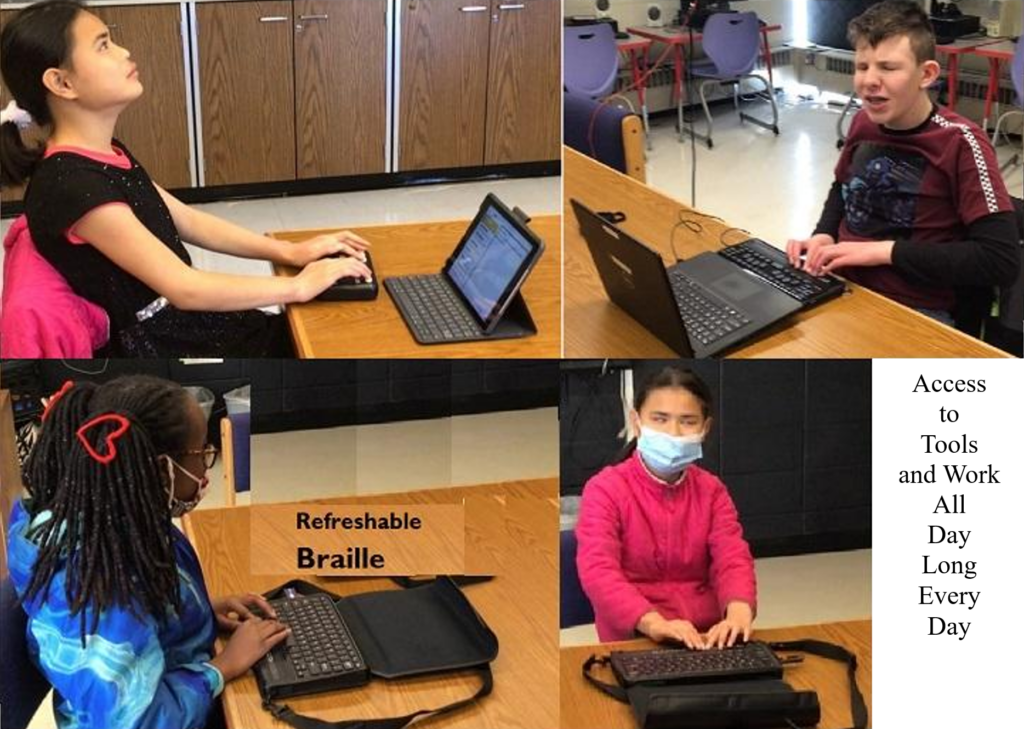
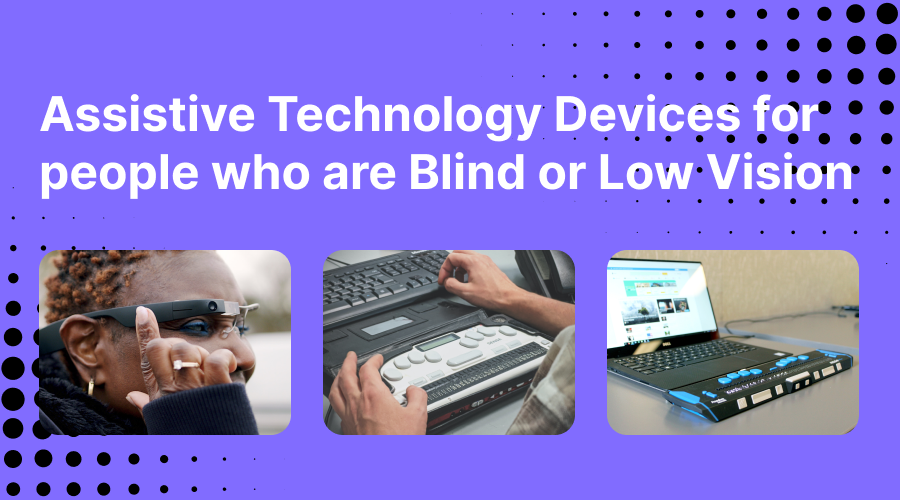
TechVision Access Instruction is the TechVision Difference. Dr. Robinson and her Tech Vision team provide one-on-one and school team remote instruction for visually impaired individuals in real time. They enhance technology skills for students, adults, and groups by teaching them to use assistive technologies like PC computers, screen readers (JAWS, NVDA, Narrator), and Braille displays. This approach ensures students complete their work alongside peers without needing extra time
TechVision Access Instruction aims to transform education for the blind and visually impaired. They combine the right technology with effective instruction. They offer teaching internships to advanced students, providing hands-on job skills that enhance resumes for future employment or college applications. Their goal is to empower visually impaired individuals to achieve their full potential and navigate the world confidently.
TechVision Website
Our Mission and Purpose is enable blind and visually impaired students the ability to access and complete work as their sighted peers. This requires, screen readers, braille displays and other access technology.
Technology that gives you VISION with Access Instruction
The TechVision mission and purpose, led by Dr. Robinson and her highly skilled TechVision Specialists, are to change lives via instruction in access technology, enabling inclusion and educational equality.
The TechVision Specialists are uniquely skilled in teaching blind and low vision students. They focus on direct instruction on all technology like computers(requires Local Admin Access), screen readers, Braille displays, and smartphones. This approach has revolutionized the educational experience for blind and low vision students and clientele. Their expertise and global reach have significantly impacted students. They empower students to access information and navigate the world on an equal footing with sighted peers.
Additionally, TechVision collaborates with school districts and private entities to address the evolving needs of education. This collaboration promotes independence and inclusion in both classrooms and the job market. By equipping students with essential skills, TechVision creates an environment of true equality. As a result, opportunities become accessible to everyone, regardless of visual impairment.
TechVision specializes in teaching all subjects, especially advanced mathematics, to blind and visually impaired students. This enables them to succeed academically. Many of these students pursue majors in Applied Mathematics at prestigious institutions, including Harvard University. They use innovative methods to ensure blind and low vision students perform at the same high level as their sighted peers.
Integration
Additionally, TechVision integrates tools like Artificial Intelligence (AI), word processors, screen readers, and Braille displays to support student success. These tools allow visually impaired students to produce work comparable to their classmates. Consequently, this promotes integration and equal opportunities in academic environments: Even to the point that you can Make an Electronic Signature -Then insert it into a Document.
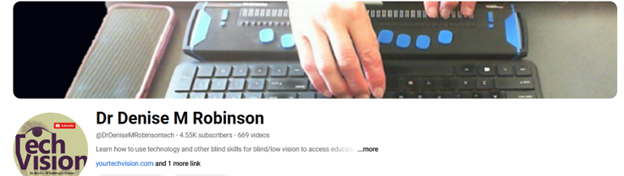
Dr. Denise M. Robinson’s TechVision YouTube channel Lessons, @DrDeniseMRobinsontech, features a wide range of content. TechVision YouTube channel focuses on assistive technology, blind skills, accessibility and access to the World of information. The channel offers tutorials, guides, and resources for blind and low-vision individuals, educators, and parents. The channel covers topics like using screen readers, braille technology, and software such as JAWS and NVDA. Additionally, it provides practical tips for navigating various digital tools and environments. Dr. Robinson’s videos aim to empower viewers by providing them with the knowledge and skills needed to achieve independence in both educational and everyday tasks. Whether you’re learning skills or teaching them, this site supports your success effectively.
TechVision YouTube Channel Lessons
Access Blind and Low Vision education through hundreds of lesson videos covering all subjects and tools. Learn to use screen readers, braille displays, and other resources to enhance your education and life. Access Blind Low Vision Education @ TechVision YouTube Channel@DrDeniseMRobinsontech
When sighted parents’ setup computer for their young child, they learn the commands and how to follow through with lessons after the TechVision Team completes working with their child.
Shared Learning Experience: Learning together can be a bonding experience, making the process enjoyable and less isolating for the child. It also demonstrates to the child that their parents are invested in their education and success.
Here are some general essential keyboard commands to set up and navigate the JAWS screen reader:
Starting and Basic Navigation
Start JAWS:
Press Ctrl + Alt + J or if pinned to taskbar Windows 3 on this computer
Activate PC Cursor:
Press Numpad +.
Activate JAWS Cursor:
Press Numpad -.
Silence Current Speech Output:
Press Ctrl.
Help Sighted Parents Setup Navigating Web Pages
List Links:
Press Insert + F7.
List Headings:
Press Insert + F6.
List Form Fields:
Press Insert + F5.
Next Heading:
Press H.
Next Link:
Press Tab.
Previous Link:
Press Shift + Tab.
Reading Text
Read Next Line:
Press Down Arrow.
Read Previous Line:
Press Up Arrow.
Read Current Line:
Press Insert + Up Arrow.
Read Next Word:
Press Insert + Right Arrow.
Read Previous Word:
Press Insert + Left Arrow.
Forms and Tables
Enter Forms Mode:
Press Enter.
Exit Forms Mode:
Press Numpad +.
Navigate Table Cells:
Press Ctrl + Alt + Arrow Keys.
Sighted Parents Setup computer successfully and if your child is Visually Impaired use this setup to SEE computer better
Age-related macular degeneration, often called AMD or ARMD, is the leading cause of vision loss and blindness among Americans who are age 65 and older. Because people in this group are an increasingly larger percentage of the general population, vision loss from macular degeneration is a growing problem. Conditions like Macular Degeneration and Stargardts often affect a significant number of individuals. (http://www.allaboutvision.com/conditions/amd.htm)
Stargardts is very similar to Macular Degeneration but occurs in younger ages…
While macular degeneration generally is associated with aging eyes, an inherited form known as Stargardt’s disease can affect children and young adults.
Stargardt’s disease — also called fundus flavimaculatus or Stargardt’s macular dystrophy (SMD) — affects approximately one in 10,000 people and is characterized by central vision loss early in life. (Some researchers believe a distinction should be made between Stargardt’s disease and fundus flavimaculatus, because they say each describes a different variant of the eye disease.) http://www.allaboutvision.com/conditions/stargardts.htm
Macular Degeneration images—the black spot in the middle of visual field can be small and grow larger
Vision of macular degeneration and Stargardts -center of vision is blurred
Vision of Stargardt Disease and Age-Related Macular Degeneration (AMD) share some similarities but also have distinct differences:
Similarities of Macular Degeneration and Stargardts:
Understanding these differences and similarities can help in managing and treating these conditions effectively. When trying to access technology, there are skills to learn to improve what you see. One key is learning Perfect Touch Typing skills so you can rely on touch versus sight.
Currently, there is no cure for either Stargardt Disease or Age-Related Macular Degeneration (AMD). However, there are treatments available that can help manage the symptoms and slow the progression of these conditions:
Is there a Cure?
Stargardt Disease:
No Cure: There is no cure, but research is ongoing.
Management: Patients are advised to protect their eyes from UV light and avoid vitamin A supplements, which can worsen the condition.
Age-Related Macular Degeneration (AMD):
Dry AMD: No cure, but lifestyle changes like a healthy diet, quitting smoking, and taking specific vitamins (AREDS2 formula) can slow progression.
Wet AMD: Treatments include anti-VEGF injections, laser therapy, and photodynamic therapy, which can help slow vision loss and, in some cases, improve vision.
Research is ongoing for both conditions, with hopes for more effective treatments and potential cures in the future.
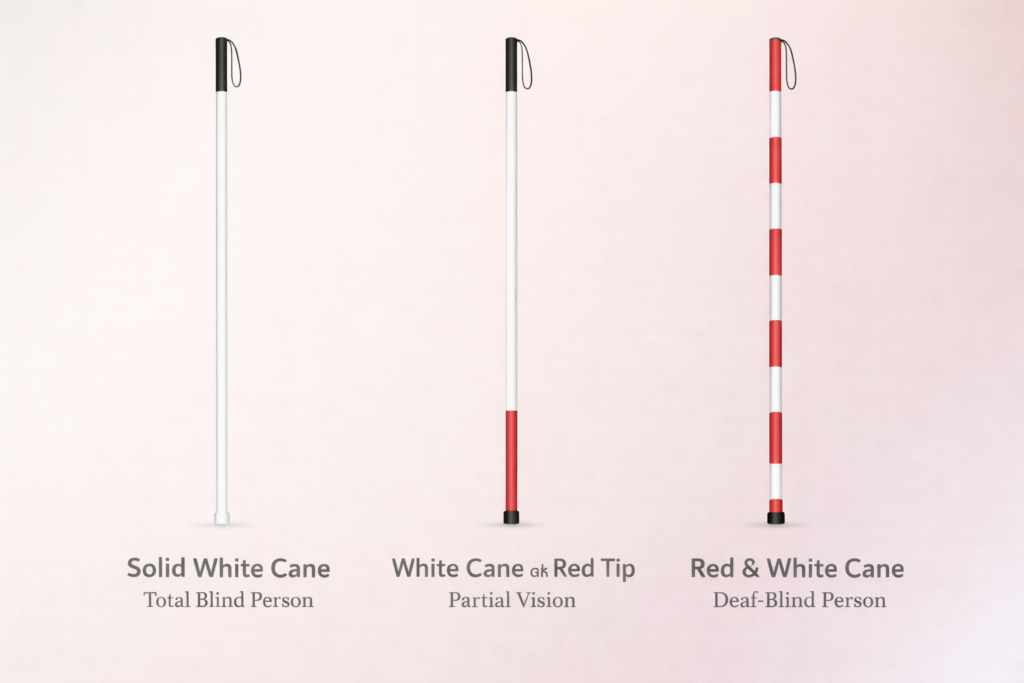
White canes help identify travelers with vision loss and support safe, independent navigation. Different cane markings communicate different levels of vision impairment. Understanding these differences helps the public respond appropriately and promotes safer environments for people who are blind or visually impaired.
Solid White Cane
A solid white cane commonly indicates that the traveler is blind or has very little functional vision. The cane serves two main purposes. First, it helps the traveler detect obstacles, steps, drop-offs, and changes in surface texture. Second, it alerts drivers and pedestrians that the individual may not see approaching hazards.
Orientation and mobility specialists often teach travelers to use the white cane with systematic scanning techniques that detect objects along the walking path. The cane becomes an extension of touch, allowing the traveler to move confidently and safely.
White Cane with a Red Tip
A white cane with a red tip or red section near the bottom typically indicates that the traveler has low vision or partial sight. The individual may see some shapes, movement, or contrast but still requires the cane to detect obstacles and navigate safely.
The red marking signals that the traveler may rely on a combination of remaining vision and tactile feedback from the cane. Even though some vision exists, obstacles and environmental hazards may still be difficult to detect without the cane.
Why Cane Identification Matters
Recognizing these cane markings helps others respond safely. Drivers should slow down and yield when a traveler with a white cane approaches a crossing. Pedestrians should provide space and avoid grabbing the cane or interfering with its movement.
White canes represent independence, mobility, and access to the world. Whether solid white or marked with red, the cane serves as an essential tool that allows individuals with vision loss to travel safely and confidently.
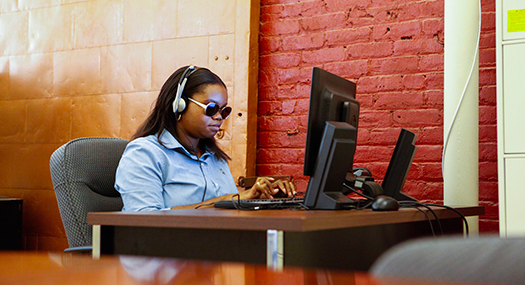
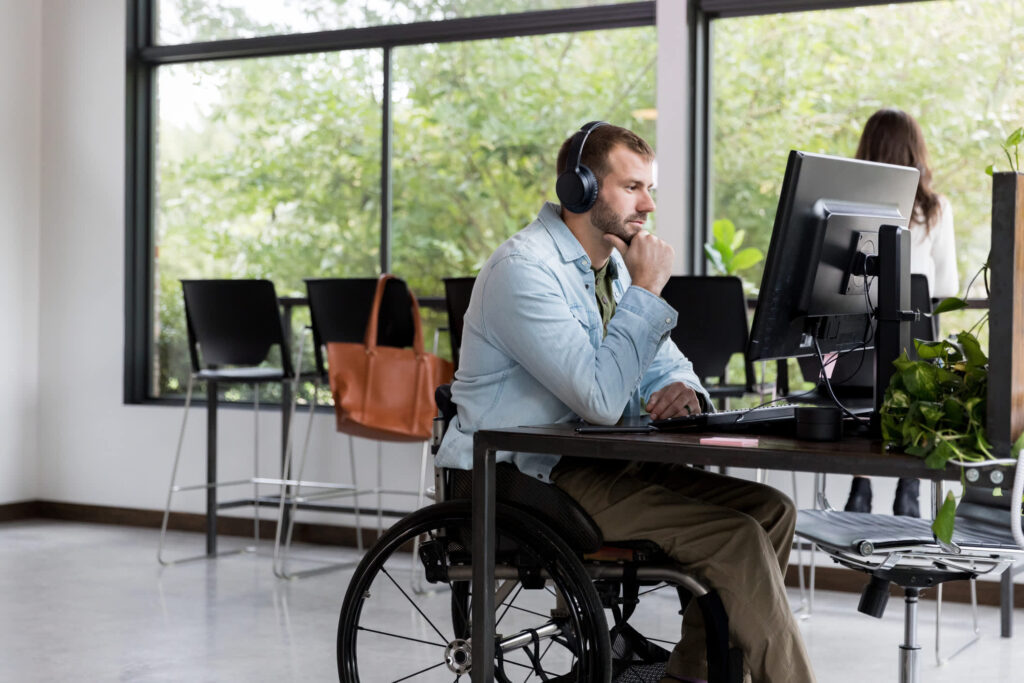
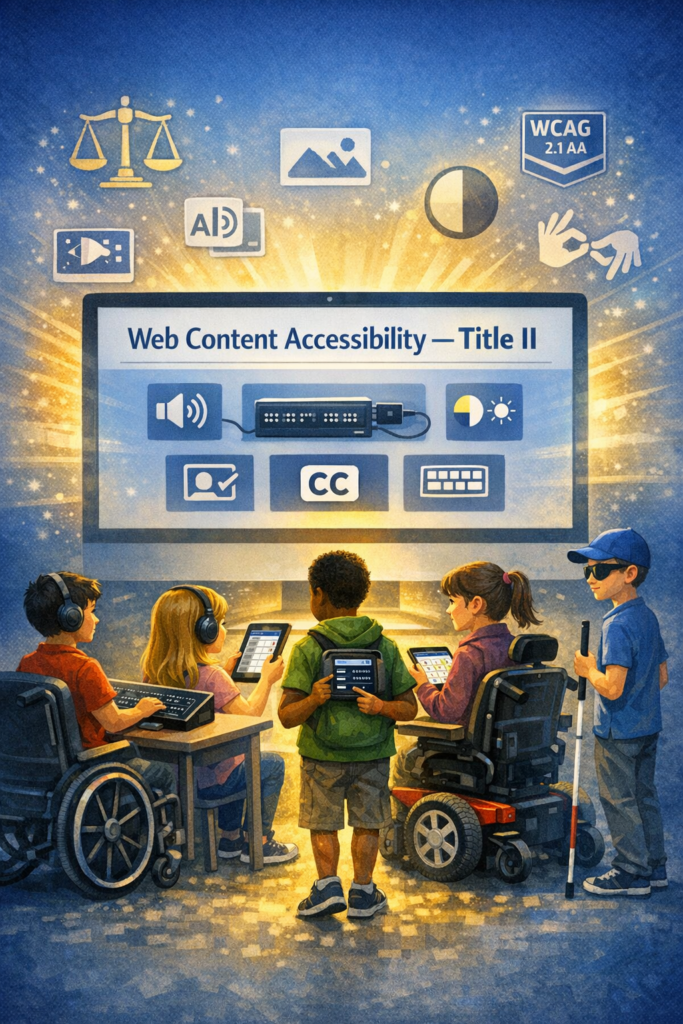
Title II Meaning for Vocational Rehabilitation: Person learning Technology at Rehab center
Title II creates major changes for vocational rehabilitation programs. It now requires full digital and program access for every adult with a disability. Rehab centers must provide equal access to training, websites, forms, online portals, and instruction. Programs can no longer rely on “we don’t have staff” as a reason for inaccessible services.
The rule also requires agencies to meet WCAG 2.1 AA for all digital content. This includes job portals, training modules, intake systems, emails, documents, and videos. Adults must receive the same information at the same time as everyone else.
This shift will affect many rehab centers because they often lack staff who understand blindness, low vision, or screen reader access and other advanced Technology training for all disabilities. Title II now places responsibility on the agency, not on the client. Agencies must ensure that all adults needing help can access training, job preparation, and digital tools without delay.
Many centers will need outside specialists to train adults in blindness skills and technology in general for all clients. They can partner with qualified programs and companies when they do not have trained staff. This is acceptable and expected under Title II.
The rule pushes agencies to modernize. It requires stronger systems, better training, and accessible job pathways. It opens the door for consistent and equal access that all adults who have need of services for decades.
For decades, families of children with disabilities have carried a quiet, heavy burden. You’ve watched your child struggle to access schoolwork that wasn’t designed for them. And You’ve fought for accommodations that came too late — or didn’t come at all. You’ve watched your child work twice as hard for half the access. You’ve been told to “wait,” “be patient,” or “we’ll try.”
But now, something extraordinary has changed. Those educational systems that do not comply will feel the impact as families who are affected by inaccessible schools have power to change what is happening.
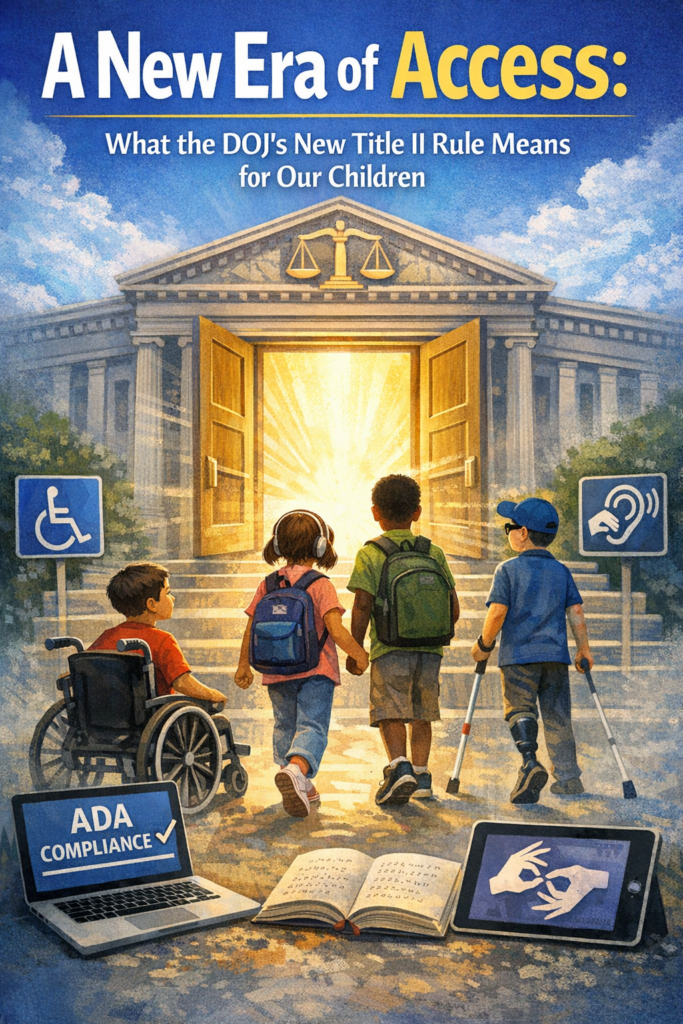
In April 2024, the U.S. Department of Justice issued a landmark update to Title II of the Americans with Disabilities Act, requiring every public school, college, and state/local government to make their websites, digital learning platforms, documents, videos, and mobile apps accessible by following WCAG 2.1 Level AA — the most widely recognized accessibility standard in the world.
This is not a suggestion. It is not a guideline. This is federal law.
And for the first time, every child with a disability has a clear, enforceable right to full, equal, real‑time access to their education.
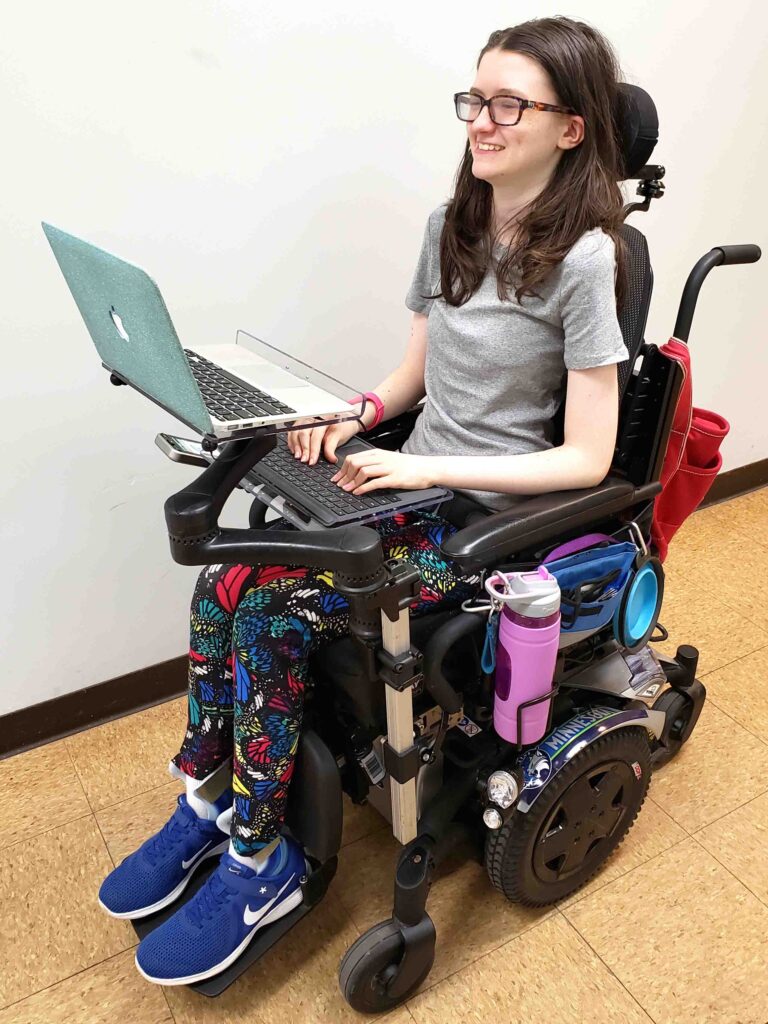
Title II With Teeth-young lady in Wheelchair with laptop
What This Means for Your Child — No Matter Their Disability
This rule protects children with:
Blindness or low vision
Deafness or hearing loss
Learning disabilities
Cognitive disabilities
Autism
Mobility impairments
Speech/language disabilities
Chronic health conditions
Multiple disabilities
Every child who needs accessible digital content is now covered.
Your child now has the right to:
Access schoolwork at the same time as their peers
Use assistive technology without barriers
Receive accessible videos, documents, and online lessons
Navigate school websites and apps independently
Participate fully in online learning
Receive materials in formats that work for them
Learn without waiting for someone to “fix” inaccessible content
This is the strongest protection children with disabilities have ever had.
Why This Rule Is a Turning Point
For years, schools relied on “accommodations” — reactive fixes that often came too late. This rule requires proactive accessibility, meaning:
Teachers must create accessible materials from the start
Districts must train staff
Vendors must provide accessible platforms
Colleges must ensure accessible admissions, financial aid, and coursework
Schools must test content for accessibility
Students must receive equal access in real time
This is a complete shift in how education must operate.
Title II With Teeth-Access All Work with peers
Why This Is Good News — Even If Schools Are Scrambling
Yes, schools and colleges are panicking. They are overwhelmed. Yes, they are realizing how much work they must do.
But that panic is not a bad thing.
It means the system is finally being held accountable. That families no longer have to beg for access. It means students no longer have to wait. It means the law is finally on your child’s side.
For the first time, the federal government has said clearly:
“Your child deserves equal access — and schools must provide it.”
What This Means for Teachers
Teachers are not expected to become accessibility experts overnight. But they are expected to learn the basics of accessible design — and districts are required to train them.
This rule gives teachers:
Clarity
Structure
Support
Training
Tools
A roadmap
And it gives them the ability to reach every learner, not just those who can see, hear, read, or process information in typical ways.
What This Means for Families
You now have:
A clear legal standard
A federal rule with deadlines
A right to accessible digital content
A right to equal participation
A right to real‑time access
A right to file complaints if access is denied
You no longer have to accept:
“We don’t know how”
“We’ll fix it later”
“We don’t have time”
“We don’t have training”
“We didn’t think about that”
Your child’s right to access is no longer negotiable.
What This Means for Students
This rule opens the door to:
Independence
Confidence
Dignity
Participation
Inclusion
Real learning
Real opportunity
Every child deserves to learn without barriers. And Every child deserves to be included. Every child deserves to be seen, heard, and supported.
And now, the law finally reflects that truth.
A Message of Hope
For every parent who has cried at the kitchen table. And For every teacher who has tried to help without the tools. For every child who has felt left out, behind, or invisible.
This is your moment.
A new era of accessibility has begun — one where your child’s right to learn is protected, enforced, and honored.
And we are going to make sure every child gets the education they deserve.
In April 2024, the U.S. Department of Justice published its final rule updating Title II of the ADA to require that state and local governments make their websites and mobile apps accessible by conforming to WCAG 2.1 Level AA. (WCAG 2.1 AA) or face the consequences.
This is the first time the DOJ has formally adopted a specific technical standard for digital accessibility under Title II.
All state and local government entities, including:
State agencies
Counties, cities, municipalities
Independent school districts
Special district governments
Contractors or vendors providing public‑facing digital services on behalf of these entities
This includes any third‑party platform used to deliver services (payment portals, scheduling systems, learning platforms, etc.).
Compliance deadlines
The DOJ set two compliance timelines:
April 24, 2026 → Entities with 50,000+ population
April 26, 2027 → Entities with <50,000 population and special districts
These dates apply to full conformance with WCAG 2.1 AA for all covered digital content.
What WCAG 2.1 AA requires
WCAG 2.1 AA addresses barriers affecting people with:
Blindness or low vision
Deafness or hearing loss
Cognitive or learning disabilities
Mobility or dexterity impairments
Key requirements include:
Text alternatives for images
Captioning and audio description for video
Keyboard accessibility for all functions
Sufficient color contrast
Logical heading structure
Resizable text and responsive layouts
Avoiding motion‑based inputs (e.g., shaking a device)
Touch target size and spacing for mobile apps
What content is covered?
The rule applies to all web content and mobile apps a public entity provides or makes available. This includes:
Websites
Mobile apps
Online forms
PDFs and digital documents
Portals and dashboards
Learning platforms
Third‑party tools used to deliver public services
What content is not required to comply?
The rule includes limited exceptions:
Archived web content
Preexisting traditional electronic documents (e.g., old PDFs)
Content posted by non‑affiliated third parties
Password‑protected individual documents
Preexisting social media posts
These exceptions are narrow—most active, public‑facing content must meet WCAG 2.1 AA.
Why the DOJ adopted WCAG 2.1 AA
The DOJ emphasized that inaccessible digital services create real barriers—for example:
Blind users unable to access images without alt text
Inaccessible forms blocking access to voting, tax info, or school services
Barriers to participating in civic events
The rule aims to ensure equal access to essential public services.
What this means schools, colleges and any educational institution
For blind/low‑vision students and families receive real‑time, nonvisual access to digital content. WCAG 2.1 AA now gives legal backbone for the accessibility standards people advocate for—especially around:
Alt text
Keyboard access
Logical structure
Screen‑reader compatibility
Accessible PDFs
Mobile app access ease with braille display or Voice Over
Captioning and audio description
This is a powerful tool for your advocacy with districts, IEP teams, and state agencies.
You’re not imagining it — public colleges and universities really are scrambling, and the panic is coming from several very real, structural reasons that the higher‑ed sector has been avoiding for years. Here’s what the current reporting and expert analysis show, grounded in the sources we just pulled.
Why colleges and Schools are panicking about the new Title II WCAG 2.1 rule
1. The rule is no longer “guidance” — it’s enforceable law
Public colleges and universities are now legally required to meet WCAG 2.1 AA across all digital services. This is a major shift from the old “best practice” era.
For higher ed, which has thousands of pages, PDFs, videos, portals, and legacy systems, this is a massive lift.
2. The deadlines are tight — especially for large institutions
Public institutions serving populations of 50,000+ must comply by April 24, 2026. Smaller ones have until April 26, 2027.
Most colleges are nowhere near WCAG 2.1 AA compliance today.
3. Higher ed has huge accessibility debt
Experts note that colleges have:
Decentralized web teams
Fragmented domains
Thousands of legacy PDFs
Inaccessible videos
Third‑party tools that aren’t compliant
This means they’re not starting from zero — they’re starting from negative.
4. Colleges have been relying on “accommodations,” not accessible design
For years, many institutions leaned on disability services offices to “fix” inaccessible content after the fact. The new rule requires proactive accessibility, not reactive accommodations.
This is a cultural shift higher ed has resisted for decades.
5. The exceptions are narrow — and colleges hoped they’d be broader
The DOJ’s exceptions (archived content, pre‑existing social media posts, third‑party content, etc.) are very limited.
Most active content must be fully accessible.
6. Colleges and schools fear litigation and OCR complaints
Higher ed is already a top target for ADA and Section 504 complaints. Now that WCAG 2.1 AA is the explicit legal standard, colleges know enforcement will increase.
7. They know they can’t fix this with a one‑time project
Experts warn that accessibility must become a digital operating model, not a “compliance project.”
That means governance, training, workflows, and accountability — areas where higher ed is historically weak.
As Our team teaches blind low vision, this article is directed toward that population but this is true for ALL populations of children.
For decades, blind and low‑vision students have been expected to “make do” with inaccessible schoolwork, delayed accommodations, and digital tools that were never designed for them. Parents have fought and Teachers of the visually impaired have patched and remediated-transcribed work until late in the evenings. Students have worked twice as hard for half the access.
But now, everything is changing.
In April 2024, the U.S. Department of Justice issued a landmark update to Title II of the Americans with Disabilities Act, requiring all state and local governments — including every public school district in the country — to make their websites, digital learning platforms, documents, and mobile apps accessible by following WCAG 2.1 Level AA.
This is not guidance or a suggestion. This is federal law.
And for the first time, our children have a clear, enforceable right to full, equal, real‑time access to their education.
Why this rule matters so much for blind and low‑vision students
Blind and low‑vision students have always been the most impacted by inaccessible digital content. When a worksheet is posted as an image, when a math assignment is scanned sideways, when a teacher uploads a PDF with no tags, when a learning platform isn’t keyboard accessible — that student is locked out.
The new rule changes that.
WCAG 2.1 AA requires schools to ensure:
All images have alt text
All documents are structured for screen readers
All videos have captions and audio description
All platforms work with keyboard navigation
All math and STEM content is accessible
All mobile apps are operable for non-visual users
All content is perceivable, operable, understandable, and robust
This is the first time the federal government has said, in clear language: “Your digital content must be accessible from the start.”
No more waiting or retrofitting. No more “we’ll fix it later” or “we didn’t know.”
Why schools are scrambling or should be scrambling— and why that’s good news
K–12 districts are suddenly realizing that:
Teachers create inaccessible content every day
Thousands of PDFs and worksheets must be remediated
Google Classroom, Schoology, Canvas, and other platforms must meet WCAG
Vendor tools must be accessible — and the district is responsible if they’re not
They need training, workflows, and accountability
They must comply by 2026 or 2027, depending on district size
This is overwhelming for them — but it’s also the first time blind and low‑vision students have the law fully on their side… as do all students!
So if you hear panic you’re it is not a bad thing. It’s the sound of a system finally being required to do what it should have done all along.
What this means for your child
It means your child has the right to:
Access their schoolwork at the same time as their peers
Use screen readers, magnification, braille displays, and other tools without barriers
Receive accessible math, science, and STEM content
Navigate school websites and portals independently
Access digital textbooks and curriculum materials
Participate fully in online learning
Receive materials in formats that work for them — every time
This is not optional. Or “if the teacher has time.” This is not “if the district can figure it out.”
This is their legal right.
What this means for teachers
Teachers are not expected to become accessibility experts overnight. But they are expected to learn the basics of accessible digital design — and districts are required to train them.
This rule gives teachers clarity, structure, and support. It gives them a roadmap. It gives them permission to slow down and do things right.
And it gives them the tools to reach every learner, not just those who can see the screen.
What this means for TVIs and accessibility professionals
For years, TVIs have been forced into the role of “fixer” — remediating inaccessible content after the fact, often late at night, often under pressure, often without the authority to change the system.
This rule changes your role.
You are no longer the emergency repair technician. You are now the accessibility leader your district must rely on.
Your expertise is finally recognized as essential, not optional.
Why this is a moment of hope
For the first time in U.S. history, blind and low‑vision (and all) students have a federal rule that:
Names the standard
Sets the deadlines
Defines the expectations
Holds districts accountable
Protects students’ right to equal access
This is the beginning of a new era — one where our children can learn, participate, and thrive without barriers.
And for families who have spent years advocating, fighting, and explaining the same issues over and over, this rule is a long‑awaited validation:
Your child deserves full access. All children deserve independence. Your child deserves equal opportunity. And now, the law finally backs you up.
Many people wonder what does legally blind look like? In the United States, a person meets the definition of legal blindness when the best corrected visual acuity in the better eye is 20/200 or worse, meaning the vision remains at or below that level even with glasses or contact lenses. A person may also be considered legally blind if the visual field in the better eye is limited to 20 degrees or less, often described as tunnel vision. These criteria are commonly used to determine eligibility for services, supports, and certain benefits for individuals with significant vision loss.
“Legally blind” is a measurement of vision—not an appearance. It includes a wide range of eye conditions, levels of clarity, contrast sensitivity, and visual fields. Two people with the same diagnosis may function very differently.
Understanding this helps us support students, coworkers, and community members with respect and accuracy. Vision loss is diverse, and so are the people who live with it.
Educational Definition for Services
Under the new criteria, if a person’s visual acuity is measured with one of the newer charts, and they cannot read any of the letters on the 20/100 line, they will qualify as legally blind, based on a visual acuity of 20/200 or less. Based on acuity Work will need to be adapted.
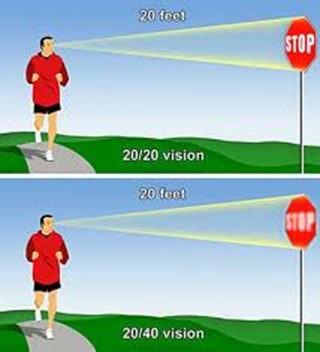
This vision means that a person sees at 20 feet what someone with normal vision sees at 70 feet. It is a form of visual impairment classified as mild low vision. Here’s a breakdown of what this means and its implications: Based on diagnosis, this acuity can get worse throughout the day.
1. Definition of 20/70 Vision
In a standard eye exam, the results are written as a fraction, with 20/20 being considered normal vision.
The first number (20) refers to the distance (in feet) from which a person views an object.
The second number (70) indicates the distance at which a person with normal vision can see the same object with clarity.
Thus, someone with 20/70 vision must be closer to an object (20 feet away) to see it as clearly as a person with 20/20 vision can from 70 feet.
2. Implications of 20/70 Vision
Legally Not Blind: This level of vision does not qualify as legal blindness, which is defined as 20/200 or worse with corrective lenses.
Difficulty with Certain Tasks: Individuals with 20/70 vision may struggle with tasks requiring clear distance vision, such as reading road signs, recognizing faces from a distance, or seeing objects clearly in low-light conditions.
Daily Life Adjustments: Depending on the person’s environment, they may need glasses or contact lenses to enhance their vision for specific tasks. However, vision aids may not fully restore perfect clarity.
3. Corrective Measures
Eyeglasses or Contact Lenses: Many individuals with 20/70 vision wear corrective lenses to improve visual acuity.
Low Vision Aids: Some people might benefit from magnifying devices, large-print materials, or enhanced lighting to assist with reading or other close-up tasks.
Adaptive Technology: Screen magnifiers, larger fonts on digital devices, and software that enhances visual contrast can also help improve accessibility for people with 20/70 vision.
4. Potential Causes
Refractive Errors: Conditions like myopia (nearsightedness), hyperopia (farsightedness), or astigmatism can result in 20/70 vision if not corrected.
Eye Diseases: Conditions like cataracts, macular degeneration, glaucoma, or diabetic retinopathy may cause a person’s vision to deteriorate to 20/70.
Age-Related Changes: Vision often declines naturally with age, and some individuals may experience 20/70 vision due to presbyopia or other age-related conditions.
5. Treatment and Management
Regular eye exams are essential to monitor vision changes.
Wearing prescribed corrective lenses and using adaptive aids can help individuals maintain independence and improve their quality of life.
Early detection of underlying conditions (e.g., glaucoma or cataracts) through eye exams can prevent further vision loss.
In summary, 20/70 vision reflects a moderate visual impairment. While it can pose challenges for certain activities, corrective measures and assistive technologies can significantly enhance visual functioning and quality of life.
all acuity levels compared
20/100 vision means that a person sees at 20 feet what someone with normal vision can see clearly at 100 feet. This level of visual acuity is considered moderate low vision. Here’s a detailed explanation of what 20/100 vision means and its implications:
1. Definition of 20/100 Vision
Visual Acuity Measurement: Vision is typically measured using a Snellen eye chart, and the result is expressed as a fraction. The first number (20) represents the distance at which the person is standing from the chart. The second number (100) indicates the distance at which a person with normal vision (20/20) can see the same object clearly.
Therefore, a person with 20/100 vision must be much closer to an object (20 feet away) to see it clearly, while someone with normal vision can see it clearly from 100 feet away.
2. Implications of 20/100 Vision
People with 20/100 vision are considered legally visually impaired. However, this does not meet the definition of legal blindness, which is 20/200 or worse. Even with corrective lenses, they fall under the low vision category. This means normal vision remains unattainable.
When it comes to daily tasks, they often struggle with seeing distant objects clearly. For instance, they may have trouble reading signs from far away. Recognizing faces across a room or on the street is also challenging. Watching TV or presentations requires sitting close. Driving presents challenges, as they may not clearly see signs or signals from a safe distance.
Close-up tasks can be easier for those with 20/100 vision. Reading or using a computer may not be as difficult. However, many still require magnification or adaptive tools to assist with these activities.
Driving: In many regions, individuals with 20/100 vision may not meet the vision requirements for driving. Driving may be possible with special accommodations or vision aids, but restrictions usually apply.
Work and Education: Individuals with 20/100 vision may need accommodations in the workplace or classroom, such as enlarged print materials, magnifiers, or assistive software. Special seating or devices may also be necessary to ensure they can participate fully.
Mobility: While 20/100 vision allows for some independent movement, it can still make navigating unfamiliar environments more challenging. Some individuals may benefit from mobility aids like a cane or guide dog in certain situations. Based on diagnosis, 20/100 can change to 20/200 or worse during any day at school or work based on eye fatigue.
Different levels of Vision Loss to easily compare:
20/20 visual acuity to see people clearly in distance20/200 seeing blurry people in the distance20/400 acuity seeing people extremely blurry in distance
What legally blind looks like and is:
20/200 vision is a severe level of visual impairment and is often classified as legal blindness in many regions. It means that a person with this level of vision can see at 20 feet what a person with normal vision can see clearly at 200 feet. Here’s an overview of 20/200 vision and its implications: Technology has changed everything toward independence, including AI apps that will transcribe the inaccessible to accessible for you what you cannot see
1. Definition of 20/200 Vision
In an eye exam, vision is expressed as a fraction. The first number (20) refers to the distance (in feet) from which the person views an object. The second number (200) indicates the distance at which a person with normal vision can see the same object clearly.
Therefore, someone with 20/200 vision must be much closer to an object (20 feet away) to see it with clarity, while a person with normal vision can see it clearly from 200 feet away.
2. Legal Blindness
Legally Blind: A person with 20/200 vision is considered legally blind. Legal blindness is defined as having a visual acuity of 20/200 or worse in the better eye with the best possible corrective lenses.
Low Vision Category: While legally blind, individuals with 20/200 vision may still have some functional sight. They fall under the category of low vision, meaning that although their vision is severely impaired, they can still benefit from visual aids.
3. Impact on Daily Life
Challenges with Distance Vision: Individuals with 20/200 vision have significant difficulty seeing objects, signs, or faces at a distance. Recognizing faces across a room, reading road signs while driving, or watching TV from a typical distance can be very challenging or impossible.
Mobility and Orientation: Moving through unfamiliar environments may require assistance or adaptations. People with 20/200 vision often need to use mobility aids, such as a white cane or guide dog, to navigate safely.
Reading and Close-Up Work: Although close-up vision may be better, people with 20/200 vision often require magnifiers or other visual aids for reading or detailed work.
4. Corrective Measures
Eyeglasses or Contact Lenses: In some cases, corrective lenses may slightly improve vision. However, they often cannot bring a person’s vision to normal (20/20) levels when the vision loss is significant.
Low Vision Aids: Various devices can assist people with 20/200 vision in their daily lives, including:
Magnifiers: Handheld or electronic magnifiers for reading and detailed work.
Screen Readers: Digital devices or computers with screen readers that convert text to speech.
CCTV Systems: Closed-circuit television systems that enlarge printed text or images onto a screen.
Large-Print Materials: Books and materials with large text can make reading easier.
5. Driving Restrictions
Not Eligible for Driving: In most countries and regions, individuals with 20/200 vision are not permitted to drive. Driving requires a higher level of visual acuity to safely recognize signs, signals, and hazards.
6. Assistive Technology and Adaptations
Adaptive Technologies: Screen readers, screen magnifiers, and voice commands on computers and smartphones help individuals with 20/200 vision engage with digital content.
Environmental Modifications: Enhanced lighting, contrast modifications, and large-text displays make daily tasks like reading, working, and navigating spaces easier.
Orientation and Mobility Training: People with 20/200 vision need O&M (orientation and mobility) training to help them navigate safely and independently using mobility aids or techniques.
20/800 vision is a severe visual impairment often classified as profound low vision or near-total blindness. This means a person with 20/800 vision can see at 20 feet what someone with normal vision sees at 800 feet. Consequently, this level of impairment presents significant challenges for daily functioning. Even with corrective lenses, the limitations remain.
1. Definition of 20/800 Vision
A person with 20/800 vision must be 20 feet away to see something that a person with normal vision can see clearly from 800 feet. This substantial loss of visual acuity severely limits the ability to see details at any distance.
2. Legal Blindness and Classification
Individuals with 20/800 vision fall under the category of profound low vision. Although some residual vision may remain, it is limited. People with 20/800 vision are legally blind. Legal blindness is defined as having a visual acuity of 20/200 or worse in the better eye, even with corrective lenses.
3. Impact on Daily Life
People with 20/800 vision face significant visual challenges in everyday tasks. They may struggle with activities such as reading, recognizing faces, or navigating unfamiliar environments. Even simple tasks like watching TV or identifying objects across a room are often inaccessible. As a result, they must rely on non-visual cues such as tactile or auditory information. This helps them navigate their surroundings and accomplish tasks.
4. Corrective Measures
Although corrective lenses offer limited improvement for individuals with 20/800 vision, magnifiers or other visual aids may enhance any remaining vision for specific tasks. However, many people with this level of impairment depend on advanced assistive technologies. Screen readers, braille displays, and text magnifiers help them access information. Voice-controlled devices enable hands-free interaction with technology. Additionally, orientation and mobility aids, such as white canes or guide dogs, help individuals move safely.
5. Causes of 20/800 Vision
Congenital conditions, like Retinitis Pigmentosa or Optic Nerve Hypoplasia, often lead to severe vision loss. Progressive eye diseases such as Glaucoma, Macular Degeneration, or Diabetic Retinopathy can also cause vision to deteriorate to 20/800. Additionally, trauma or injury to the eye may result in permanent vision impairment.
6. Mobility and Independence
People with 20/800 vision rely on white canes, guide dogs, or assistance to travel safely. Orientation and mobility training teaches them how to use these aids effectively. This training also helps them develop strategies for moving confidently through public spaces. Some individuals also use adaptive techniques like echolocation to supplement their remaining vision.
7. Driving Restrictions
Due to the severity of the impairment, individuals with 20/800 vision are not permitted to drive.
8. Support and Resources
Low vision rehabilitation programs provide essential training in daily living skills, technology use, and mobility techniques. These programs enable individuals with 20/800 vision to maximize their remaining vision. Various organizations offer services such as guide dog training, braille literacy, and mobility aid instruction. Vision loss support groups also offer emotional and practical support for those facing similar challenges.
Result
20/800 vision represents profound visual impairment, often resulting in near-total blindness. People with this condition face substantial challenges in daily life. However, they can rely on assistive technology, mobility aids, and rehabilitation services to maintain independence. While corrective lenses may offer limited improvement, adaptive tools and strategies help individuals with 20/800 vision engage in work, education, and social activities successfully.
Now, you can get an idea of what a visual impairment actually looks like. Educational Services starting at youngest age possible but no later than age 3 years old is crucial.
Understanding Vision in Children: What Visual Acuity Really Means