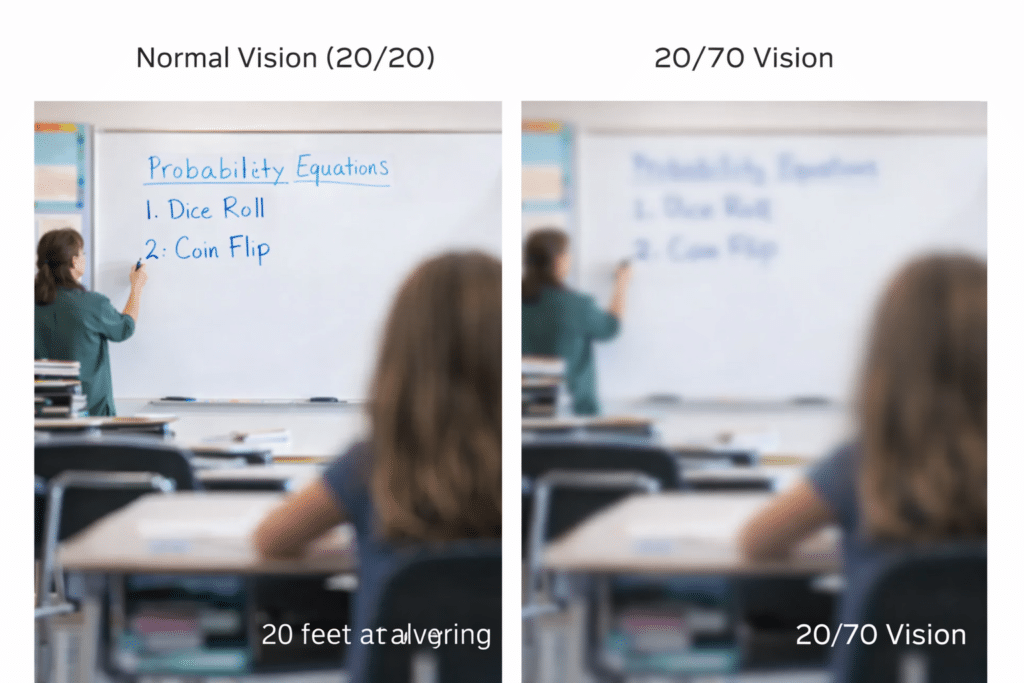
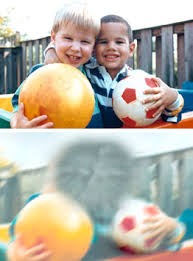
20/70 vision gets dismissed as “not that bad,” or “just a little blurry,” yet it changes a student’s entire school day. It affects how they read, learn, socialize, and move through their world. Teachers often miss the signs because the student looks like they are seeing “well enough,” but their visual system works harder every minute.
Here’s what 20/70 often looks like in real life:
1. The board is visible… but not comfortably
Students may technically read the board, but only with effort. Low contrast, faint markers, and glare turn every lesson into a slow decoding task.
2. Faces and expressions lack detail
Social cues move quickly. At 20/70, subtle expressions, eyebrow movements, and small gestures can be missed — leading to misunderstandings that look like inattention.
3. Reading takes more energy
It’s not about ability. It’s about the visual system working harder to maintain clarity, especially with dense text or poor contrast.
4. “Clumsy” moments aren’t clumsiness
Reduced detail and depth perception affect navigation, especially in busy classrooms, hallways, and playgrounds.
5. Fatigue shows up before frustration
When every task requires extra visual effort, students tire faster — long before they complain.
6. Behavior changes are often misunderstood
A student who looks away, loses place, or avoids reading isn’t unmotivated. They’re adapting.
20/70 is not a measure of intelligence or effort and it does not limit intelligence, motivation, or potential. It only limits access. With simple changes—better contrast, stronger lighting, proper seating, and the right tools—students stop struggling and start thriving. When schools understand what 20/70 really means, they unlock a student’s ability to learn with confidence and independence.
Understanding Vision in Children: What Visual Acuity Really Means
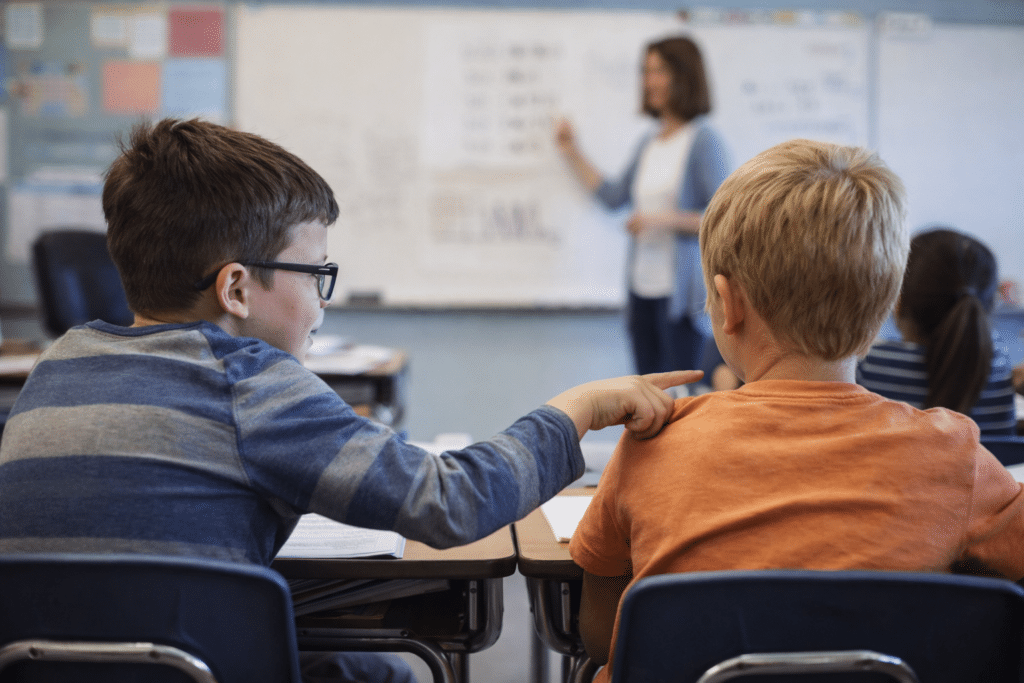
When Vision Problems Look Like Misbehavior as kid pokes another student in class to ask question
Why Vision Challenges Often Look Like “Behavior” in Kids and Adults
Vision challenges often hide in plain sight, yet they shape behavior every day. For many families, it can be confusing when vision problems look like misbehavior. A child avoids reading because letters blur. An adult seems distracted because focusing hurts. Teachers and parents notice frustration, not vision strain. Misunderstanding grows quickly when no one knows the eyes work too hard. When vision becomes clear, behavior improves, confidence rises, and daily tasks feel easier. This illustrates why vision problems sometimes appear as misbehavior.
Many vision issues do not appear as “I can’t see.” They appear as everyday behaviors people misunderstand. These signs often show that vision—not motivation—is the real struggle.
• “Why can’t my child see the board?” Distance vision is only part of the story. Low contrast, glare, and faint markers make even the front row feel far away.
• “Why does my student squint?” Squinting is often a contrast problem, not a distance problem. It’s the brain trying to sharpen an image that isn’t clear enough.
• “Why does my child hold things close?” Close viewing is a strategy, not a flaw. Many students see best within a narrow range where print is larger, clearer, and higher contrast. When vision problems arise, they may mimic misbehavior rather than signal a visual challenge.
• “Why does my student miss social cues?” Facial expressions, eye contact, and gestures are low‑contrast, fast‑moving, and often far away. Missing them is a vision access issue, not a social one.
Vision Problems Look Like Misbehavior in small but significant ways
• “Why is my child clumsy?” Depth perception, peripheral vision, and glare sensitivity all affect movement. Tripping or bumping into things is often functional vision—not coordination.
• “Why does my student avoid reading?” Avoidance is usually fatigue. Low contrast, small print, and visual clutter make reading physically exhausting long before it becomes academically challenging. In many cases, vision problems may be mistaken for misbehavior in students avoiding tasks.
Why does my child interrupt conversations or seek attention in the wrong ways? If you can’t clearly see who is talking, where the group’s attention is focused, or when it’s your turn to join in, you rely on timing guesses. What looks like interrupting or attention‑seeking is often a student trying to participate without the visual information everyone else takes for granted. Vision Problems Look Like Misbehavior all the time with habits such as these.
When we understand the why, we stop labeling these behaviors as inattentive, unmotivated, or disruptive—and start creating environments where students can thrive.
Understanding Vision in Children: What Visual Acuity Really Means
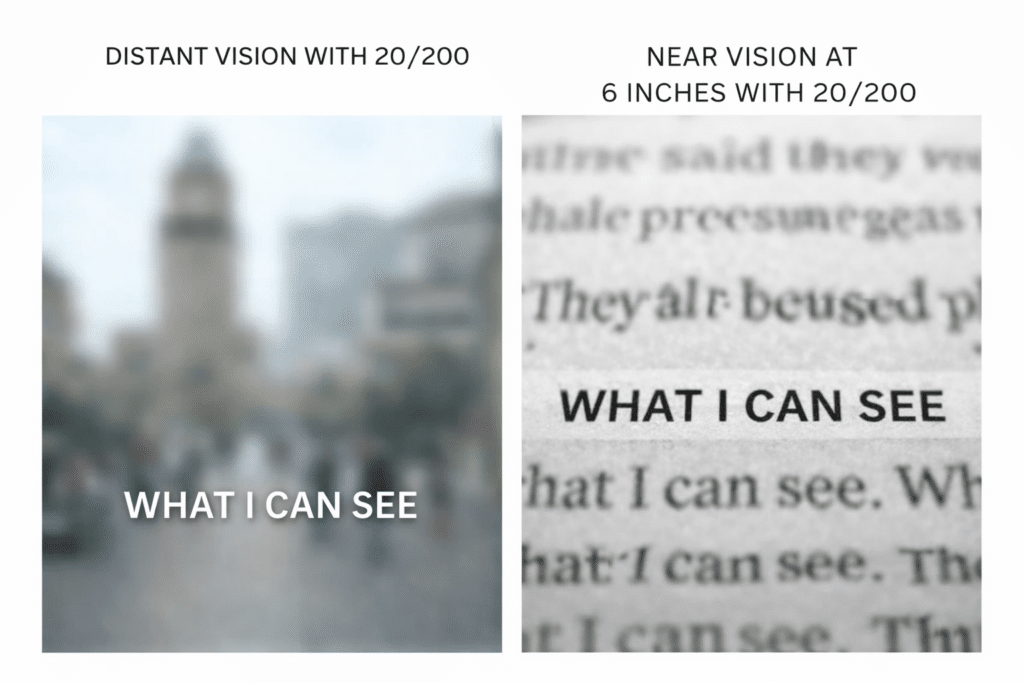
20/200 vision explained-in the distance and up close with 1 line seen at 20/20 perfect vision
Many people misunderstand what 20/200 vision actually means. The term appears simple, yet the truth often surprises families and teachers. Many assume 20/200 equals total blindness, but it does not. This number describes legal blindness, not the absence of sight. People with 20/200 vision may still see shapes, motion, and colors. However, they cannot see detail clearly enough for daily tasks without support. Understanding this difference matters, because it guides education, training, and future independence. Clear knowledge empowers parents, schools, and professionals to build the right plan.
Misunderstanding 1: “20/200 means total blindness”
20/200 is the legal definition of blindness in the United States, but it is not the functional definition. Many people with 20/200:
See light, color, and large shapes
Navigate familiar spaces
Recognize faces at close distances
Read with magnification or large print
The myth comes from assuming “blindness” means “no vision at all,” when in reality it describes a range of usable vision.
Misunderstanding 2: “If someone has 20/200, they can’t read”
Reading ability depends far more on print size, contrast, and lighting than on the acuity number alone. Someone with 20/200 may read:
Large print
High‑contrast text
Digital text with zoom
Braille, depending on preference and fatigue
The real barrier is often visual clutter, not the acuity itself.
Misunderstanding 3: “20/200 looks the same for everyone”
Two people with the same acuity can have completely different experiences depending on:
Field loss
Light sensitivity
Glare
Contrast sensitivity
Stability of the condition
Acuity is only one slice of functional vision.
Misunderstanding 4: “If you get close enough, everything becomes clear”
Distance helps, but clarity depends on contrast, lighting, and the condition causing the vision loss. Someone with 20/200 may still struggle with:
Low‑contrast text
Faded pencil writing
Busy backgrounds
Dim rooms
Bright glare
Getting closer doesn’t fix those.
Misunderstanding 5: “20/200 means you can’t be independent”
People with 20/200 routinely:
Work full‑time
Travel independently
Use smartphones and computers
Parent
Cook
Drive with bioptics in some states
Independence is shaped by training, tools, and environment, not just acuity.
With the right tools, students with 20/200 vision:
read using laptops and screen readers
work independently with braille, braille displays and tactile graphics
navigate confidently with cane and GPS
complete assignments alongside their peers using access technology
If instruction begins early and stays consistent, they thrive.
Misunderstanding 6: “20/200 is the same in every situation”
Someone with 20/200 may function very differently depending on:
Indoors vs. outdoors
Daylight vs. fluorescent lighting
High‑contrast vs. low‑contrast environments
Familiar vs. unfamiliar spaces
Functional vision is context‑dependent, not fixed.
Misunderstanding 7: “If you have 20/200, you’ll eventually lose all your vision”
Acuity doesn’t predict the future. Some conditions are stable for life. Most vision fluctuates daily and hourly. Some improve with treatment. Some decline slowly or unpredictably.
The number describes today, not destiny.
Misunderstanding 8: “20/200 means you can’t see faces”
Most people with 20/200 can see faces at close range. What’s difficult is:
Recognizing faces across a room
Reading expressions from a distance
Catching subtle social cues
This is why students may appear “uninterested” or “unaware” when they’re actually working twice as hard to interpret the room.
Misunderstanding 9: “Glasses can fix 20/200”
If glasses could correct it, it wouldn’t be classified as 20/200. The number reflects best‑corrected vision, not uncorrected vision.
Misunderstanding 10: “20/200 is rare”
It’s more common than people think, especially among:
Students with albinism
Individuals with optic nerve conditions
Adults with diabetic retinopathy
People with congenital low vision
The number shows up across many diagnoses.
Globally, more than 33 million people meet the legal blindness threshold of 20/200 vision or worse, making this level of sight loss far more common than most people realize.
Understanding Vision in Children: What Visual Acuity Really Means
Speed up your computer and fix slow-loading programs with a few adjustments and updates. Ensure all necessary .NET runtimes for programs are installed in the control panel. This allows programs to run smoothly.Regularly update your computer system to improve performance. Maintain a clean computer system, optimize performance, and disable unnecessary startup applications to keep your computer running efficiently.
Fix a Slow computer To Do List:
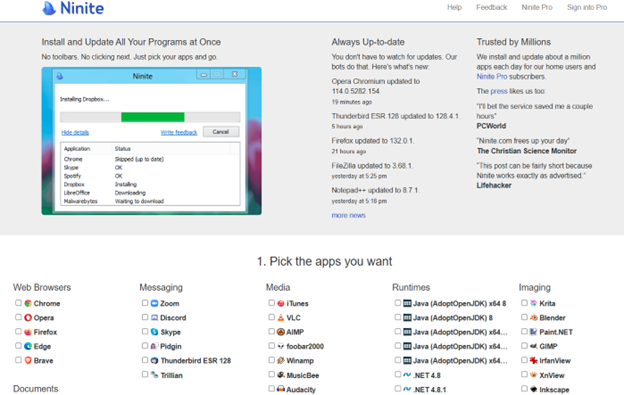
Users to update their .NET runtime to version 8 (and version 9 by end of 2024) using ninite.com.
Users to clean out their temp folder by running %temp% in Windows Run and deleting the contents to help speed up the computer.
Users to disable unnecessary startup apps in Task Manager to improve computer startup speed.
Details:
Downloading and Installing Runtimes for better Performance
Download and install these runtimes using the .NET Microsoft download and the Ninite.com website. Make sure to download the correct versions, specifically 64-bit and 86-bit. Use a screen reader to navigate the download process if needed. Check if the runtimes are correctly installed in programs and features. Update to version 9 by the end of December 2024.
Ninite.com will help speed up and fix a slow computer
Improving Computer Speed and Fix slow Computer Network
Improving computer speedand network connection involves cleaning the computer by removing temporary files and emptying the recycle bin. Regularly check for updates to keep the system running efficiently. Navigate to the temp folder and delete unnecessary files, handling files in use appropriately. Use windows key and type in updates to go to check for updates and do them several times a week. Keep your software updated also and the speed of your computer increases with every fix and adjustment. Here are other Tech Tricks to improve you computer and new commands for Google
TechVision Access Instruction is the TechVision Difference. Dr. Robinson and her Tech Vision team provide one-on-one and school team remote instruction for visually impaired individuals in real time. They enhance technology skills for students, adults, and groups by teaching them to use assistive technologies like PC computers, screen readers (JAWS, NVDA, Narrator), and Braille displays. This approach ensures students complete their work alongside peers without needing extra time
TechVision Access Instruction aims to transform education for the blind and visually impaired. They combine the right technology with effective instruction. They offer teaching internships to advanced students, providing hands-on job skills that enhance resumes for future employment or college applications. Their goal is to empower visually impaired individuals to achieve their full potential and navigate the world confidently.
TechVision Website
Our Mission and Purpose is enable blind and visually impaired students the ability to access and complete work as their sighted peers. This requires, screen readers, braille displays and other access technology.
Technology that gives you VISION with Access Instruction
The TechVision mission and purpose, led by Dr. Robinson and her highly skilled TechVision Specialists, are to change lives via instruction in access technology, enabling inclusion and educational equality.
The TechVision Specialists are uniquely skilled in teaching blind and low vision students. They focus on direct instruction on all technology like computers(requires Local Admin Access), screen readers, Braille displays, and smartphones. This approach has revolutionized the educational experience for blind and low vision students and clientele. Their expertise and global reach have significantly impacted students. They empower students to access information and navigate the world on an equal footing with sighted peers.
Additionally, TechVision collaborates with school districts and private entities to address the evolving needs of education. This collaboration promotes independence and inclusion in both classrooms and the job market. By equipping students with essential skills, TechVision creates an environment of true equality. As a result, opportunities become accessible to everyone, regardless of visual impairment.
TechVision specializes in teaching all subjects, especially advanced mathematics, to blind and visually impaired students. This enables them to succeed academically. Many of these students pursue majors in Applied Mathematics at prestigious institutions, including Harvard University. They use innovative methods to ensure blind and low vision students perform at the same high level as their sighted peers.
Integration
Additionally, TechVision integrates tools like Artificial Intelligence (AI), word processors, screen readers, and Braille displays to support student success. These tools allow visually impaired students to produce work comparable to their classmates. Consequently, this promotes integration and equal opportunities in academic environments: Even to the point that you can Make an Electronic Signature -Then insert it into a Document.
Dr. Denise M. Robinson’s TechVision YouTube channel Lessons, @DrDeniseMRobinsontech, features a wide range of content. TechVision YouTube channel focuses on assistive technology, blind skills, accessibility and access to the World of information. The channel offers tutorials, guides, and resources for blind and low-vision individuals, educators, and parents. The channel covers topics like using screen readers, braille technology, and software such as JAWS and NVDA. Additionally, it provides practical tips for navigating various digital tools and environments. Dr. Robinson’s videos aim to empower viewers by providing them with the knowledge and skills needed to achieve independence in both educational and everyday tasks. Whether you’re learning skills or teaching them, this site supports your success effectively.
TechVision YouTube Channel Lessons
Access Blind and Low Vision education through hundreds of lesson videos covering all subjects and tools. Learn to use screen readers, braille displays, and other resources to enhance your education and life. Access Blind Low Vision Education @ TechVision YouTube Channel@DrDeniseMRobinsontech
When sighted parents’ setup computer for their young child, they learn the commands and how to follow through with lessons after the TechVision Team completes working with their child.
Shared Learning Experience: Learning together can be a bonding experience, making the process enjoyable and less isolating for the child. It also demonstrates to the child that their parents are invested in their education and success.
Here are some general essential keyboard commands to set up and navigate the JAWS screen reader:
Starting and Basic Navigation
Start JAWS:
Press Ctrl + Alt + J or if pinned to taskbar Windows 3 on this computer
Activate PC Cursor:
Press Numpad +.
Activate JAWS Cursor:
Press Numpad -.
Silence Current Speech Output:
Press Ctrl.
Help Sighted Parents Setup Navigating Web Pages
List Links:
Press Insert + F7.
List Headings:
Press Insert + F6.
List Form Fields:
Press Insert + F5.
Next Heading:
Press H.
Next Link:
Press Tab.
Previous Link:
Press Shift + Tab.
Reading Text
Read Next Line:
Press Down Arrow.
Read Previous Line:
Press Up Arrow.
Read Current Line:
Press Insert + Up Arrow.
Read Next Word:
Press Insert + Right Arrow.
Read Previous Word:
Press Insert + Left Arrow.
Forms and Tables
Enter Forms Mode:
Press Enter.
Exit Forms Mode:
Press Numpad +.
Navigate Table Cells:
Press Ctrl + Alt + Arrow Keys.
Sighted Parents Setup computer successfully and if your child is Visually Impaired use this setup to SEE computer better
Remote Instruction Through Access Technology — Complete Real Work in Real Time for all ages. Our program specializes in providing Training For The Blind to ensure that every individual can succeed and work independently.
Training For The Blind & Vision Impaired-Remote Instruction via access Technology
Empowering Blind & Visually Impaired Students Through Technology and Direct Instruction-Access Technology that Gives you Vision
Offering Personalized 1:1 remote instruction in technology, Braille, Nemeth, and essential blind skills — for students of all ages, anywhere in the world, enhances their educational access. These services ensure all can access educational opportunities effectively.
Founded in 2007 by Dr. Denise M. Robinson, a global leader in remote instruction for blind and low-vision education, TechVision brings together a nationally recognized team of blind education specialists, access technology experts, transcribers, and certified braille instructors. The team delivers expert training in access technology, braille, braille math code, screen readers, and comprehensive academic accessibility. Through real-time, individualized instruction, TechVision equips blind learners of all ages to participate equally, work independently, and succeed across educational and professional environments.
What We Do: Educational Access
We Provide:
Support for families, schools, transition programs, and vocational rehabilitation with the goal of improving access to education.
1:1 specialized instruction in technology, Braille, Nemeth, and all academic access through use of a computer.
Training for school teams — Teachers of the Blind & Visually Impaired, transcribers, paras, and School staff
Technology setup & independence training using screen readers, braille displays, and computers
The TechVision Difference
TechVision, LLC transforms lives through personalized, real‑time remote instruction. Our team equips blind and visually impaired students and clients with the technology skills they need to compete equally with their sighted peers — in school, work, and life. We collaborate with families, districts, and agencies worldwide to ensure every learner has educational access and independence.
Why Educational Access Matters
With cutting‑edge tools — computers, screen readers, braille displays, and smartphones — our students learn to access information, navigate their world, and build independence. TechVision empowers learners to step into education and employment with the same opportunities as their sighted peers.
Who We Serve
College students needing support for educational access
Young adults
Adults returning to work
Anyone needing access to their world
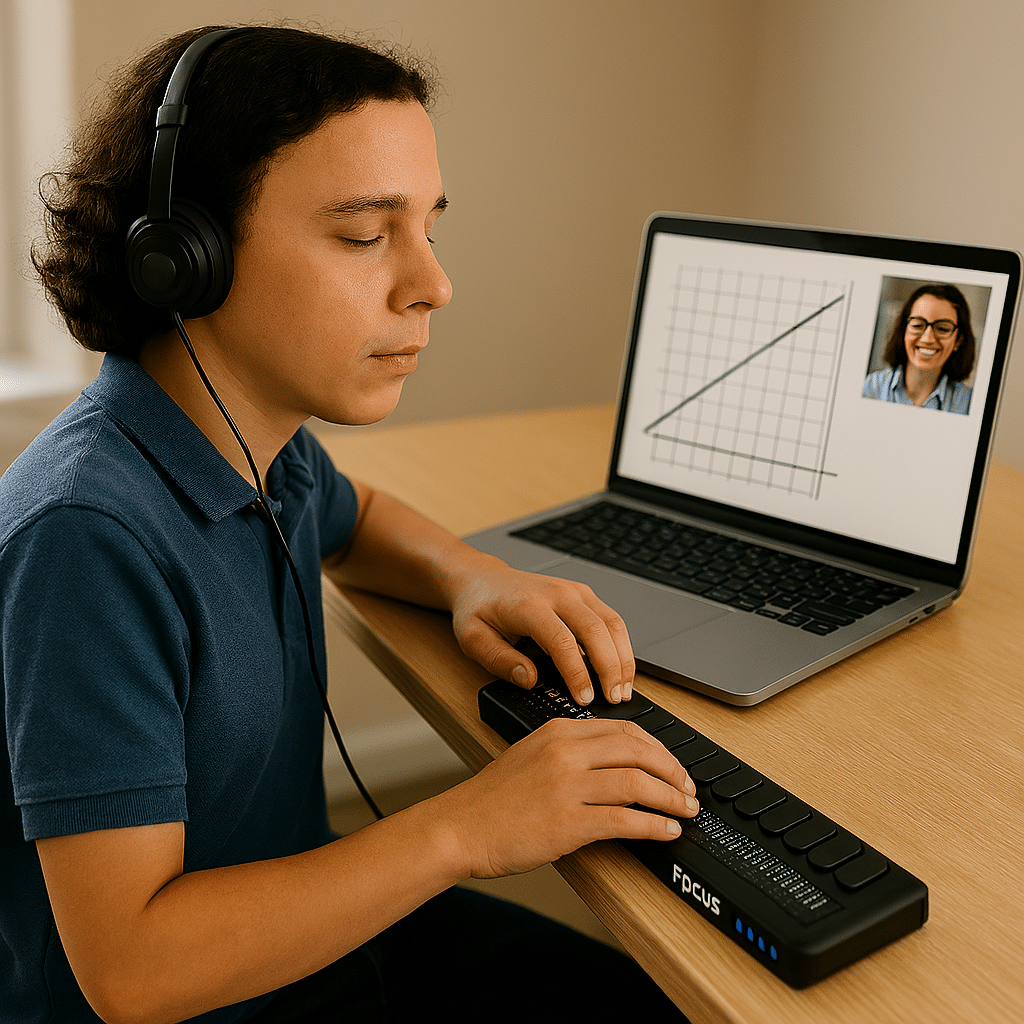
Real 1:1 TechVision Instruction
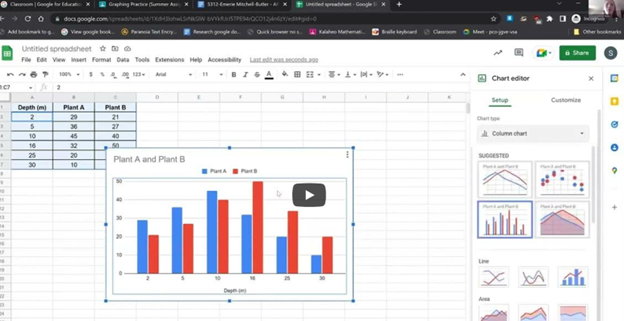
Students learning to create graphs, write documents, code, and navigate technology independently. Doing Everything their peers are doing.
Age-related macular degeneration, often called AMD or ARMD, is the leading cause of vision loss and blindness among Americans who are age 65 and older. Because people in this group are an increasingly larger percentage of the general population, vision loss from macular degeneration is a growing problem. Conditions like Macular Degeneration and Stargardts often affect a significant number of individuals. (http://www.allaboutvision.com/conditions/amd.htm)
Stargardts is very similar to Macular Degeneration but occurs in younger ages…
While macular degeneration generally is associated with aging eyes, an inherited form known as Stargardt’s disease can affect children and young adults.
Stargardt’s disease — also called fundus flavimaculatus or Stargardt’s macular dystrophy (SMD) — affects approximately one in 10,000 people and is characterized by central vision loss early in life. (Some researchers believe a distinction should be made between Stargardt’s disease and fundus flavimaculatus, because they say each describes a different variant of the eye disease.) http://www.allaboutvision.com/conditions/stargardts.htm
Macular Degeneration images—the black spot in the middle of visual field can be small and grow larger
Vision of macular degeneration and Stargardts -center of vision is blurred
Vision of Stargardt Disease and Age-Related Macular Degeneration (AMD) share some similarities but also have distinct differences:
Similarities of Macular Degeneration and Stargardts:
Understanding these differences and similarities can help in managing and treating these conditions effectively. When trying to access technology, there are skills to learn to improve what you see. One key is learning Perfect Touch Typing skills so you can rely on touch versus sight.
Currently, there is no cure for either Stargardt Disease or Age-Related Macular Degeneration (AMD). However, there are treatments available that can help manage the symptoms and slow the progression of these conditions:
Is there a Cure?
Stargardt Disease:
No Cure: There is no cure, but research is ongoing.
Management: Patients are advised to protect their eyes from UV light and avoid vitamin A supplements, which can worsen the condition.
Age-Related Macular Degeneration (AMD):
Dry AMD: No cure, but lifestyle changes like a healthy diet, quitting smoking, and taking specific vitamins (AREDS2 formula) can slow progression.
Wet AMD: Treatments include anti-VEGF injections, laser therapy, and photodynamic therapy, which can help slow vision loss and, in some cases, improve vision.
Research is ongoing for both conditions, with hopes for more effective treatments and potential cures in the future.
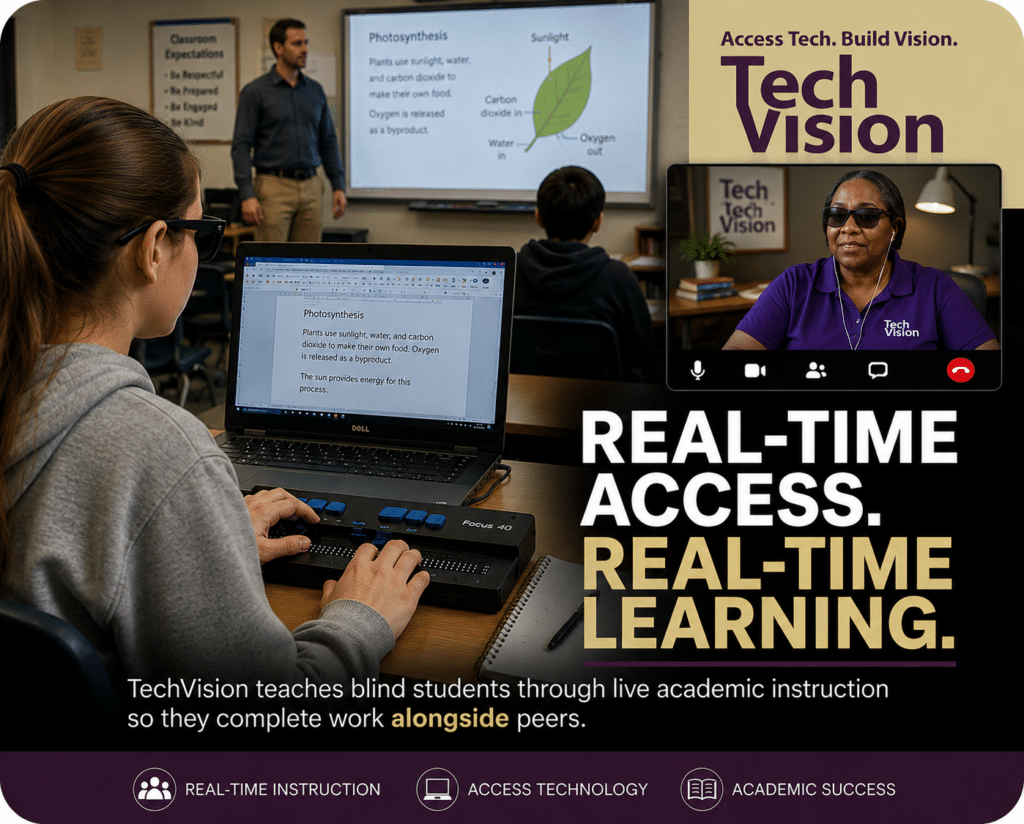
At TechVision, blind and low vision students learn how to access education in real time using the same technology and workflow skills required in school, college, work, and life so they can keep pace with their peers independently and confidently.
When instruction begins as early as 3 years of age, students often develop the foundational technology, braille, and academic access skills necessary to progress alongside peers from the very beginning rather than spending years trying to catch up later. Even students who begin later often make remarkable gains and can frequently close significant skill gaps within 1–2 years through intensive real-time instruction and consistent access to technology instruction.
Our students do not simply learn isolated technology commands. They learn how to actively use assistive technology while completing real academic work alongside their peers.
Through live instruction, students develop:
screen reader proficiency using JAWS, NVDA, Narrator, and VoiceOver
braille display fluency using Focus Braille Displays
accessible math and science skills using Word Math Editor, Braille Math Editor, LaTex and Nemeth Code
Canvas, Google Classroom and Office 365 accessibility and all platforms
tactile graphics and STEM access skills
keyboarding and digital workflow independence
file management and organization skills
independent problem solving using real classroom materials
and so much more
Working closely within schools and families, Access Technology Instruction occurs both during live classroom participation and through dedicated 1-on-1 instructional sessions focused on building independence, long-term success, and the ability to independently complete daily assignments and plan workload responsibilities throughout the school week.
Our team includes both blind and sighted instructors with extensive experience using the same technology students are expected to master. This real-world expertise allows instruction to move beyond theory into practical daily application.
Accessibility is not about completing work later. Access is Inclusion.
TechVision continues teaching blind and low vision students around the world through remote instruction designed to build confidence, independence, and meaningful academic access.