Dr. Robinson explains in video how to reduce a large PDF to just a few pages, so anyone can “copy” just a few pages out as needed or convert a whole inaccessible PDF to something accessible with a screen reader. She begins with a blurry PDF of “A Tale of Two Cities,” demonstrating how it turns blue when clicked, or a screen reader saying “empty document”. To make the PDF more manageable, she uses the “Control + P” command, which is the universal print command across browsers. She selects “Microsoft Print to PDF” from the printer options and then uses “Alt + G” to navigate quickly to the page selection. After selecting only two pages to save, she names the file and saves it to her downloads folder using “Alt + D” followed by “Alt + S.”
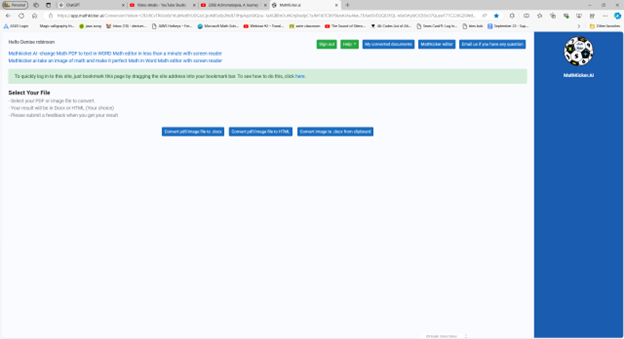
Next, Dr. Robinson uses MathKicker.AI, an AI program typically for math conversions but also converts anything to convert the PDF to a DOCX file. She opens Math Kicker, navigates to the convert to PDF button by pressing “B,” and waits for it to convert. Once the conversion is complete, she accesses the converted file using “Control + J” in a browser or “Windows + E” to open the file explorer. In file explorer and selects the newly saved PDF from her downloads folder.
Print Options to reduce a PDF
After verifying that the correct pages were saved, she adjusts the viewing size to 200% using “Alt + V” and then “Z” to make the text more readable in WORD. The text appears flawless, making it easy for screen readers to process and read aloud.
Dr. Robinson emphasizes that this method is particularly useful for low vision or blind students, allowing them to access only the necessary pages of a large PDF and allowing them to use a screen reader to read content. This approach also benefits fully sighted users who may struggle with poor-quality images. By converting and saving specific pages, users can create clear, readable text from even the blurriest PDFs. There are AI programs on the WEB that will do this also.
Dr. Robinson introduces Mathify, now called Mathkicker.AI, an AI program designed to convert inaccessible math content into accessible formats. This tool is especially beneficial for the blind community, providing a solution for one of the most challenging aspects of accessible education: converting math from inaccessible formats into usable, accessible ones.
In this tutorial, Dr. Robinson demonstrates how to use Mathify to convert a PDF image file into a DOCX file. She focuses on a table of math, one of the most problematic types of files to translate. Dr. Robinson opens the file, which prompts a save and loads in a private window. This process is typically faster in a standard window.
As the document loads, Mathkicker.AI effectively transforms the original images of X and Y tables into accessible tables. These tables allow students to later convert them into graphs, giving them the ability to independently create and emboss their graphs. Dr. Robinson scrolls through the document, highlighting the images now converted into accurate math tables. Small squares around each equation make them easily identifiable.
She explains that students can use the “Alt + Equals” command in Word’s math editor to navigate to the last cell in the table and type out their equations. This feature highlights how Mathify translates PDFs into accessible, editable text. The original PDF is titled “Equivalent Ratios Practice Number One.” It converts successfully into clear and accessible text.
Now a New Mathkicker Editor
Dr. Robinson emphasizes that Mathkicker AI continues to improve with user feedback. She notes her preference for left alignment and how the program adapts to these preferences. Despite being a new tool, Mathkicker excels at handling math and other content, making it a versatile resource. Dr. Robinson encourages viewers to use Mathkicker and look forward to more tutorials, as the program has continued to evolve and improve utilizing a Mathkicker editor now.
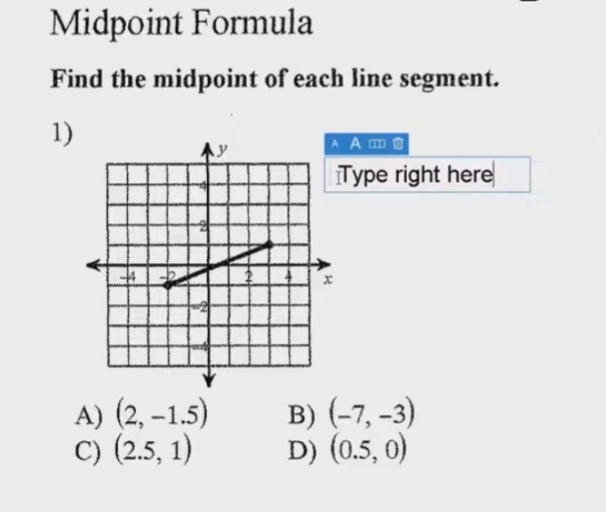
You can perform all these tasks using current PDF versions, even with inaccessible scanned images. First, demonstrate how to write text directly on scanned PDFs, then save the edited file. Next, show students how to type directly on PDF and email the completed PDF to their teacher for submission. Perfect touch typing is always preferred for ease.
For low vision users, all math content with voice output offers additional support. Combine this tool with text manipulation in PDFs to make materials more accessible. This approach ensures students can interact with complex materials efficiently, despite any visual challenges.
Here are some useful keyboard commands for working with PDFs in Adobe Acrobat, focusing on enlarging the screen and typing on the document:
Type directly on PDF commands
Enlarge Screen (Zoom In/Out)
Zoom In:
Press Ctrl + + (Plus sign) on Windows.
Press Cmd + + (Plus sign) on Mac.
Zoom Out:
Press Ctrl + - (Minus sign) on Windows.
Press Cmd + - (Minus sign) on Mac.
Fit to Screen:
Press Ctrl + 0 (Zero) on Windows.
Press Cmd + 0 (Zero) on Mac.
Typing on a PDF
Type Directly on PDF
Add Text:
Select the Text Box Tool by pressing Ctrl + Shift + T on Windows.
On Mac, you might need to manually select the tool from the toolbar.
Type in a Form Field:
Navigate to the form field using the Tab key.
Press Enter to start typing.
Add a Comment:
Press Ctrl + 6 to open the comment tool on Windows.
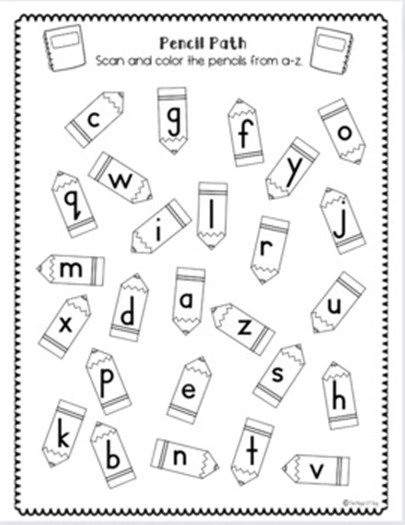
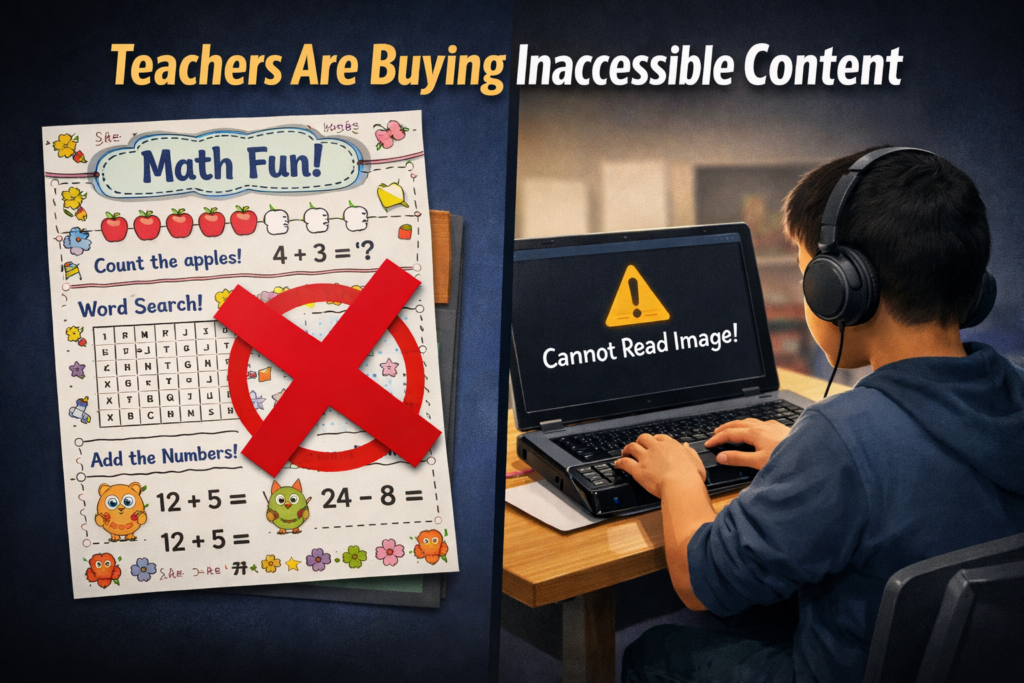
Inaccessible Images of Work teachers are buying from inaccessible platforms
Ban inaccessible purchased materials district-wide to prevent Title II failures
Why Teacher Marketplace Worksheets Are Failing Title II-inaccessible image of work
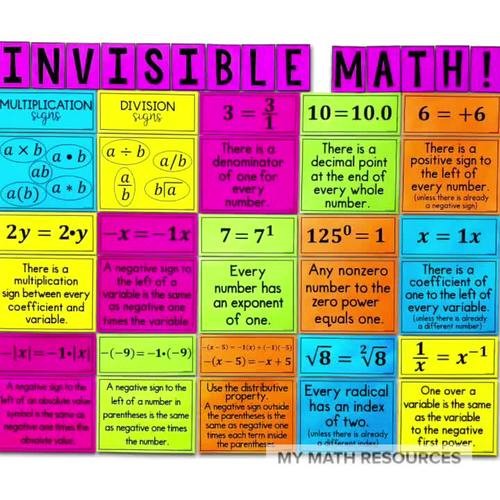
Why Teacher Marketplace Worksheets Are Failing Title II-No way Math
Teachers rely on many marketplace sites for worksheets and classroom materials. These platforms include printable shops, template libraries, curriculum bundles, early childhood packs, subscription marketplaces, and shared teacher resources. Most of this content looks creative, but it is some of the least accessible digital material in education.
These products often come as scanned pages, image-only PDFs, stylized templates, or graphic-heavy worksheets. Blind and deaf students cannot access any of it, and Title II places full responsibility on schools, not marketplace sellers.
Why Marketplace Worksheets Fail Title II
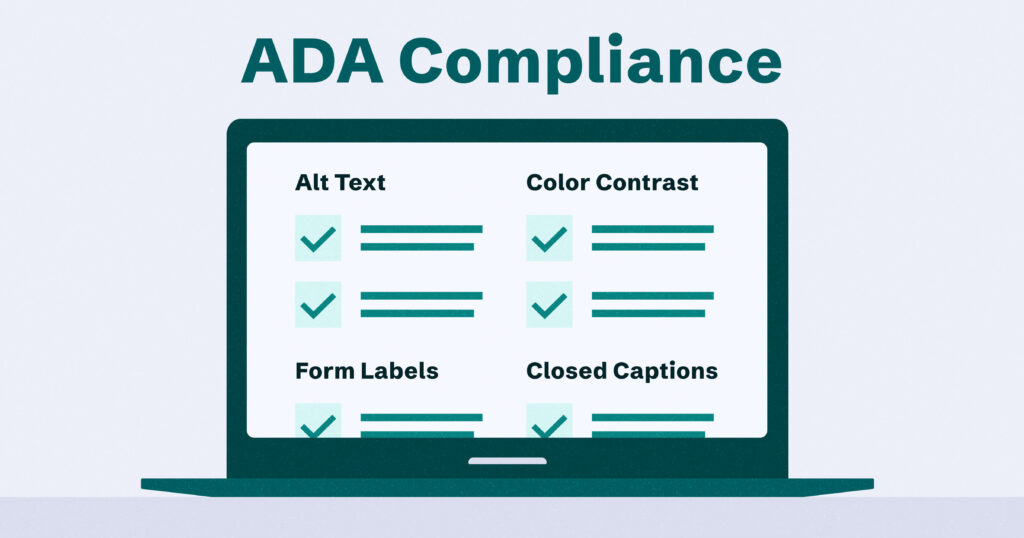
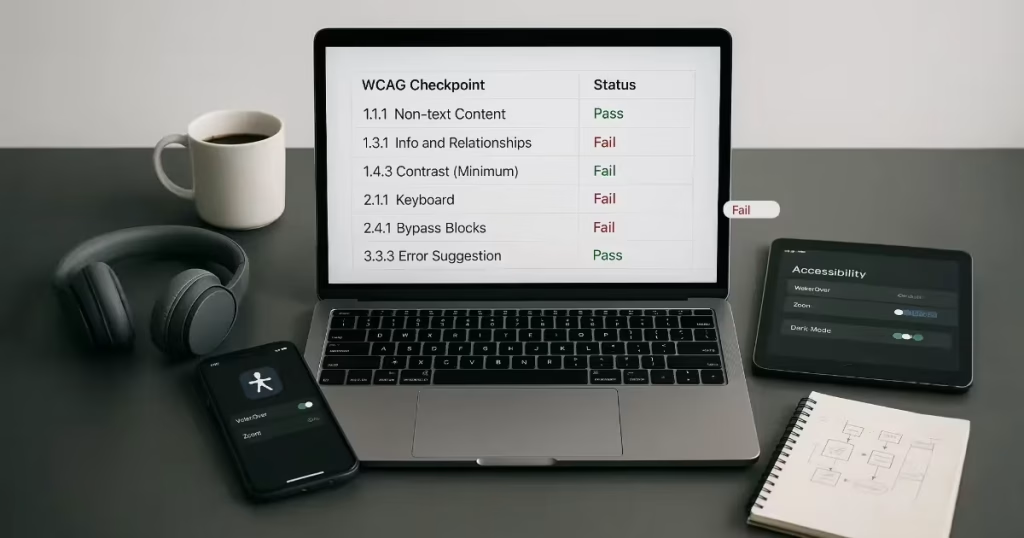
Most marketplace materials violate WCAG 2.1 AA before the lesson begins. Common barriers include:
Image-only worksheets with no real text
Scanned files that screen readers cannot read
Decorative fonts that block OCR
Graphics replacing questions or math steps
Worksheets without headings or structure
Videos without captions or ASL
Lessons with images that lack alt text
Blind students cannot read these materials. Deaf students cannot access embedded videos or audio instructions. Low-vision students cannot enlarge the content without distortion.
Marketplace content blocks access at the point of instruction, which Title II now prohibits.
Schools Must Stop Using Inaccessible Marketplace Content
Title II holds the school accountable for any material assigned to students. That includes purchased content—no matter where it came from.
Schools must:
Remove inaccessible marketplace materials from student access.
Archive them securely so only the original purchaser can access them.
Stop assigning inaccessible products, even if purchased with personal funds.
Approve only accessible content for future lessons.
If this content stays available to students, the school opens itself to complaints, investigations, and penalties.
The Financial and Legal Risks Are Real
A single inaccessible worksheet can trigger:
OCR complaints
Federal monitoring
Required remediation plans
Staff discipline
Loss of employment for repeated violations
Marketplace sellers face no consequences. Schools and teachers do.
Other Marketplaces Also Cause Problems
This issue extends far beyond one platform. Barriers appear across:
Printable shops
Early childhood curriculum sites
Pinterest-style bundles
Etsy printable sellers
Canva template libraries
Subscription curriculum platforms
Teacher “side job” shops
Commercial worksheet sites
Too Many to State here
If the file is image-based, untagged, or graphic heavy, it likely violates WCAG.
Schools must apply the same standard everywhere: If it is not accessible, it should not be used.
Why Remediation Usually Fails
Teachers often try to “fix” marketplace worksheets. Most cannot be repaired.
Reasons include:
Scanned pages contain no text to tag
OCR destroys the layout
Math is stylized and unreadable
Reading order is broken
Copyright prohibits modification
Rebuilding is often easier than remediation.
What Schools Must Do Now
Schools need a clear, enforceable plan:
Ban inaccessible purchased materials district-wide.
Adopt accessible worksheet templates for all staff.
Train teachers to spot inaccessible formats instantly.
Create accessible master curriculum built from scratch.
Require vendors and marketplaces to meet WCAG 2.1 AA.
Audit all teacher-purchased content before it reaches students.
Work with blind and deaf access specialists who test content daily.
This protects students and reduces legal exposure for teachers and districts.
Why This Matters Most
Blind and deaf students lose learning time every day because marketplace content excludes them. They fall behind before the lesson even begins.
Title II changes that. Schools must choose materials that include everyone, not just those who can see or hear the content.
Closing Note: Access Starts With What Schools Buy
Teachers want to help their students. Most do not realize the materials they purchase create the very barriers Title II now forbids. Schools protect students and staff when they stop buying inaccessible content and build accessible materials from the start.
Fix Digital Accessibility Before Title II Enforcement-No access to work
Schools and colleges face serious gaps in digital access. These gaps harm blind and deaf students the most, and they also affect every learner who needs clear, structured content. Title II now requires full WCAG 2.1 AA compliance. Schools must shift from crisis responses to real systems. The good news is that this work is fixable when they follow a clear plan.
1. Start With an Accessibility Audit: Blind and Deaf Students Face the Sharpest Access Gaps
Every school should begin with a full digital audit. This audit must involve experts who use screen readers and braille displays every day on the platforms used in education. Without these specialists, audits miss the barriers that blind students face. Any image-based video must include described content throughout. Schools can find strong examples and guidance at Described and Captioned Media Program (DCMP).
Schools should also check whether interactive elements, buttons, and menus work with keyboard-only navigation. Many blind students rely on keyboard access, and inaccessible controls often block them before the lesson even begins.
The audit should include websites, LMS content, Google Classroom, PDFs, worksheets, videos, vendor platforms, parent portals, and staff materials. Real blind access testers expose problems that automated tools never find. Audits reveal the true accessibility debt. Schools need this view before anything else.
Most deaf learners use ASL as their primary language. They often need an actual signer on digital content as well as written text. Captions alone rarely provide full access, because captions do not follow ASL structure. Find out full details from DCMP.org also.
Schools should start with embedded text on all visual content first. This step creates a basic access layer while teams prepare for ASL. Once content stabilizes, schools can add ASL signers during development.
Schools must include ASL interpretation on videos, lessons, and major digital materials. An ASL signer keeps the message clear, complete, and culturally accurate.
This work must also be audited by a deaf professional who signs. Without that review, digital content remains incomplete and inaccessible.
2. Fix PDFs and Scanned Worksheets First
Most access failures start with inaccessible PDFs-which are actually images of work. Schools can convert scanned worksheets to readable text, add proper heading structure, insert alt text, tag tables, and ensure text reflows on mobile. These steps give blind students access at the same time as their peers. For easy full access, Just put everything into Microsoft WORD and if you can move a mouse cursor through the content, it will be accessible to a screen reader. make sure you add proper headings throughout.
3. Enforce Accessible Google Docs, Slides, and Assignments
Teachers create inaccessible content daily by pasting images of work into what was accessible if typed out properly in google. Schools should require headings, proper contrast, real alt text, logical reading order, described images, and accessible math. This one shift removes thousands of barriers. Currently Math is only fully accessible in Microsoft WORD using the Math editor. Google does not have all the appropriate tools in place to recreate what OFFICE 365 has already done.
Typically, only images of words appear in products from Google, which makes the content completely inaccessible to blind students. Embedded videos also stay inaccessible for deaf learners, because images never give enough detail or language to explain the lesson. Math remains inaccessible across Google products, and blind students cannot access equations without proper structure.
4. Make All Video Content Accessible
Videos must serve blind and deaf students. Schools should ensure accurate captions, audio descriptions, clear narration, and safe visual design. This protects access and reduces legal risk.
5. Replace Inaccessible Vendor Platforms
Many learning apps and platforms still fail WCAG standards. Schools must request VPATs, require WCAG 2.1 AA, demand remediation timelines, and remove non-compliant tools. Title II holds the school responsible, not the vendor. When schools stop buying inaccessible products, vendors will change their design or leave the market.
6. Train Staff in Real Accessibility Skills
Accessibility training must move beyond awareness. Staff need training in screen reader testing, accessible document workflows, caption skills, alt text guidelines, accessible math support, and LMS accessibility checks. Blind and deaf students rely on technology, not sight or hearing. Staff must understand these tools, so they must receive direct instruction from experts who use these tools daily. These specialists can walk staff through the fine details needed to make content fully accessible quickly and easily (relative to what content they already have).
7. Provide Blind and Deaf Students With Real-Time Access
Access cannot arrive days later. Schools should deliver materials at the same time as sighted peers, provide braille or screen-reader-ready files, use CART or interpreters, and ensure accessible assessments. This reduces OCR complaints and supports equal learning.
8. Build an Accessibility Governance Team
Districts need structure to stay compliant. This team sets policy, provides training, monitors compliance, reviews content, approves vendors, and reports progress. Governance turns accessibility from a reaction into a system.
9. Bring in Specialists When Needed
Most schools lack internal expertise. They can partner with certified blindness professionals, deaf education specialists, accessibility technologists, braille experts, and WCAG consultants. Title II allows districts to use outside experts when staff lack training.
10. Address a Damaging Message Still Circulating in Schools
Many professors and teachers still hear, “Check your materials, but don’t worry about them.” This message shows how long schools have ignored accessibility laws. Title II removes the option to delay. Schools must fix inaccessible content, not simply acknowledge it.
11. The Word “Accommodation” Must Go
Schools must stop relying on the word accommodation. The term assumes students start with barriers and then wait for fixes. Blind and deaf students lose time every day when access comes after instruction. They fall behind because the content was inaccessible from the start.
Title II requires full access at the moment instruction begins. Students must receive materials in the same format, at the same time, as their peers. This shift removes delay, reduces frustration, and ends the cycle of constant catch-up. True access begins when schools design content correctly, not when they repair barriers later.
12. Make Accessibility Part of School Culture
Accessibility becomes sustainable when it becomes normal. Schools can add accessibility checks to grading policies, include accessibility in evaluations, require captions, post accessible templates, and adopt accessible curriculum materials. Small habits prevent massive remediation later.
13. Remove and Archive All Inaccessible Content by April 23
Schools must remove inaccessible digital content by April 23. They must secure this content so only the original creator can access it. If old materials stay public, anyone can use them to file an accessibility complaint. This creates immediate legal risk for the educational institutions.
Most schools will find it easier to build fully accessible content from the start. Rebuilding old, image-based, untagged, or uncaptioned materials often takes far more time than creating new accessible versions. Schools protect themselves and their students when they remove inaccessible work, archive it safely, and rebuild content using WCAG 2.1 AA standards now so they can be fully uploaded on April 24, 2026.
Closing Note: Access Protects Everyone
Blind and deaf students face the hardest barriers, yet accessible design lifts all learners. Clear content improves structure, readability, quality, and learning across every classroom. Schools that begin this work now protect their students, their staff, and their programs.
Dates to Follow
What this means for schools and colleges
Larger districts and colleges (≥ 50,000 population)
Deadline: April 24, 2026
Standard: WCAG 2.1 AA
Scope: Websites, web content, mobile apps, PDFs, forms, LMS content, videos, social media, and anything accessed through a browser
Smaller districts and colleges (<50,000 population): April 26, 2027
Penalties for Noncompliance With DOJ- Judge states compliance
There are penalties, and they are serious for those educational systems that do not take this law seriously. Most people still don’t understand what they look like in real practice. This applies to K–12 schools, colleges, universities, and all state and local government entities. The DOJ didn’t just set new rules — it created enforceable consequences. Because WCAG 2.1 AA is now the legal standard, districts and colleges can no longer claim “we didn’t know” or “we’re working on it.” Here is what non-compliance triggers.
1. Federal Investigations (OCR or DOJ)
If a parent, student, or advocate files a complaint, the Office for Civil Rights (OCR) or the Department of Justice (DOJ) can open a formal investigation.
These investigations can require the school to:
Turn over digital content
Provide accessibility audits
Provide staff training records
Provide procurement contracts
Provide evidence of accessibility testing
Provide timelines for remediation
Investigations can last months or years — and they are public record.
2. Legally Binding Resolution Agreements
Most investigations end with a Resolution Agreement, which is legally enforceable.
These agreements typically require the school to:
Fix inaccessible websites and apps
Remediate thousands of PDFs
Train all staff
Hire accessibility experts
Conduct annual audits
Report progress to OCR or DOJ for years
These agreements are not optional. They are monitored and enforced.
3. Loss of Federal Funding (Including IDEA & Title I)
This is the penalty that gets districts’ attention.
If a school or college refuses to comply with a Resolution Agreement, OCR can recommend termination of federal financial assistance, including:
IDEA funding
Title I funding
Title II funding
Pell Grants
Federal student aid
Research grants
This is extremely rare — because schools comply once their funding is threatened — but it is absolutely within the law.
4. DOJ Civil Enforcement Actions
The DOJ can file a civil action in federal court.
This can result in:
Court orders
Mandated remediation
Mandatory training
Court‑appointed monitors
Strict timelines
Public reporting requirements
These cases are expensive, public, and reputation‑damaging.
5. Monetary Penalties (Civil Penalties & Damages)
While Title II itself does not impose “fines,” the DOJ can seek:
Civil penalties
Compensatory damages for individuals harmed
Attorney’s fees
Costs of compliance
Colleges are especially vulnerable here because inaccessible digital systems can directly impact:
Admissions
Financial aid
Course registration
Housing
Online learning
6. Private Lawsuits
Individuals can file lawsuits under:
ADA Title II
Section 504 of the Rehabilitation Act
These lawsuits can result in:
Damages
Attorney’s fees
Court‑ordered remediation
Colleges have already faced many of these cases — and the new rule strengthens the legal basis for them.
7. Public Accountability & Reputational Damage
When a school or college is found non‑compliant, the findings are:
Public
Searchable
Often covered by the media
Shared by disability advocacy groups
This affects:
Enrollment
Community trust
Accreditation reviews
State oversight
The Bottom Line
Schools and colleges cannot ignore this rule. The penalties are real, enforceable, and already being used in digital accessibility cases.
But here’s the hopeful part — and the message you can deliver to parents:
**For the first time, blind, low‑vision and all students have a federal rule with teeth.
Districts, schools and colleges must comply. And if they don’t, families have powerful enforcement tools.**
This is the strongest legal protection our students have ever had.
The new Title II rule applies directly to all state and local government entities — which includes public K–12 schools, public colleges, and public universities.
Private schools are not automatically covered under Title II. But that does not mean they are exempt from accessibility requirements.
Here’s the real picture
1. Private Schools Are Covered Under ADA Title III (Not Title II)
Private schools — including:
Private K–12 schools
Private colleges
Private universities
Religious schools (with some exceptions)
are covered under ADA Title III, which prohibits discrimination by “places of public accommodation.”
Education is explicitly listed as a public accommodation.
This means private schools must still provide equal access, including digital access.
2. Title III Does Not Name WCAG 2.1 AA — But Courts and DOJ Use It Anyway
Even though Title III doesn’t name a specific standard, the DOJ and federal courts have repeatedly used WCAG as the benchmark for accessibility.
And now that the DOJ has formally adopted WCAG 2.1 AA for public entities, it becomes the default expectation for private schools too.
In practice:
If a private school’s website, LMS, or digital content is inaccessible, they can still be found in violation of the ADA.
3. Private Schools Can Still Face:
DOJ investigations
OCR complaints (if they receive federal funds)
Lawsuits under ADA Title III
Section 504 complaints (if they receive federal funds)
Court‑ordered remediation
Damages and attorney’s fees
Private schools are sued for digital inaccessibility every year, and the new Title II rule strengthens the legal argument families can use.
4. Private Schools That Receive Federal Funding Must Follow Section 504
If a private school receives any federal funding — even a single program — they must comply with Section 504 of the Rehabilitation Act, which requires:
Equal access
Non‑discrimination
Accessible digital content
This includes:
Private schools with lunch programs
Private schools receiving IDEA funds
Private colleges receiving federal student aid
Private schools receiving grants
Section 504 is powerful — and enforceable.
5. Private Schools Are Already Feeling Pressure to Match Public School Standards
Here’s the part families will care about:
Private schools cannot fall behind public schools.
If public schools must meet WCAG 2.1 AA:
Parents will expect the same from private schools
Students will demand equal access
Lawsuits will reference the new rule
Vendors will shift to WCAG 2.1 AA
Accreditation bodies will begin asking questions
Private schools that ignore accessibility will lose:
Students
Reputation
Competitive standing
6. What This Means for Families in Private Schools
Your child has the right to:
Accessible digital content
Accessible websites
Accessible apps
Accessible videos
Accessible documents
Accessible learning platforms
Equal participation
Real‑time access
Even in a private school.
And now, with the new Title II rule setting a national standard, families have more leverage than ever to demand accessibility.
7. What This Means for Private School Teachers and Administrators
Private schools must now:
Train staff in accessible digital design
Ensure LMS platforms are accessible
Fix inaccessible PDFs and documents
Caption and describe videos
Ensure apps and websites work with assistive technology
Provide accessible materials in real time
Even though Title II doesn’t apply directly, the expectations and legal pressure absolutely do.
Bottom Line: Private Schools Are Not Exempt From Accessibility
They may not fall under Title II, but they are still bound by:
ADA Title III- https://www.accessibility.works/blog/higher-ed-ada-compliance-requirements-road-map/
Section 504 (if federally funded)
Civil rights laws
Court precedent
DOJ enforcement
Parent advocacy
Market pressure
And now that WCAG 2.1 AA is the national standard for public education, private schools will be expected — and pushed — to meet it too.
K–12 isn’t just panicking — they’re in a full‑scale scramble, and for reasons that are even more urgent than higher ed. The DOJ’s Title II rule hits K–12 systems right where they’re already stretched thin: staffing, training, legacy content, and compliance culture.
Here’s the landscape, laid out clearly and grounded in what districts are now realizing.
Why K–12 districts are suddenly alarmed about the Title II WCAG 2.1 rule
1. Districts assumed “accommodations” were enough — now they’re not
For decades, K–12 has relied on:
TVIs to “fix” inaccessible content
Disability services to retrofit materials
Parents to advocate
Students to “make do”
The new rule requires proactive accessibility, not reactive fixes. That’s a seismic shift.
2. K–12 has enormous accessibility debt — bigger than higher ed in some ways
Districts are realizing they must remediate:
Thousands of PDFs
Teacher‑made worksheets
Google Classroom content
LMS modules
Vendor platforms
Parent portals
IEP systems
School websites
Mobile apps
Most of this content was never designed with WCAG in mind.
3. Teachers generate inaccessible content every single day
This is the part that’s scaring administrators.
Every day teachers create:
Google Docs
Slides
Worksheets
Videos
Scanned PDFs
Classroom posts
Almost none of it meets WCAG 2.1 AA. And now it legally must.
4. Districts don’t have accessibility governance
Most K–12 systems lack:
A digital accessibility policy
A compliance officer
A remediation workflow
A content review process
Training for staff
A way to monitor thousands of pages
They’re realizing they need infrastructure, not just training.
5. Vendors are a huge liability
Districts rely on:
Curriculum platforms
Assessment systems
Parent communication apps
Scheduling tools
Payment portals
Transportation apps
Many of these tools are not WCAG 2.1 AA compliant, and the DOJ rule makes the district responsible for the accessibility of third‑party tools.
This is causing real panic.
6. The deadlines are tight for K–12 too
Large districts (50,000+ population) must comply by April 2026. Smaller districts by April 2027.
Given the volume of content and the lack of staff, these timelines feel impossible to many administrators.
7. OCR complaints are already rising
Families are becoming more aware of their rights. Advocacy groups are watching. Blind/low‑vision access issues are among the most common complaints.
Districts know enforcement is coming.
What this means for an accessible world
This rule gives you extraordinary leverage because it legally validates everything people have been advocating for so long:
Real‑time access
Non-visual design
Proper alt text
Accessible math (Nemeth, tactile, digital)
Keyboard‑only navigation
Accessible PDFs
Structured documents
Captioned and described media
Accessible learning platforms
Districts can no longer say: “Just give the student an accommodation.” or “We’ll fix it when needed.”
In April 2024, the U.S. Department of Justice published its final rule updating Title II of the ADA to require that state and local governments make their websites and mobile apps accessible by conforming to WCAG 2.1 Level AA. (WCAG 2.1 AA) or face the consequences.
This is the first time the DOJ has formally adopted a specific technical standard for digital accessibility under Title II.
All state and local government entities, including:
State agencies
Counties, cities, municipalities
Independent school districts
Special district governments
Contractors or vendors providing public‑facing digital services on behalf of these entities
This includes any third‑party platform used to deliver services (payment portals, scheduling systems, learning platforms, etc.).
Compliance deadlines
The DOJ set two compliance timelines:
April 24, 2026 → Entities with 50,000+ population
April 26, 2027 → Entities with <50,000 population and special districts
These dates apply to full conformance with WCAG 2.1 AA for all covered digital content.
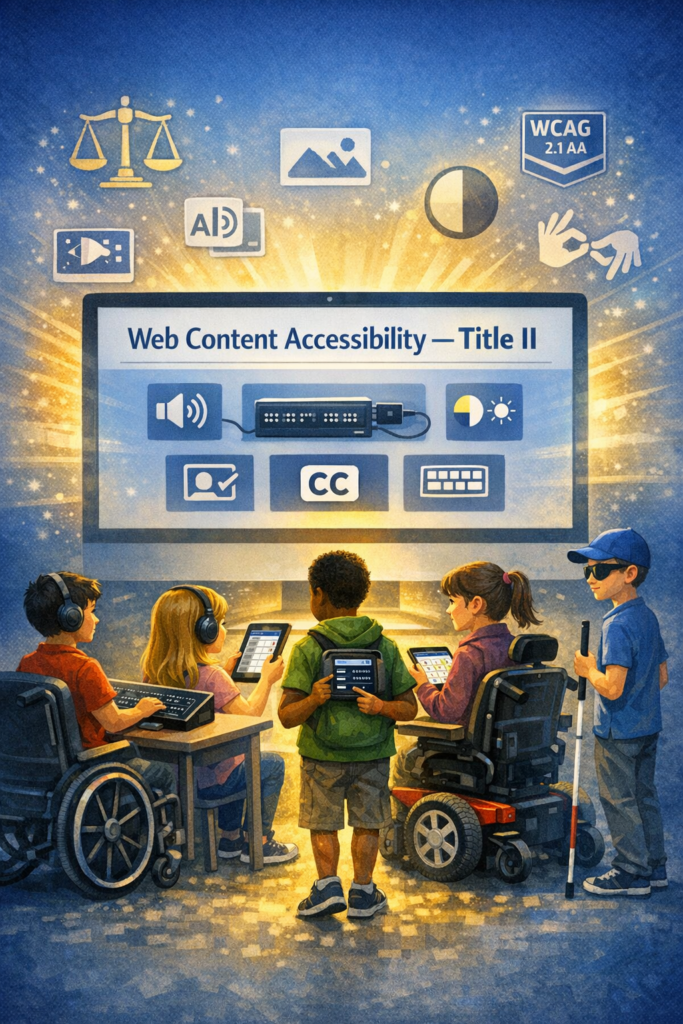
What WCAG 2.1 AA requires
WCAG 2.1 AA addresses barriers affecting people with:
Blindness or low vision
Deafness or hearing loss
Cognitive or learning disabilities
Mobility or dexterity impairments
Key requirements include:
Text alternatives for images
Captioning and audio description for video
Keyboard accessibility for all functions
Sufficient color contrast
Logical heading structure
Resizable text and responsive layouts
Avoiding motion‑based inputs (e.g., shaking a device)
Touch target size and spacing for mobile apps
What content is covered?
The rule applies to all web content and mobile apps a public entity provides or makes available. This includes:
Websites
Mobile apps
Online forms
PDFs and digital documents
Portals and dashboards
Learning platforms
Third‑party tools used to deliver public services
What content is not required to comply?
The rule includes limited exceptions:
Archived web content
Preexisting traditional electronic documents (e.g., old PDFs)
Content posted by non‑affiliated third parties
Password‑protected individual documents
Preexisting social media posts
These exceptions are narrow—most active, public‑facing content must meet WCAG 2.1 AA.
Why the DOJ adopted WCAG 2.1 AA
The DOJ emphasized that inaccessible digital services create real barriers—for example:
Blind users unable to access images without alt text
Inaccessible forms blocking access to voting, tax info, or school services
Barriers to participating in civic events
The rule aims to ensure equal access to essential public services.
What this means schools, colleges and any educational institution
For blind/low‑vision students and families receive real‑time, nonvisual access to digital content. WCAG 2.1 AA now gives legal backbone for the accessibility standards people advocate for—especially around:
Alt text
Keyboard access
Logical structure
Screen‑reader compatibility
Accessible PDFs
Mobile app access ease with braille display or Voice Over
Captioning and audio description
This is a powerful tool for your advocacy with districts, IEP teams, and state agencies.
You’re not imagining it — public colleges and universities really are scrambling, and the panic is coming from several very real, structural reasons that the higher‑ed sector has been avoiding for years. Here’s what the current reporting and expert analysis show, grounded in the sources we just pulled.
Why colleges and Schools are panicking about the new Title II WCAG 2.1 rule
1. The rule is no longer “guidance” — it’s enforceable law
Public colleges and universities are now legally required to meet WCAG 2.1 AA across all digital services. This is a major shift from the old “best practice” era.
For higher ed, which has thousands of pages, PDFs, videos, portals, and legacy systems, this is a massive lift.
2. The deadlines are tight — especially for large institutions
Public institutions serving populations of 50,000+ must comply by April 24, 2026. Smaller ones have until April 26, 2027.
Most colleges are nowhere near WCAG 2.1 AA compliance today.
3. Higher ed has huge accessibility debt
Experts note that colleges have:
Decentralized web teams
Fragmented domains
Thousands of legacy PDFs
Inaccessible videos
Third‑party tools that aren’t compliant
This means they’re not starting from zero — they’re starting from negative.
4. Colleges have been relying on “accommodations,” not accessible design
For years, many institutions leaned on disability services offices to “fix” inaccessible content after the fact. The new rule requires proactive accessibility, not reactive accommodations.
This is a cultural shift higher ed has resisted for decades.
5. The exceptions are narrow — and colleges hoped they’d be broader
The DOJ’s exceptions (archived content, pre‑existing social media posts, third‑party content, etc.) are very limited.
Most active content must be fully accessible.
6. Colleges and schools fear litigation and OCR complaints
Higher ed is already a top target for ADA and Section 504 complaints. Now that WCAG 2.1 AA is the explicit legal standard, colleges know enforcement will increase.
7. They know they can’t fix this with a one‑time project
Experts warn that accessibility must become a digital operating model, not a “compliance project.”
That means governance, training, workflows, and accountability — areas where higher ed is historically weak.
As Our team teaches blind low vision, this article is directed toward that population but this is true for ALL populations of children.
For decades, blind and low‑vision students have been expected to “make do” with inaccessible schoolwork, delayed accommodations, and digital tools that were never designed for them. Parents have fought and Teachers of the visually impaired have patched and remediated-transcribed work until late in the evenings. Students have worked twice as hard for half the access.
But now, everything is changing.
In April 2024, the U.S. Department of Justice issued a landmark update to Title II of the Americans with Disabilities Act, requiring all state and local governments — including every public school district in the country — to make their websites, digital learning platforms, documents, and mobile apps accessible by following WCAG 2.1 Level AA.
This is not guidance or a suggestion. This is federal law.
And for the first time, our children have a clear, enforceable right to full, equal, real‑time access to their education.
Why this rule matters so much for blind and low‑vision students
Blind and low‑vision students have always been the most impacted by inaccessible digital content. When a worksheet is posted as an image, when a math assignment is scanned sideways, when a teacher uploads a PDF with no tags, when a learning platform isn’t keyboard accessible — that student is locked out.
The new rule changes that.
WCAG 2.1 AA requires schools to ensure:
All images have alt text
All documents are structured for screen readers
All videos have captions and audio description
All platforms work with keyboard navigation
All math and STEM content is accessible
All mobile apps are operable for non-visual users
All content is perceivable, operable, understandable, and robust
This is the first time the federal government has said, in clear language: “Your digital content must be accessible from the start.”
No more waiting or retrofitting. No more “we’ll fix it later” or “we didn’t know.”
Why schools are scrambling or should be scrambling— and why that’s good news
K–12 districts are suddenly realizing that:
Teachers create inaccessible content every day
Thousands of PDFs and worksheets must be remediated
Google Classroom, Schoology, Canvas, and other platforms must meet WCAG
Vendor tools must be accessible — and the district is responsible if they’re not
They need training, workflows, and accountability
They must comply by 2026 or 2027, depending on district size
This is overwhelming for them — but it’s also the first time blind and low‑vision students have the law fully on their side… as do all students!
So if you hear panic you’re it is not a bad thing. It’s the sound of a system finally being required to do what it should have done all along.
What this means for your child
It means your child has the right to:
Access their schoolwork at the same time as their peers
Use screen readers, magnification, braille displays, and other tools without barriers
Receive accessible math, science, and STEM content
Navigate school websites and portals independently
Access digital textbooks and curriculum materials
Participate fully in online learning
Receive materials in formats that work for them — every time
This is not optional. Or “if the teacher has time.” This is not “if the district can figure it out.”
This is their legal right.
What this means for teachers
Teachers are not expected to become accessibility experts overnight. But they are expected to learn the basics of accessible digital design — and districts are required to train them.
This rule gives teachers clarity, structure, and support. It gives them a roadmap. It gives them permission to slow down and do things right.
And it gives them the tools to reach every learner, not just those who can see the screen.
What this means for TVIs and accessibility professionals
For years, TVIs have been forced into the role of “fixer” — remediating inaccessible content after the fact, often late at night, often under pressure, often without the authority to change the system.
This rule changes your role.
You are no longer the emergency repair technician. You are now the accessibility leader your district must rely on.
Your expertise is finally recognized as essential, not optional.
Why this is a moment of hope
For the first time in U.S. history, blind and low‑vision (and all) students have a federal rule that:
Names the standard
Sets the deadlines
Defines the expectations
Holds districts accountable
Protects students’ right to equal access
This is the beginning of a new era — one where our children can learn, participate, and thrive without barriers.
And for families who have spent years advocating, fighting, and explaining the same issues over and over, this rule is a long‑awaited validation:
Your child deserves full access. All children deserve independence. Your child deserves equal opportunity. And now, the law finally backs you up.