
Search results for: “team”

  • Perfect Brailler for children with little fingers: Mountbatten

    Perfect Brailler for little children: Children often struggle to press the keys on a regular brailler due to their small fingers. That’s why I recommend the Mountbatten brailler.

    I’ve introduced students as young as 3 years old to the Mountbatten brailler. They can braille with perfect finger positioning using this device.
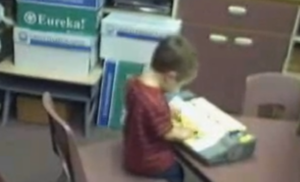
    Mountbatten- Perfect Brailler for Kids
    Mountbatten- Perfect Brailler for Kids

    We want to be careful when letting young children use the regular brailler so they don’t start poor brailling habits, such as using 2 fingers to press one key. This is not only time consuming, but also very slow because it takes so much effort to press the keys. The Mountbatten brailler, however allows for good habits to form while fingers are growing and getting stronger. Starting out correctly, our children will then be successful braillers with an ability to increase their output as they get older, creating a joy in reading what they wrote. This will lead to learning perfect touch typing on a keyboard and using a braille display on a computer. Then onto learning math on the brailler to moving it to the computer

    Perfect Brailler for Kids: Versatile and User-Friendly

    The video on the Math Window® system provides an in-depth look at how this tool benefits blind and visually impaired students. Here are some key details:

    1. Magnetic Tiles: The system uses magnetic tiles that feature both Braille and print. This dual-format approach allows students to read and interact with math problems tactilely.
    2. Portability: The Math Window® board is designed to be portable. It fits easily on a student’s desk and comes with a carrying tote, making it convenient for use in different settings.
    3. Versatility: The system is available in various versions, including basic math, algebra, and geometry. This versatility ensures that it can be used across different levels of math education.
    4. Braille Standards: Math Window® supports both Nemeth and UEB Braille standards. This compatibility ensures that it can be used by students who are familiar with either Braille system.
    5. Hands-On Learning: The tactile nature of the Math Window® system allows students to engage with math problems in a hands-on manner. This method helps in building a deeper understanding of mathematical concepts.
    6. Adaptability: Instructors can easily personalize lessons using the Math Window® system. They can arrange and modify the magnetic tiles to suit each student’s learning pace and needs.
    7. Confidence Building: By allowing students to “see” the structure of math equations through touch, the system helps build their confidence. It encourages them to explore STEM subjects more independently.
    8. Collaborative Environment: The system fosters a collaborative learning environment. Students can work individually or in groups, making it suitable for both classroom and home use.

    The Math Window® system makes an Ideal Brailler for Children with more Math lessons here

    Add keyboarding skills in also as students learn to braille and tactile math tools as learning is all encompassing
    Contact Team Specialists to help you set up a program

     
  • Access

    Empowering Equal Access Through Technology Training

    TechVision teaches blind and visually impaired students—and the educators who support them—how to use access technology with confidence. Through yourtechvision.com and our YouTube Channel, we provide practical, real‑world lessons on screen readers, braille displays, mobile devices, and the tools students need to participate fully in school, work, and life.

    Real‑Time Learning

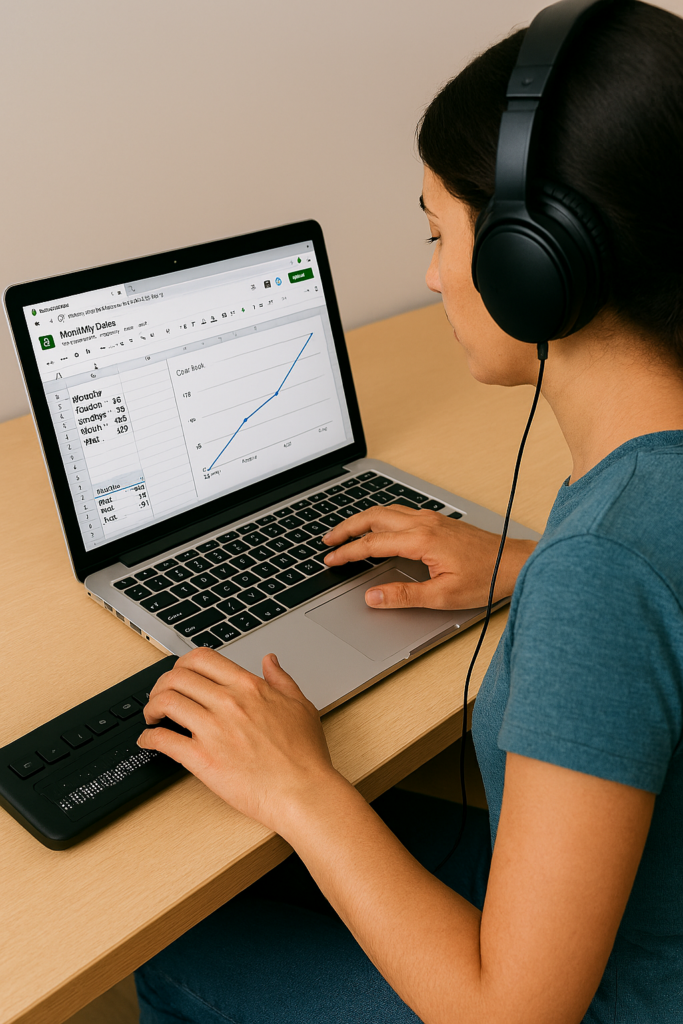
    Students demonstrate their skills by completing assignments in real time, often on video. Whether creating a line graph in Google Sheets or submitting digital work the same day, these lessons show how access technology enables immediate, independent participation.

    Customized Instruction

    Every lesson is tailored to the student. This targeted approach builds independence, accuracy, and confidence. We also support educators, parents, and teams so everyone involved has the knowledge needed to ensure equal access.

    Female creating a Google sheets line graph with Jaws and Braille Display
    Female creating a Google sheets line graph with screen reader and Braille Display

    Flexible, Remote Training

    TechVision provides instruction from anywhere in the world. Students schedule lessons at times that work for them, learn at their own pace, and gain mastery through hands‑on practice. This remote model removes geographic barriers and expands opportunities for all learners.

    Expert Guidance

    Led by Dr. Denise M. Robinson, TechVision Specialists bring deep expertise in assistive technology and academic subjects—including math, STEM, and literacy. Many team members are blind themselves, offering relatable, real‑world insight and encouragement.

    Practical Skills for Daily Life

    Lessons focus on real applications: writing emails, navigating the web, creating documents, completing assignments, and using technology across all subjects. Students learn not just the tools, but how to apply them independently in everyday situations.

    Building Independence and Confidence

    By mastering access technology, students gain autonomy, problem‑solving skills, and the ability to keep up with peers. Parents, educators, and employers benefit from improved communication, participation, and equal access in both learning and work environments.

    Go to All Tech Lessons & Stories

    Let us know how we can help you: Contact US: TechVisionTraining@yourtechvision.com

  • Access Training

    Empowering Blind and Visually Impaired Students Globally

    Under the leadership of Dr. Denise M. Robinson, the TechVision Team equips blind and visually impaired students—and the educators who serve them—with the technology skills needed to thrive in school, work, and life. Our team integrates computers, screen readers, braille displays, mobile devices, and AI into daily instruction, ensuring equal access to academics and independence.

    Access to laptop and braille display with Screen reader
    Access Training to laptop and braille display with Screen reader

    Personalized Instruction

    Every learner is unique. TechVision provides customized, 1:1 instruction for students, clients, and educators. We teach the exact tech skills needed to access information, complete tasks efficiently, and compete equally with sighted peers—whether mastering keyboard commands, transcribing work, or navigating digital platforms.

    Equal Access in Action

    Equal access is foundational to our mission at TechVision. We believe every learner, regardless of visual impairment, deserves the ability to participate fully in school, work, and life. Our video lessons and real‑world demonstrations show exactly how students use technology to complete their work independently. These resources equip both students and educators with the practical skills needed to thrive in any environment and ensure that equal access is not just a goal, but a daily reality.

    Global Reach and Collaboration

    TechVision serves learners worldwide through remote instruction and digital resources. We collaborate with families, school districts, businesses, private organizations, and vocational programs to expand educational and employment opportunities.

    TechVision also provides high‑quality transcription in electronic format for immediate access, ensuring students receive the materials they need without delay. We train school personnel when possible, and when districts are unable to take on this work, our team continues providing all transcription to maintain accuracy, consistency, and equal access for every learner.

    Technology & AI for Independence

    We teach students and clients to confidently use:

    • screen readers
    • braille displays
    • mobile devices
    • AI‑powered learning tools
    • voice and image recognition
    • accessible navigation and productivity apps
    • and so much more

    These tools build independence, problem‑solving skills, and real‑world readiness. AI enhances learning by adapting to individual needs, converting print to accessible formats, supporting navigation, and assisting with daily tasks.

    Early Instruction & Long‑Term Success

    Starting early with proper academics—ideally at age 3—keeps students on pace with their sighted peers. TechVision teaches braille, technology, and digital output from the beginning, enabling students to complete and submit work just like everyone else.
    As students grow, they learn to make inaccessible tasks accessible, upload assignments, and use advanced tools for math, science, and daily life. These skills open doors to employment, independence, and lifelong success.

    Community Engagement & Ongoing Support

    We work closely with parents, teachers, schools and communities to build strong support systems. Our personalized training empowers everyone involved and creates a community of confident learners and educators.
    Together, we remove barriers and expand possibilities for every student.

    Our Commitment

    TechVision is transforming access education. Through innovative technology, tailored instruction, and a deep commitment to equal access, we ensure every learner’s journey is marked by growth, independence, and success.
    We remain dedicated to providing top‑quality education to visually impaired learners and educators worldwide.

    We are Here to Help: Contact US: TechVisionTraining@yourtechvision.com

    Dr. Denise M. Robinson, TVI, AT, IT, PhD
    CEO, TechVision
    Teacher of the Blind and Visually Impaired
    Access Technology Specialist