TechVision Team Specialists have provided remote instruction worldwide since 2007.Additionally, under the leadership of Dr. Denise M. Robinson, they empower students through comprehensive education for the blind. Furthermore, with expertise in screen readers, braille displays, braille, Nemeth code, and assistive technologies, the team delivers individualized instructional support for every learner.
A defining strength of the TechVision Team specialists is that over 90% of our instructors are blind themselves. They use the same technology they teach. This brings unmatched authenticity, lived experience, and practical mastery to every lesson. Alongside a small number of sighted specialists, this blended team works together with purpose and unity. They model independence, confidence, and real‑world problem‑solving for every student they serve.
Their commitment to equal access in education guides every aspect of their work.Additionally, they provide real‑time, one‑on‑one instruction and collaborative school‑team training to support full educational access. Furthermore, every TechVision Team Specialist shares a mission of removing barriers and creating pathways to independence.
TechVision Team Specialists create global impact through a mission‑driven approach to education for the blind.Additionally, they provide personalized, one‑on‑one remote instruction for learners of all ages. Furthermore, the team trains school personnel to ensure accessible materials and strong educational support systems.
This real-time, individualized instruction empowers students and clients to compete equally in school, work, and daily life. TechVision specialists—both blind and sighted—are central to this mission, ensuring every learner has the tools, skills, and access they need to succeed.
Dr. Denise M. Robinson is dedicated to empowering students to reach their full potential.Additionally, she leads a team of expert instructors who share her commitment to excellence and inclusion. Together, they provide comprehensive blind skills instruction across all areas of education.
Furthermore, with deep expertise in instructional technology, Dr. Denise ensures that students of all ages receive essential, on‑demand educational skills. As a result, her leadership continues to guide the transformative work of the TechVision team.
In addition, as a passionate program developer and nationally recognized speaker, she creates innovative instructional models that merge technology with blind skills. Through this work, she equips learners with the tools they need to pursue education, careers, and independence.
Dedication
TechVision’s dedication stems from a deep belief in the transformative power of education and the right of every individual to be fully included in the world. By merging technology with blind skills, the team works to eliminate barriers and ensure equal access and opportunity for all students.
Outside of her professional work, Dr. Denise enjoys spending time outdoors—working with tractors and equipment, hiking daily, gardening, and meeting new people. She finds joy in the diversity of the world and the meaningful connections it brings.
Beth Sellers
Assistant Director of Educational Programming, MA Teaching AT, Braille, Nemeth & Additional Skills
Beth Sellers is a graduate of James Madison University and Eastern Mennonite University, where she earned her master’s degree in education. With more than 20 years of experience in special education and community-based disability services, Beth brings extensive expertise in assistive technology and blind skills instruction.
At TechVision, she teaches braille and access technology and provides consulting services to school divisions in assistive technology. Beth is a former president of the Virginia Chapter of the National Organization of Parents of Blind Children and volunteers with the AMCSI Conference Planning Team and her local SPCA.
In her spare time, Beth and her children enjoy time on the lake, caring for their two dogs and many rescue cats, and exploring new activities—including cross-country skiing with Ski for Light.
James Robinson
Director of Business Services, BS
James Robinson brings extensive administrative experience to TechVision, having previously served as an administrator in care facilities. As TechVision expanded to meet the growing demand for high‑quality remote instruction, he transitioned his leadership and operational expertise into the role of Director of Business Services.
In this capacity, James oversees all business operations, including accounting, billing, financial coordination, and organizational systems. His strong background in management and service administration ensures that TechVision functions efficiently and that both the instructional team and clients receive consistent, reliable support. His work is essential to sustaining TechVision’s growth and mission‑driven impact.
Fix Digital Accessibility Before Title II Enforcement-No access to work
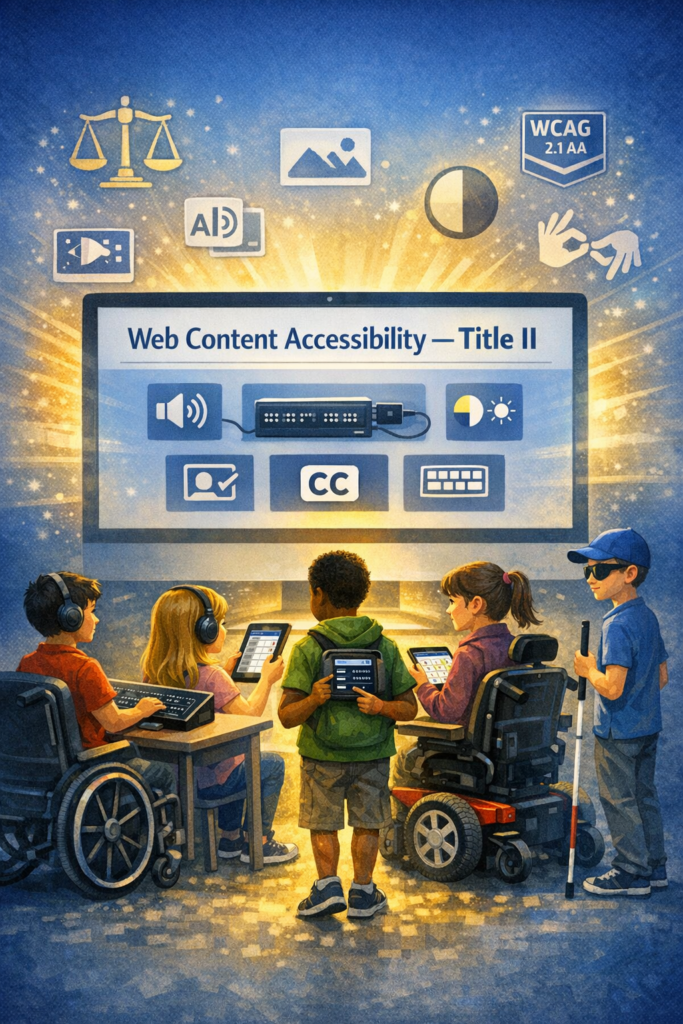
Schools and colleges face serious gaps in digital access. These gaps harm blind and deaf students the most, and they also affect every learner who needs clear, structured content. Title II now requires full WCAG 2.1 AA compliance. Schools must shift from crisis responses to real systems. The good news is that this work is fixable when they follow a clear plan.
1. Start With an Accessibility Audit: Blind and Deaf Students Face the Sharpest Access Gaps
Every school should begin with a full digital audit. This audit must involve experts who use screen readers and braille displays every day on the platforms used in education. Without these specialists, audits miss the barriers that blind students face. Any image-based video must include described content throughout. Schools can find strong examples and guidance at Described and Captioned Media Program (DCMP).
Schools should also check whether interactive elements, buttons, and menus work with keyboard-only navigation. Many blind students rely on keyboard access, and inaccessible controls often block them before the lesson even begins.
The audit should include websites, LMS content, Google Classroom, PDFs, worksheets, videos, vendor platforms, parent portals, and staff materials. Real blind access testers expose problems that automated tools never find. Audits reveal the true accessibility debt. Schools need this view before anything else.
Most deaf learners use ASL as their primary language. They often need an actual signer on digital content as well as written text. Captions alone rarely provide full access, because captions do not follow ASL structure. Find out full details from DCMP.org also.
Schools should start with embedded text on all visual content first. This step creates a basic access layer while teams prepare for ASL. Once content stabilizes, schools can add ASL signers during development.
Schools must include ASL interpretation on videos, lessons, and major digital materials. An ASL signer keeps the message clear, complete, and culturally accurate.
This work must also be audited by a deaf professional who signs. Without that review, digital content remains incomplete and inaccessible.
2. Fix PDFs and Scanned Worksheets First
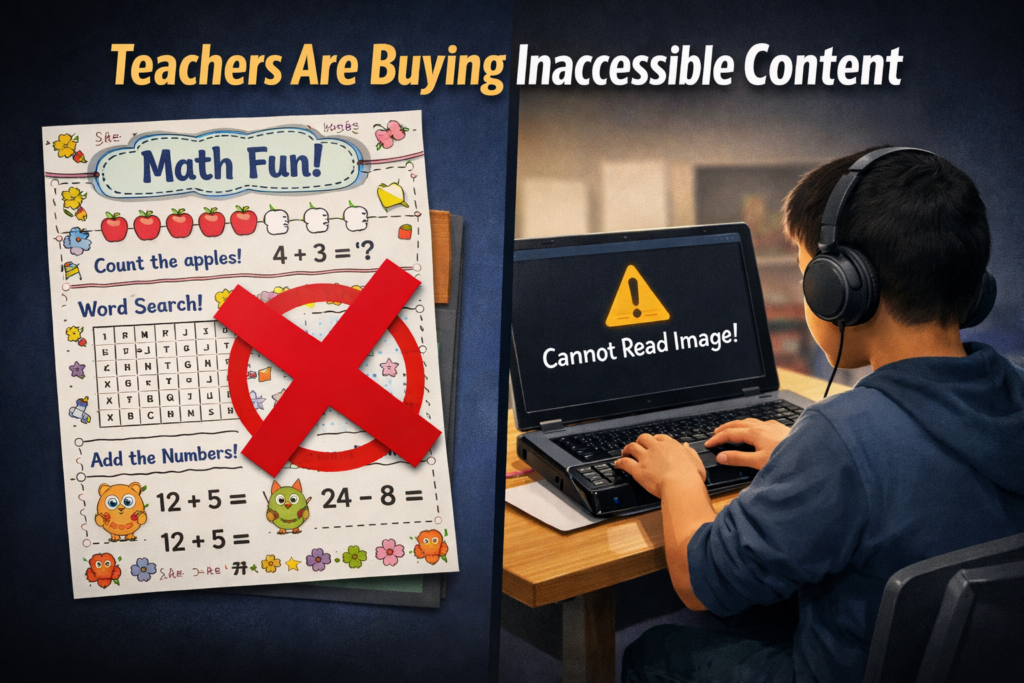
Most access failures start with inaccessible PDFs-which are actually images of work. Schools can convert scanned worksheets to readable text, add proper heading structure, insert alt text, tag tables, and ensure text reflows on mobile. These steps give blind students access at the same time as their peers. For easy full access, Just put everything into Microsoft WORD and if you can move a mouse cursor through the content, it will be accessible to a screen reader. make sure you add proper headings throughout.
3. Enforce Accessible Google Docs, Slides, and Assignments
Teachers create inaccessible content daily by pasting images of work into what was accessible if typed out properly in google. Schools should require headings, proper contrast, real alt text, logical reading order, described images, and accessible math. This one shift removes thousands of barriers. Currently Math is only fully accessible in Microsoft WORD using the Math editor. Google does not have all the appropriate tools in place to recreate what OFFICE 365 has already done.
Typically, only images of words appear in products from Google, which makes the content completely inaccessible to blind students. Embedded videos also stay inaccessible for deaf learners, because images never give enough detail or language to explain the lesson. Math remains inaccessible across Google products, and blind students cannot access equations without proper structure.
4. Make All Video Content Accessible
Videos must serve blind and deaf students. Schools should ensure accurate captions, audio descriptions, clear narration, and safe visual design. This protects access and reduces legal risk.
5. Replace Inaccessible Vendor Platforms
Many learning apps and platforms still fail WCAG standards. Schools must request VPATs, require WCAG 2.1 AA, demand remediation timelines, and remove non-compliant tools. Title II holds the school responsible, not the vendor. When schools stop buying inaccessible products, vendors will change their design or leave the market.
6. Train Staff in Real Accessibility Skills
Accessibility training must move beyond awareness. Staff need training in screen reader testing, accessible document workflows, caption skills, alt text guidelines, accessible math support, and LMS accessibility checks. Blind and deaf students rely on technology, not sight or hearing. Staff must understand these tools, so they must receive direct instruction from experts who use these tools daily. These specialists can walk staff through the fine details needed to make content fully accessible quickly and easily (relative to what content they already have).
7. Provide Blind and Deaf Students With Real-Time Access
Access cannot arrive days later. Schools should deliver materials at the same time as sighted peers, provide braille or screen-reader-ready files, use CART or interpreters, and ensure accessible assessments. This reduces OCR complaints and supports equal learning.
8. Build an Accessibility Governance Team
Districts need structure to stay compliant. This team sets policy, provides training, monitors compliance, reviews content, approves vendors, and reports progress. Governance turns accessibility from a reaction into a system.
9. Bring in Specialists When Needed
Most schools lack internal expertise. They can partner with certified blindness professionals, deaf education specialists, accessibility technologists, braille experts, and WCAG consultants. Title II allows districts to use outside experts when staff lack training.
10. Address a Damaging Message Still Circulating in Schools
Many professors and teachers still hear, “Check your materials, but don’t worry about them.” This message shows how long schools have ignored accessibility laws. Title II removes the option to delay. Schools must fix inaccessible content, not simply acknowledge it.
11. The Word “Accommodation” Must Go
Schools must stop relying on the word accommodation. The term assumes students start with barriers and then wait for fixes. Blind and deaf students lose time every day when access comes after instruction. They fall behind because the content was inaccessible from the start.
Title II requires full access at the moment instruction begins. Students must receive materials in the same format, at the same time, as their peers. This shift removes delay, reduces frustration, and ends the cycle of constant catch-up. True access begins when schools design content correctly, not when they repair barriers later.
12. Make Accessibility Part of School Culture
Accessibility becomes sustainable when it becomes normal. Schools can add accessibility checks to grading policies, include accessibility in evaluations, require captions, post accessible templates, and adopt accessible curriculum materials. Small habits prevent massive remediation later.
13. Remove and Archive All Inaccessible Content by April 23
Schools must remove inaccessible digital content by April 23. They must secure this content so only the original creator can access it. If old materials stay public, anyone can use them to file an accessibility complaint. This creates immediate legal risk for the educational institutions.
Most schools will find it easier to build fully accessible content from the start. Rebuilding old, image-based, untagged, or uncaptioned materials often takes far more time than creating new accessible versions. Schools protect themselves and their students when they remove inaccessible work, archive it safely, and rebuild content using WCAG 2.1 AA standards now so they can be fully uploaded on April 24, 2026.
Closing Note: Access Protects Everyone
Blind and deaf students face the hardest barriers, yet accessible design lifts all learners. Clear content improves structure, readability, quality, and learning across every classroom. Schools that begin this work now protect their students, their staff, and their programs.
Dates to Follow
What this means for schools and colleges
Larger districts and colleges (≥ 50,000 population)
Deadline: April 24, 2026
Standard: WCAG 2.1 AA
Scope: Websites, web content, mobile apps, PDFs, forms, LMS content, videos, social media, and anything accessed through a browser
Smaller districts and colleges (<50,000 population): April 26, 2027
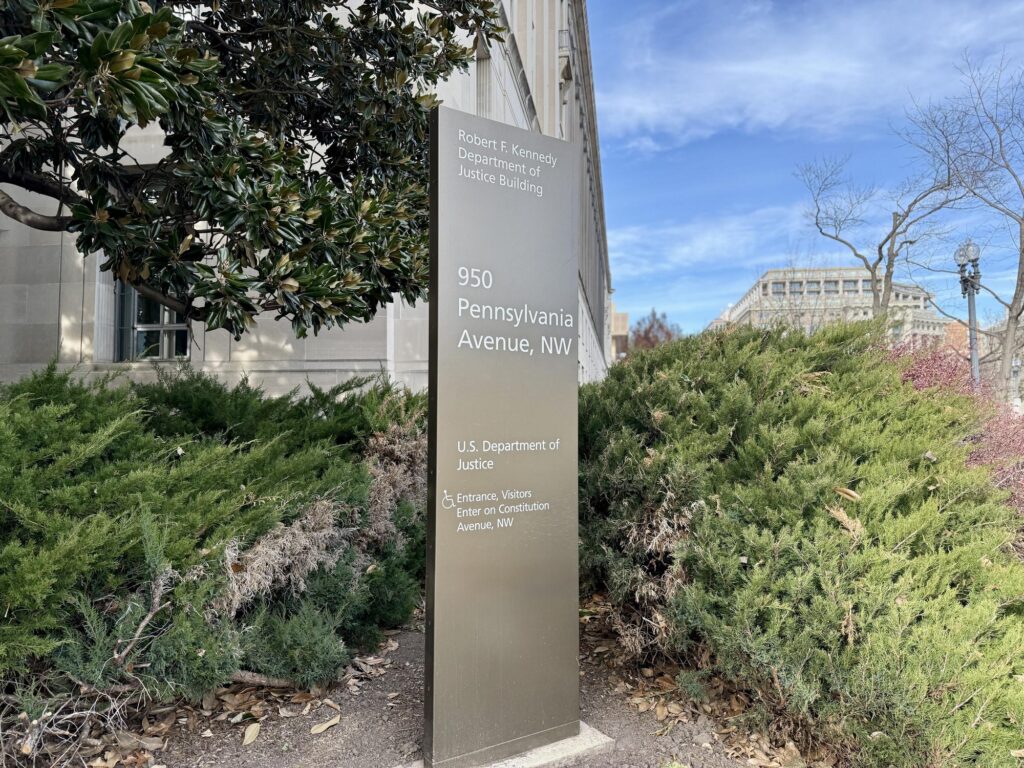
Who Pushed the New Title II Accessibility Rule Through? DOJ building and marker
The rule was created, written, and finalized by the U.S. Department of Justice (DOJ).
Specifically, it came from the Civil Rights Division, which is responsible for enforcing the Americans with Disabilities Act (ADA).
The DOJ explains that it followed the full federal rule-making process — drafting, public comment, revisions, and final publication in the Federal Register on April 24, 2024.
How Did It Get Through?
The rule went through the formal federal regulatory process:
1. DOJ drafted the rule
The Civil Rights Division identified widespread digital barriers in state and local government services — including schools — and drafted a rule to address them.
2. Public comment period
Thousands of disability advocates, parents, educators, and organizations submitted comments urging the DOJ to adopt WCAG 2.1 AA.
3. DOJ revised the rule
They incorporated feedback, clarified requirements, and finalized the technical standard.
4. Final rule published
The rule was officially published in the Federal Register on April 24, 2024.
Once published, it became binding law.
Why Now?
The DOJ gave several reasons in its fact sheet:
1. Government services have moved online
Schools, colleges, and agencies now rely heavily on websites, apps, portals, and digital documents. When these are inaccessible, people with disabilities are excluded from essential services.
2. Digital barriers were widespread and harmful
The DOJ cited examples like blind users being unable to access images without alt text, inaccessible forms, and barriers to participating in school and civic activities.
3. The ADA had no technical standard
For 30+ years, the ADA required access but never named a specific digital standard. This rule finally closes that gap.
4. Pressure from states and lawsuits
States like Colorado had already passed strict digital accessibility laws, and courts were increasingly using WCAG as the de facto standard. The DOJ needed a unified national standard.
So Who Is the Person Behind It All?
There is no single individual publicly credited as “the architect” of the rule — because federal regulations are created by teams, not one person.
But the driving force is:
The U.S. Department of Justice Civil Rights Division
They are the ones who:
Identified the problem
Drafted the rule
Collected public comments
Finalized the WCAG 2.1 AA requirement
Published the rule in the Federal Register
This is the same division responsible for ADA enforcement nationwide.
If you want to name the entity behind the change, it is:
The DOJ Civil Rights Division — the federal body responsible for protecting the rights of people with disabilities.
They pushed it. And wrote it. They finalized it. And enforce it.
And they did it because inaccessible digital content was excluding millions of Americans from essential public services — including education.
“The U.S. Department of Justice Civil Rights Division is the force behind this new rule. They created it to ensure that every child with a disability can finally access their education in real time.”
Title II Non-Compliance Can Lead to Job Loss–Please don’t let this be your school
There are four major pathways where staff positions can be eliminated, reassigned, or replaced if institutions fail to comply with the new accessibility rule. Educational systems who do not take this law seriously will feel the impact from unhappy students and parents.
None of these are hypothetical — they’re based on what has already happened in past OCR/DOJ cases.
Federal Funding Risk → Budget Cuts → Job Loss
If a school or college refuses to comply with a DOJ or OCR Resolution Agreement, the federal government can move to restrict or terminate:
IDEA funds
Title I funds
Title II funds
Pell Grants
Federal student aid
Research grants
When federal money disappears, institutions compensate by:
Cutting staff
Freezing hiring
Eliminating positions
Outsourcing services
This is the largest and most direct path to job loss.
Cost of Remediation → Reallocation of Staff
When a district or college is forced into a multi‑year remediation plan, they often must:
Hire outside accessibility consultants
Hire remediation teams
Purchase new platforms
Pay for audits and monitoring
Retrain entire staff
To pay for this, institutions frequently:
Cut non‑essential positions
Reduce paraeducator hours
Eliminate part‑time roles
Consolidate departments
Reduce adjunct faculty
Accessibility failures become budget problems, and budget problems become staffing problems.
In April 2024, the U.S. Department of Justice published its final rule updating Title II of the ADA to require that state and local governments make their websites and mobile apps accessible by conforming to WCAG 2.1 Level AA. (WCAG 2.1 AA) or face the consequences.
This is the first time the DOJ has formally adopted a specific technical standard for digital accessibility under Title II.
All state and local government entities, including:
State agencies
Counties, cities, municipalities
Independent school districts
Special district governments
Contractors or vendors providing public‑facing digital services on behalf of these entities
This includes any third‑party platform used to deliver services (payment portals, scheduling systems, learning platforms, etc.).
Compliance deadlines
The DOJ set two compliance timelines:
April 24, 2026 → Entities with 50,000+ population
April 26, 2027 → Entities with <50,000 population and special districts
These dates apply to full conformance with WCAG 2.1 AA for all covered digital content.
What WCAG 2.1 AA requires
WCAG 2.1 AA addresses barriers affecting people with:
Blindness or low vision
Deafness or hearing loss
Cognitive or learning disabilities
Mobility or dexterity impairments
Key requirements include:
Text alternatives for images
Captioning and audio description for video
Keyboard accessibility for all functions
Sufficient color contrast
Logical heading structure
Resizable text and responsive layouts
Avoiding motion‑based inputs (e.g., shaking a device)
Touch target size and spacing for mobile apps
What content is covered?
The rule applies to all web content and mobile apps a public entity provides or makes available. This includes:
Websites
Mobile apps
Online forms
PDFs and digital documents
Portals and dashboards
Learning platforms
Third‑party tools used to deliver public services
What content is not required to comply?
The rule includes limited exceptions:
Archived web content
Preexisting traditional electronic documents (e.g., old PDFs)
Content posted by non‑affiliated third parties
Password‑protected individual documents
Preexisting social media posts
These exceptions are narrow—most active, public‑facing content must meet WCAG 2.1 AA.
Why the DOJ adopted WCAG 2.1 AA
The DOJ emphasized that inaccessible digital services create real barriers—for example:
Blind users unable to access images without alt text
Inaccessible forms blocking access to voting, tax info, or school services
Barriers to participating in civic events
The rule aims to ensure equal access to essential public services.
What this means schools, colleges and any educational institution
For blind/low‑vision students and families receive real‑time, nonvisual access to digital content. WCAG 2.1 AA now gives legal backbone for the accessibility standards people advocate for—especially around:
Alt text
Keyboard access
Logical structure
Screen‑reader compatibility
Accessible PDFs
Mobile app access ease with braille display or Voice Over
Captioning and audio description
This is a powerful tool for your advocacy with districts, IEP teams, and state agencies.
You’re not imagining it — public colleges and universities really are scrambling, and the panic is coming from several very real, structural reasons that the higher‑ed sector has been avoiding for years. Here’s what the current reporting and expert analysis show, grounded in the sources we just pulled.
Why colleges and Schools are panicking about the new Title II WCAG 2.1 rule
1. The rule is no longer “guidance” — it’s enforceable law
Public colleges and universities are now legally required to meet WCAG 2.1 AA across all digital services. This is a major shift from the old “best practice” era.
For higher ed, which has thousands of pages, PDFs, videos, portals, and legacy systems, this is a massive lift.
2. The deadlines are tight — especially for large institutions
Public institutions serving populations of 50,000+ must comply by April 24, 2026. Smaller ones have until April 26, 2027.
Most colleges are nowhere near WCAG 2.1 AA compliance today.
3. Higher ed has huge accessibility debt
Experts note that colleges have:
Decentralized web teams
Fragmented domains
Thousands of legacy PDFs
Inaccessible videos
Third‑party tools that aren’t compliant
This means they’re not starting from zero — they’re starting from negative.
4. Colleges have been relying on “accommodations,” not accessible design
For years, many institutions leaned on disability services offices to “fix” inaccessible content after the fact. The new rule requires proactive accessibility, not reactive accommodations.
This is a cultural shift higher ed has resisted for decades.
5. The exceptions are narrow — and colleges hoped they’d be broader
The DOJ’s exceptions (archived content, pre‑existing social media posts, third‑party content, etc.) are very limited.
Most active content must be fully accessible.
6. Colleges and schools fear litigation and OCR complaints
Higher ed is already a top target for ADA and Section 504 complaints. Now that WCAG 2.1 AA is the explicit legal standard, colleges know enforcement will increase.
7. They know they can’t fix this with a one‑time project
Experts warn that accessibility must become a digital operating model, not a “compliance project.”
That means governance, training, workflows, and accountability — areas where higher ed is historically weak.
As Our team teaches blind low vision, this article is directed toward that population but this is true for ALL populations of children.
For decades, blind and low‑vision students have been expected to “make do” with inaccessible schoolwork, delayed accommodations, and digital tools that were never designed for them. Parents have fought and Teachers of the visually impaired have patched and remediated-transcribed work until late in the evenings. Students have worked twice as hard for half the access.
But now, everything is changing.
In April 2024, the U.S. Department of Justice issued a landmark update to Title II of the Americans with Disabilities Act, requiring all state and local governments — including every public school district in the country — to make their websites, digital learning platforms, documents, and mobile apps accessible by following WCAG 2.1 Level AA.
This is not guidance or a suggestion. This is federal law.
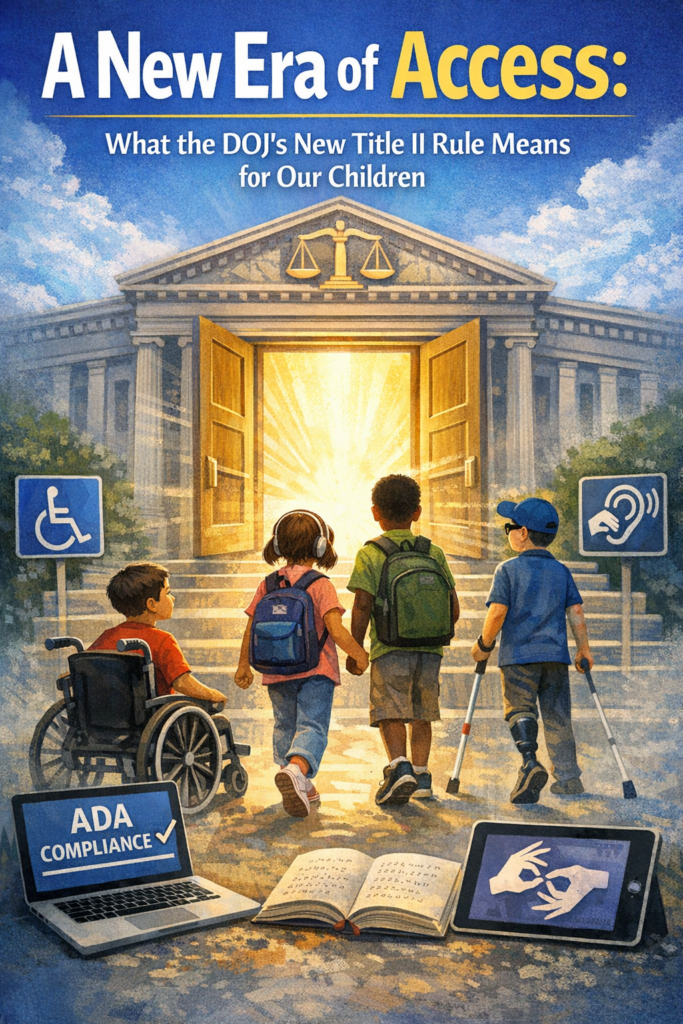
And for the first time, our children have a clear, enforceable right to full, equal, real‑time access to their education.
Why this rule matters so much for blind and low‑vision students
Blind and low‑vision students have always been the most impacted by inaccessible digital content. When a worksheet is posted as an image, when a math assignment is scanned sideways, when a teacher uploads a PDF with no tags, when a learning platform isn’t keyboard accessible — that student is locked out.
The new rule changes that.
WCAG 2.1 AA requires schools to ensure:
All images have alt text
All documents are structured for screen readers
All videos have captions and audio description
All platforms work with keyboard navigation
All math and STEM content is accessible
All mobile apps are operable for non-visual users
All content is perceivable, operable, understandable, and robust
This is the first time the federal government has said, in clear language: “Your digital content must be accessible from the start.”
No more waiting or retrofitting. No more “we’ll fix it later” or “we didn’t know.”
Why schools are scrambling or should be scrambling— and why that’s good news
K–12 districts are suddenly realizing that:
Teachers create inaccessible content every day
Thousands of PDFs and worksheets must be remediated
Google Classroom, Schoology, Canvas, and other platforms must meet WCAG
Vendor tools must be accessible — and the district is responsible if they’re not
They need training, workflows, and accountability
They must comply by 2026 or 2027, depending on district size
This is overwhelming for them — but it’s also the first time blind and low‑vision students have the law fully on their side… as do all students!
So if you hear panic you’re it is not a bad thing. It’s the sound of a system finally being required to do what it should have done all along.
What this means for your child
It means your child has the right to:
Access their schoolwork at the same time as their peers
Use screen readers, magnification, braille displays, and other tools without barriers
Receive accessible math, science, and STEM content
Navigate school websites and portals independently
Access digital textbooks and curriculum materials
Participate fully in online learning
Receive materials in formats that work for them — every time
This is not optional. Or “if the teacher has time.” This is not “if the district can figure it out.”
This is their legal right.
What this means for teachers
Teachers are not expected to become accessibility experts overnight. But they are expected to learn the basics of accessible digital design — and districts are required to train them.
This rule gives teachers clarity, structure, and support. It gives them a roadmap. It gives them permission to slow down and do things right.
And it gives them the tools to reach every learner, not just those who can see the screen.
What this means for TVIs and accessibility professionals
For years, TVIs have been forced into the role of “fixer” — remediating inaccessible content after the fact, often late at night, often under pressure, often without the authority to change the system.
This rule changes your role.
You are no longer the emergency repair technician. You are now the accessibility leader your district must rely on.
Your expertise is finally recognized as essential, not optional.
Why this is a moment of hope
For the first time in U.S. history, blind and low‑vision (and all) students have a federal rule that:
Names the standard
Sets the deadlines
Defines the expectations
Holds districts accountable
Protects students’ right to equal access
This is the beginning of a new era — one where our children can learn, participate, and thrive without barriers.
And for families who have spent years advocating, fighting, and explaining the same issues over and over, this rule is a long‑awaited validation:
Your child deserves full access. All children deserve independence. Your child deserves equal opportunity. And now, the law finally backs you up.
On this Presidents Day, may we pray for wisdom, unity, and peace for our nation. It’s especially important to remember peace and God’s faithfulness in a divided world as we reflect and seek hope together.
No matter who leads, God remains faithful.
And even in a world where so many are angry, may we be the ones who look for the good, speak peace, and reflect His light
“If any of you lacks wisdom, let him ask of God, who gives generously to all without finding fault.” — James 1:5
***
“Blessed are the peacemakers, for they will be called children of God.” — Matthew 5:9
How to get a Job-Woman at PC with display and iPhone
Most jobs today use the same tools: a PC, a smartphone, and Windows workplace software. If students want a job later, they must learn these tools early. If anyone wants a job, you must master those tools with excellence. Character, consistency, loyalty, and trust — combined with strong tech skills — help people gain and keep lasting employment.
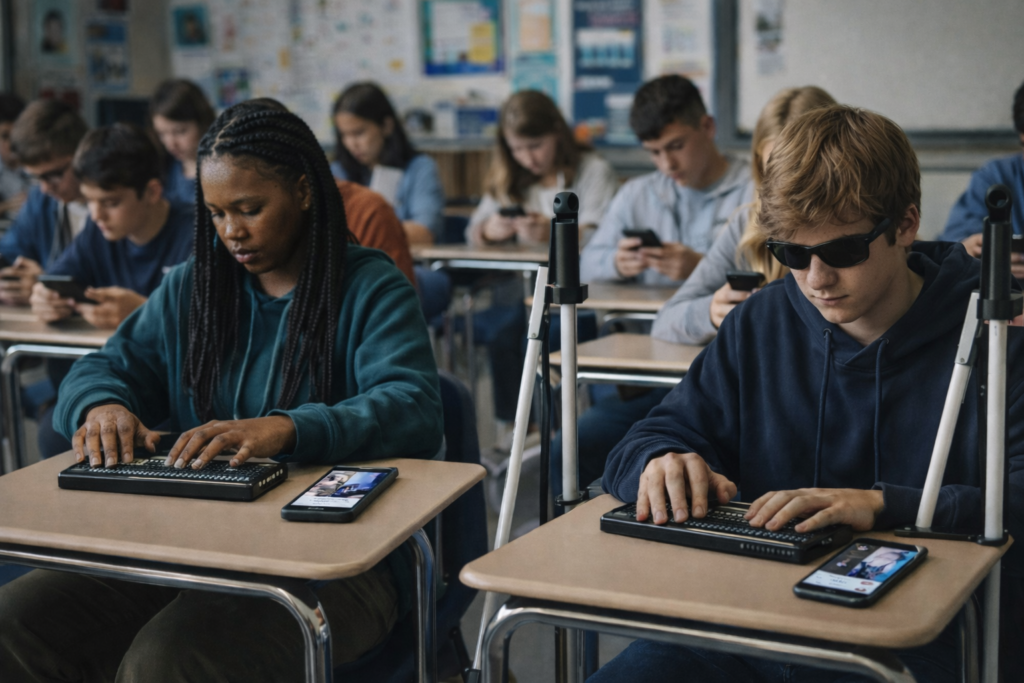
Blind and low-vision students need the same skills. They also need a screen reader, braille display, and tactile learning to access the world on equal terms.
This is why instruction cannot start late. It must start educationally at age three-as a baby from the womb just teaching parents how to help child.
Early learning builds kindergarten readiness. It keeps blind students even with their peers. Strong IEPs then protect continued teaching in tech, tactiles, and braille each year so they can keep pace with their peers.
When schools teach the right tools early, blind students enter the future ready to work, ready to compete, and ready to thrive.
Global Employment — All People
According to the International Labour Organization (ILO) and global labor data:
Employment Rate Worldwide
About 58% of people aged 15–64 are employed globally. (This includes full-time, part-time, formal and informal work.)
Another ~26% are outside the labor force (students, homemakers, retired)
~6–10% are officially unemployed (actively seeking work)
Key takeaway:Most people around the world have some form of work.
Technology Use at Work — General Global Trends
People use a mixture of technology on the job depending on industry, income level, and region.
Most tech adoption statistics come from large surveys, including:
International Telecommunication Union (ITU)
Statista digital economy surveys
World Bank ICT data
Global Workplace Analytics
These show broad patterns across sectors.
Computer Access at Work (Global Estimate)
About 70–75% of office workers worldwide use a computer at work. This includes laptops, desktops, and workstation terminals.
This varies by region:
High-income countries: ~85–90% computer use at work
Middle-income countries: ~60–75%
Low-income countries: ~30–50%
Smartphone Use at Work
Smartphones are extremely common globally, even where desktop PC penetration is lower.
Global estimates show:
85–90% of working adults use a smartphone at least daily for communication, email, scheduling, messaging, and business apps.
In many service, retail, field, and informal jobs, the smartphone is the primary computing tool.
PC vs. Mac vs. Other at Work (Global Split)
There is no exact global “one number,” but multiple tech market share sources give a snapshot of the device ecosystem used professionally:
PC / Windows
Estimated 75–80% of computers used in the workplace run Windows. This includes desktops, laptops, workstations, and enterprise systems.
Windows dominates business environments because:
Longstanding enterprise support
Broad software compatibility
Legacy systems in large organizations
Mac (macOS)
Estimated 15–20% of workplace computers.
Higher share in:
creative industries (design, media, publishing)
education and research institutions
startups and technology firms
some small business environments
Other (Linux, Chrome OS, Thin Clients)
5–10% combined share. These are more common in:
tech-savvy organizations
cloud-centric workplaces
specialized development environments
Technology People Use on the Job
Here is how technology breaks down by task:
Office / Knowledge Work
PC (Windows + Office)
Laptops, desktops
Email, Office suites, cloud apps
Collaboration tools (Slack, Teams, Zoom)
Data entry, spreadsheets
Creative / Design / Media
Mac systems are popular
Adobe Creative Suite
Video and audio editing tools
IT / Development
Split between Mac, PC, and Linux
Code editors (VS Code, Vim)
Cloud and DevOps tools
Data / Analysis
PCs for spreadsheets and databases
Macs for visualization and coding
Mobile-First Roles
Smartphones for:
communication (call, message)
scheduling
mobile apps (CRM, logistics)
Especially in:
retail
transportation
field service
Global Smartphone vs Computer at Work
Here’s a broad estimate:
Technology Type
Approx. Global Usage at Work
Smartphones
~85–90%
Desktop/Laptop Computers
~70–75%
Windows PCs
~75–80% of computer share
Macs
~15–20%
Other OS (Linux, Chrome OS)
~5–10%
Note: These percentages overlap — most people use both smartphones and computers.
WHY TECH ADOPTION LOOKS THIS WAY
Smartphones have high adoption because:
They are affordable
Widely available
Used for email, messaging, forms
Often required by employers for mobile work
PC (Windows) dominates because:
Enterprise software is built for it
IT infrastructure around Windows is mature
It’s cost-effective at scale
Mac is strong in:
Creative industries
Technology startups
Higher education
Design and media fields
SUMMARY — GLOBAL View
Employment: ~58% of adults globally are employed Smartphone use: ~85–90% use at work Computer use (general): ~70–75% use a PC/laptop Windows share: ~75–80% Mac share: ~15–20% Other OS: ~5–10%
Blind Teens See a World That Rarely Sees Them Back-They scroll social media with braille display and
The Silent Exhaustion Teens Carry Into the Classroom
The bell rang at 7:05 AM, but most of the class did not look up. At the front of the room, Ms. Sage watched them, really watched them and saw something most adults miss. In moments like this, it becomes clear why so many people are talking about Today’s Teens Feeling Overwhelmed. Twenty‑seven juniors sat in rows; faces washed in the cold glow of their screens. Their thumbs moved faster than their eyes. Notifications popped like fireworks. Someone laughed at a meme. Someone posted a photo… then deleted only minutes later because of fear someone judging the image.
Ms. Sage stood with sadness and concern.
The Hidden Weight Social Media Places on Today’s Teens
She had taught for thirty‑two years, but this generation was different. Not worse, just heavier. According to the latest national data, 57% of teen girls and 29% of teen boys now report persistent sadness or hopelessness, the highest levels ever recorded. And teens who spend more than three hours a day on social media which is nearly all of them, are twice as likely to experience symptoms of anxiety and depression.
She saw those numbers every day in their faces: tired, anxious, overwhelmed, disconnected, and fragile.
“Phones away,” she said gently. “All the way away.”
A few groaned. One boy rolled his eyes. But they obeyed.
On her desk sat a plain cardboard box. Nothing special. But today, it mattered.
“I want you to write down one thing,” she said, handing out slips of paper. “Not your name. Not a joke. Just the truth.
Then she turned to Suzy and John, her blind students. “You two can text me using SendAnonymousSMS,” she said. “I’ll copy your message onto a paper slip and drop it in the box with the others.” “That way no one will know who it’s from.”
She looked back at the room. “Everyone Write down the thought that runs through your mind — your heart — whenever you scroll your accounts. The one you never say out loud.”
The room stilled. Eyes wide.
When Comparison Becomes a Daily Battle for Teens
A cheerleader in the back, Lila, known for her perfect Instagram feed, stared at her blank paper under crushing pressure to “look” perfect. Her hands trembled. Just last week, she had confessed to the counselor that she spent over eight hours a day comparing herself to girls she did not even know, staying up late and scrolling into the early morning hours. And she was not alone. National surveys show that 46 percent of teens say social media makes them feel worse about their bodies and their families, and one in three teen girls say they feel “ugly” because of what they see online.
Every day, they scroll past smiling faces, perfect vacations, flawless skin, and filtered happiness and somewhere deep inside, they start believing everyone else is living a better life. They compare those highlight reels to their own quiet struggles and convince themselves they’re the only ones who feel sad, lonely, or left out.
Lila finally wrote something down and continued to move her pencil across the paper.
The Loneliness Behind the Laughs
Next to her, Jordan, the class clown tapped his pencil. He had 12,000 followers on TikTok. People loved him. But last month, he told a friend he felt “fake.” Research shows that teens who curate a “perfect” online persona are three times more likely to report loneliness, even when surrounded by people.
Jordan knew that feeling too well. He had one friend he could joke around with, someone he could confide in on the surface, but no one he trusted deeply. His parents had split two years ago, and his mom now worked two jobs just to keep the lights on. Most nights, he ate dinner alone while his sister stayed in her room, scrolling and picking at her food. They did homework alone. They fell asleep alone. The silence in the house made the loneliness louder, and the more he scrolled through everyone else’s “happy” lives, the more he believed he was the only one who felt this empty even though he saw the same despondent look on his sister’s face. So, he posted constantly, leaning into his class‑clown persona, trying to joke the loneliness away.
Blind Teens See a World That Rarely Sees Them Back
In the front of the room, Suzy and John knew what it felt like to be outsiders. Being blind set them apart before they even opened their mouths, and the feeling only sharpened when they scrolled through social media. With apps that read pictures aloud, the isolation deepened because no matter how many posts they explored, they rarely found people who were like them, lived like them, succeeded like them. They searched for blind mentors who could show them what was possible, yet they found few and sometimes none. Each empty search pressed the loneliness deeper. Students rarely talked with them because their blindness created a barrier built from difference and fear. Still, they kept scrolling, because that’s what teens did, even when it hurt.
Most of the class was not made up of kids like Lila, Jordan, or the school’s sports heroes. It was kids like Joe and Sue, the ones who sat in the back or middle rows, who blended in, who were never chosen first for anything. They weren’t popular, not even close, and they felt it every day. Students like Joe and Sue were the ones pushed aside in hallways, called hurtful names, talked over in group projects, laughed at for clothes their families could afford or hobbies no one else understood. They watched the popular kids climb the social ladder while they stayed invisible on the bottom rung, and the invisibility hurt almost as much as the teasing and social media scrolling. Being unseen didn’t protect them; it only made the loneliness sharper.
Brilliance and Secrets
Then, there were the two brilliant minds in the room: Jessica and James. The kind of students who competed at everything, from test scores to running for class president to who could finish the assignment first. They seemed happier than most, partly because they checked their social media feeds far less often than everyone else. They still used it — they were teens, after all — but they’d learned that too much scrolling made them feel worse, so they kept their distance when they could.
Even so, that choice, along with their drive, set them apart in a different way. They were the outliers, the only two who cared more about academics and future goals than trends or popularity. And because of that, some kids picked on them, calling them “perfectionists” or “teacher’s pets,” never understanding that Jessica and James weren’t trying to outshine anyone — they were just trying to build a future shaped by the dreams their parents had poured into them. That came with its own kind of pressure. When they fell short of what their parents expected, it hit their hearts harder than anything they could ever read online.
The Emotional Pressure Today’s Teens Feel but Rarely Share
Across the room, Tyler, the star running back with the big smile, the one everyone assumed had it all together leaned back in his chair, spinning his pen between his fingers. On the field, he was unstoppable. In the hallways, he walked with the kind of confidence people mistook for certainty. But inside, he was unraveling. Athletes are often seen as the “strong ones,” yet studies show they experience depression at the same rates as their peers; they just do not talk about it. Tyler lived that statistic.
He had teammates he joked with, guys he could talk football with, but no one he trusted with the truth. He had one friend he could confide in superficially, but no one who knew him deeply; no one who understood the pressure he carried. His parents had split last year, and his dad moved two states away. His mom worked double shifts at the hospital, leaving before sunrise and coming home long after he’d gone to bed. Most nights, the house was dark and quiet, and Tyler ate dinner alone at the counter, scrolling through highlight reels of other athletes who seemed stronger, faster, happier.
Online, he saw boys his age posting scholarship offers, perfect bodies, perfect lives. He compared their victories to his private fears and convinced himself he was falling behind. Research shows that nearly 1 in 3 teen boys feel pressure to appear “strong” online, and many hide their stress behind humor, sports, or silence. Tyler was no different. The louder the crowd cheered on Friday nights, the more alone he felt walking off the field.
He tapped his pencil harder. Then, slowly, he picked up his paper and began to write.
The Truth Teens Admit Only When They Feel Safe
One by one, they walked up and dropped their slips inside.
Ms. Sage waited until the last student sat down. Then she opened the box.
She pulled the first slip…and read.
“I feel invisible unless someone likes my posts.”
Another.
“I delete every picture of myself. I hate how I look.”
Another.
“I check my phone 200 times a day because I’m scared I’ll miss something and people will forget me.”
Another.
“I pretend I’m confident online. I’m not.”
Another.
“I don’t know who I am without my phone and my likes.”
She paused. The room was silent. No one moved.
Then she read the one that made her throat tighten.
“I don’t want to be here anymore… Everyone else looks happy, and I feel lost, hurting, and completely alone.”
The Centers for Disease Control and Prevention (CDC) reports that 22% of teens have seriously considered suicide, and the rates are rising fastest among those who spend the most time online. Ms. Sage knew that statistic. But hearing it in her classroom, in a child’s handwriting was different.
She folded the paper gently and stifled her tears.
Breaking the Lies Teens Believe About Themselves
“This,” she said, resting her hand on the box, “is what you’re carrying; this heavy, invisible weight.”
Her voice softened.
“And you need to know something. You are not the only one. Everyone who scrolls feels this pressure in some way, even adults. Loneliness is quietly shaping all of us, more than we admit.”
She looked up, steady and kind.
“You’re not strange for feeling overwhelmed. You are not weak for feeling the ache. You’re human. And you’re not carrying this alone.”
Seeing Through the Lies of Social Media
What you see online is not real life. What you feel is real, but it is not the end of your story.” Talk with each other about truth and make a friend, knowing that what is online, is a persona, something false pretending to be real. Your “likes” should come from right here in this room or at home.
Many students wiped their eyes.
Lila reached over and squeezed another cheerleader’s hand as she began to weep uncontrollably.
For the first time all year, they weren’t scrolling. They were listening. They were human again and looking around at each other.
Ms. Sage closed the box slowly, her hands resting on the cardboard as if it were something alive. Then she looked up.
“We’re not leaving this here,” she said quietly. “Come with me.”
The students exchanged confused glances, but no one argued. She picked up the box, hugged it to her chest, and led them out of the classroom, down the hallway, and through the back doors of the school.
The winter air hit them first; sharp, clean, honest.
Behind the building, near the maintenance shed, the old janitor, Mr. Alden, stood beside a metal burn barrel. Flames licked the rim, crackling softly. He nodded at Ms. Sage. They had arranged this.
“This,” she said, holding the box tightly to her chest, “is where we let go of what we were never meant to carry alone.”
The students formed a loose circle around the barrel. No one spoke. The only sound was the fire breathing.
Letting Go of What Teens Were Never Meant to Carry Alone
Ms. Sage opened the box. The folded slips of paper, their secrets, their fears, their midnight thoughts, rustled in the wind.
“Every one of you wrote something real,” she said. “Something heavy. Something you’ve been holding in the dark. Today, we burn the lies that told you were alone and not seen.”
She lifted the box and tipped it gently. One by one, the papers slid into the flames. They curled, blackened, and disappeared.
A hush fell over the group. Some students stepped closer. Others wiped their eyes. Jordan and several boys shoved their hands into their pockets, blinking hard as they fought the ache. Lila and the cheerleader teammate mirrored each other without meaning to, arms wrapped tightly around their own bodies, heads bowed as tears were blinked back and slipping free. They stood in a protective posture girls slip into when they don’t want anyone to see them break, watching the fire as if it were rewriting their stories.
Suzy pressed her head into her cane as rocked back and forth trying to comfort her pain. John stood next to her like a statue, gripping his cane so tightly his knuckles turned white, as he fought back tears.
Burning Lies
Because as the papers burned, they weren’t just burning confessions, they were burning the lies they had believed about themselves. The lie that they weren’t enough. Continued lie that everyone else was happier. The lie that they were alone. The lie that their worth depended on likes, followers, or filters.
Tyler stepped forward. He reached out and waved the ashes and said “goodbye”, a quiet, aching release. Then another hand lifted beside him with “goodbye”. And another. And another. Soon the whole group stood around the barrel, their hands rising over the heat, each wave a soft, brave goodbye to the weight they had carried… and a trembling welcome to the freedom they were finally claiming.
No one rushed or joked or hid.
When the last ember died, Ms. Sage spoke again, her voice steady.
“You don’t walk alone,” she said. “And the lies you waved goodbye to… they’re gone. You don’t have to carry them anymore.”
Returning to the Classroom with a New Strength and Solidarity
They stood there a moment longer, breathing in the cold air, feeling lighter than they had in years.
Then, slowly, they walked back inside; not as strangers scattered across rows, but as a group bound by the truth that they were more alike than different.
They were not alone.
Learning to Use Social Media Without Losing Yourself
Quitting social media isn’t really an option in this day and age; it’s about learning how to use it differently, in ways that lift you instead of draining you. You can follow people who inspire you, mute the accounts that make you compare yourself or feel worse about who you are, set smaller time limits (even a simple timer on your phone helps), and remind yourself that real connection happens in real conversations.
And when you look up from your screen, you’ll start to notice the people around you, classmates who hurt too, who could use a friend, who might become real friends if you gave them a chance. Speak to someone at school, or give someone a call after school, invite them over for pizza and a movie, make popcorn, hang out, or get a couple of people together just to laugh and talk. You don’t need perfection to feel better, just a healthier rhythm, a middle ground where your screen doesn’t get to decide your worth or your friendships.
Faith Reflection: The God Who Sees the Overwhelmed and Brokenhearted
When life feels heavy and everyone else online looks happier, God sees what you’re carrying — the real you, not the filtered version. In Scripture, Hagar calls Him “El Roi — the God who sees me.” He sees your hurt, your questions, your loneliness, and He doesn’t look away.
Psalm 34:18 says, “The Lord is close to the brokenhearted.” Not just the strong. Not just the confident. The brokenhearted.
The thoughts you wrote down — the lies you’ve believed — don’t define you. God’s truth does.
You are loved. And chosen. You are enough. And you are not alone.
Even on the days you feel invisible, God whispers: “I see you. I’m with you. I’m not letting go.
A triple rainbow broke through the clouds today, and it reminded the TechVision team of something important. Hope rises when people see that their lives carry meaning, purpose, and design. Hope grows when learners discover skills that restore independence and confidence.
Psalm 139 says God formed each person with intention. He shaped every detail with care. He designed strengths, abilities, and potential long before anyone took a first breath.
Ephesians 2:10 says God prepared good works for each person. Those works remain even when vision changes. Good works remain when technology feels overwhelming. Those works remain when someone wonders what comes next.
Blindness does not remove purpose. Vision loss does not erase calling. Change does not cancel God’s design.
TechVision simply teaches the tools that unlock that purpose. Students learn braille, screen readers, mobility skills, digital math, and the technology that turns possibility into confidence. Adults who lose vision gain the training they need to continue careers, support families, and live independently again.
Each learner walks a different journey, but no one walks it alone. TechVision stands beside them as they rise, learn, adapt, and grow. Every skill strengthens independence. All commands build access. Every lesson opens the door to the life God planned from the beginning.
The God who formed each learner still guides every step. He sees their future clearly. He equips them for good works that matter. Their story continues with strength, dignity, and purpose.