
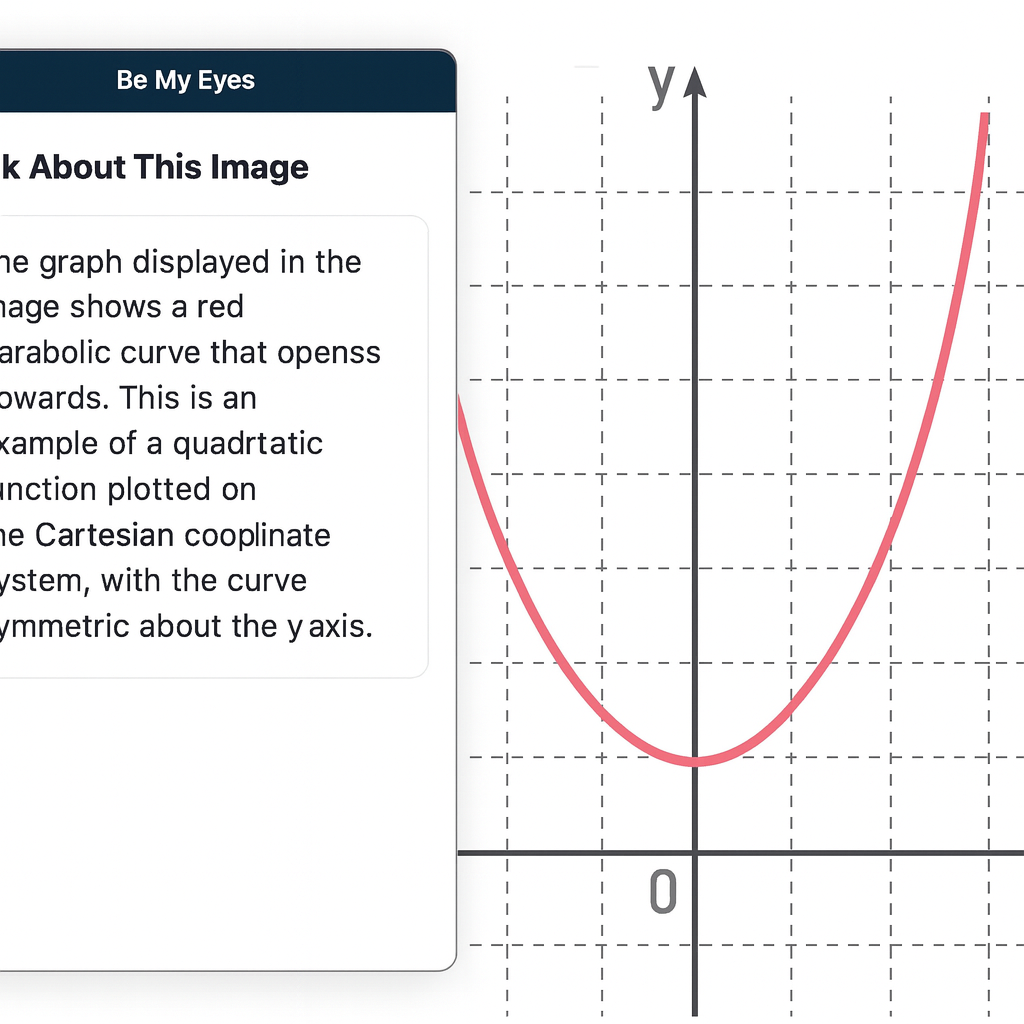
Be My Eyes for Computer
For students who are blind or legally blind, accessing visual information on a computer screen can be one of the biggest barriers to learning unless you have an APP like Be My Eyes on Computer. Whether it’s a graph in science class, a diagram in math, a picture in a digital textbook, or an unlabeled image on a website, visual content often goes unexplained — unless someone is available to describe it.
Be My Eyes now solves this problem directly on your computer.
What Be My Eyes Can Do on a Computer
When installed on a PC or Mac, Be My Eyes can:
- Describe graphs, charts, and diagrams
- Explain pictures, illustrations, and maps
- Identify objects or images in digital textbooks
- Summarize visual layouts on websites
- Clarify icons, buttons, or menus that are not labeled
- Provide context for images that screen readers cannot interpret
This is especially powerful for students who are legally blind and need immediate access to visual information without waiting for a teacher, aide, or parent.
How It Works
- Open the Be My Eyes app on your computer.
- Take a screenshot or upload the image you want described.
- Use the “Ask About This Image” feature.
- Type your question — or simply ask:
- “What is shown in this graph?”
- “Describe the picture on the screen.”
- “What does this diagram represent?”
- “What is happening in this image?”
The AI will give a clear, detailed description that students can use immediately for classwork, homework, or studying.
Why This Matters for Blind and Low‑Vision Students
Visual content is everywhere in school — especially in math, science, social studies, and digital learning platforms. Without access, students fall behind academically and lose independence.
Be My Eyes gives students the ability to:
- Access visual information instantly
- Work independently without waiting for help
- Understand graphs and diagrams in real time
- Participate fully in class assignments
- Build confidence and autonomy
For students who are legally blind, this tool is not optional — it is essential.
When to Use Be My Eyes vs. Other Tools
- Be My Eyes: For describing images, graphs, diagrams, pictures, and anything visual.
- Screen Readers (JAWS/NVDA): For reading text, navigating websites, writing, researching, and completing assignments.
- CCTV: Only for viewing pictures or visual diagrams — not for reading.
Together, these tools create a complete access system.
Be My Eyes App on Computer using Tiger in WORD to complete Math work