
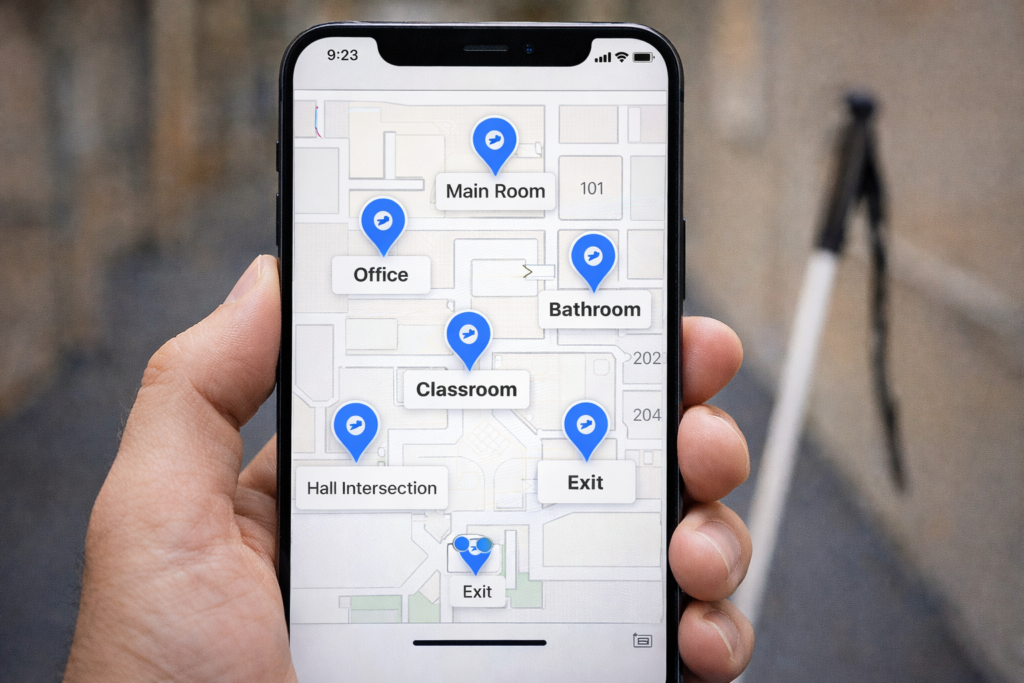
Blind people can build indoor landmarks by dropping custom pins at major rooms and intersections. Siri and VoiceOver guide each step. This method works in any building.
Step 1 — Open Apple Maps with Siri
- The user says: “Hey Siri, open Apple Maps.”
- VoiceOver loads the map and announces, “Current Location.”
Next Step 2 — Find the Drop Pin Button
- The user places a finger near the middle of the screen.
- The user flicks right slowly.
- VoiceOver cycles through buttons.
- The user stops when VoiceOver says “Drop Pin” or “More Actions.”
Step 3 — Use Double-Tap and Hold to Drop the Pin
- The user performs a double-tap, then holds the second tap.
- The actions menu appears.
- VoiceOver announces “Dropped Pin.”
This action creates the indoor landmark.
Step 4 — Add a VoiceOver Label
- The user flicks right until VoiceOver says “Add Label” or “Edit Label.”
- The user double-taps to open the label field.
- The user dictates the room name, such as “Main Room.”
- The user flicks right to “Done.”
- The user double-taps to save.
Step 5 — Repeat the Steps at Each Important Location
Blind people repeat these steps in each place:
- Main Room
- Office
- Bathroom
- Classroom
- Hall Intersection
- Exit
Each pin becomes an indoor landmark. Each label helps Siri find the place later.
Phone Technique Checklist
“Stand still. Say ‘Hey Siri, open Apple Maps.’ Flick right to ‘Drop Pin.’ Double-tap and hold. Flick to ‘Add Label.’ Dictate the room name. Double-tap Done. Move to the next room and repeat.”