
Using Siri • VoiceOver • Apple Maps • Compass • O&M Skills: 1 of 9 Lessons
Indoor navigation remains challenging because:
- Apple Maps does not give indoor turn-by-turn directions.
- GPS becomes inaccurate or unavailable.
- Most buildings do not support Indoor Maps.
Still, blind people can navigate safely using:
- Dropped + labeled pins
- Siri direction cues
- VoiceOver distance + heading cues
- Compass alignment
- O&M strategies and route memory
These lessons work in schools, offices, hospitals, malls, airports, dorms, and community centers.
LESSON 1 — Drop a Pin at Any Indoor Location (Siri + VoiceOver)
Purpose: Create indoor landmarks for later navigation.
Step 1: Open Maps Hands-Free
- The user says: “Hey Siri, open Apple Maps.”
- VoiceOver loads and announces “Current Location.”
Next Step 2: Find the Drop Pin Option
- The user places a finger near the center of the screen.
- The user flicks right until VoiceOver says:
- “Add Location” or
- “Drop Pin.”
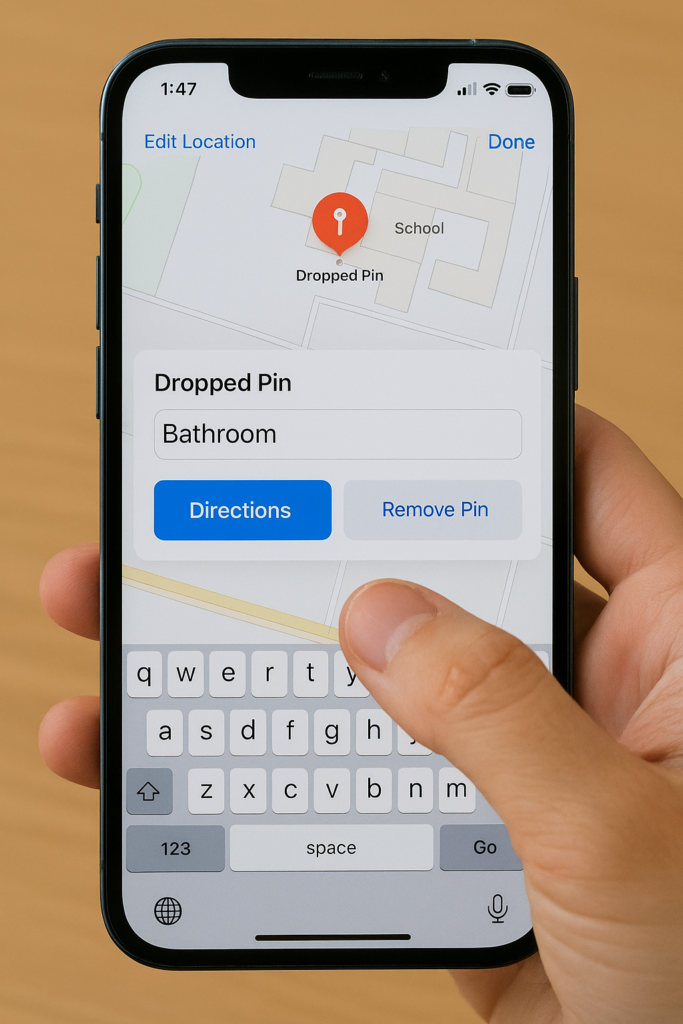
Step 3: Drop the Pin
- The user performs a double-tap and holds the second tap.
- A menu appears.
- VoiceOver confirms “Dropped Pin.”
Step 4: Label the Pin
- The user flicks right to “Add Label.”
- The user double-taps.
- The user dictates the room name, such as “Main Room.”
- The user flicks right to “Done.”
- The user double-taps to save.
Repeat at Each Important Location
- Main Room
- Office
- Bathroom
- Classroom
- Hall Intersection
- Exit
Each labeled pin becomes an indoor anchor for Siri and Compass.
Go to Tech Lessons to get all sequence of iPhone navigation lessons