
Indoor Navigation for Blind Travelers Using iPhone Apps
Using Siri • VoiceOver • Apple Maps • Compass • O&M Skills: 9 of 9 Lessons
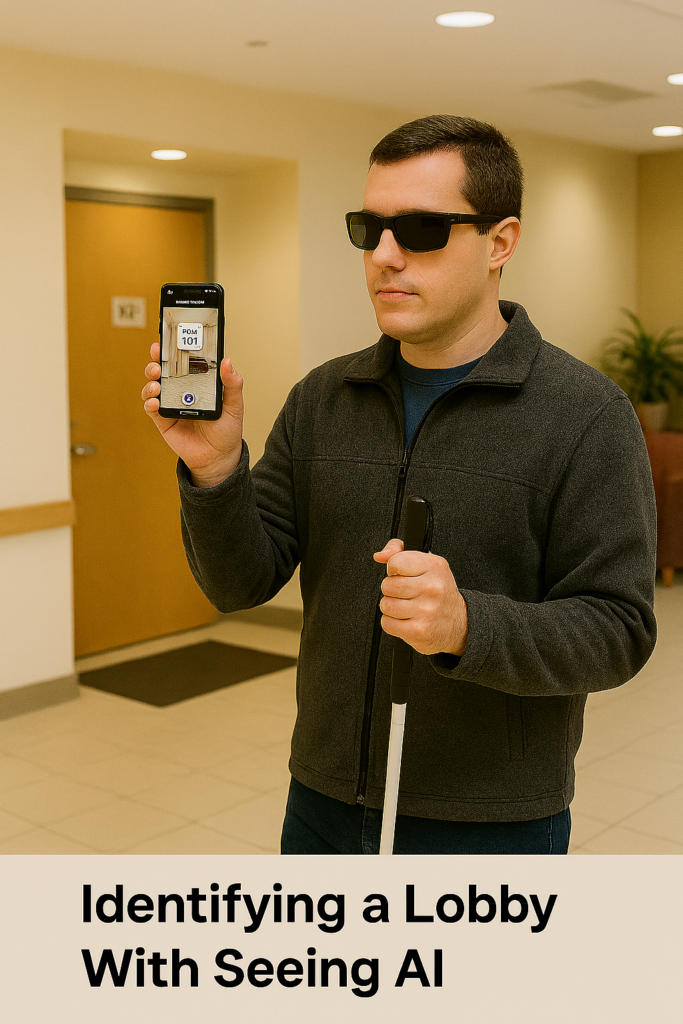
LESSON 9 — Use Seeing AI for Indoor Orientation and Room Identification
Once inside, Seeing AI becomes the key tool for identifying interior features—room signs, doors, and visual clues—while Lesson 8 combines all navigation skills into a complete routine. Students use Look Around outside, drop pins inside, follow Siri’s directions, align with Compass, walk straight, count steps, identify landmarks, and use Seeing AI to confirm locations. Indoor Navigation for Blind People with the Seeing AI App is made possible as together, these tools empower blind travelers to navigate independently with confidence.
Purpose: Help blind travelers identify hallways, doors, signs, objects, and surroundings inside buildings where Apple Maps cannot provide indoor guidance.**
Seeing AI gives fast, accurate orientation information through-download app in app Store:
- Scene description
- Door detection
- Short Text reading
- Object identification
- Direction of sounds (“in front of you,” “to your left,” etc.)
It becomes the traveler’s “eyes” inside the building. Fantastic for Home also.
A. Open Seeing AI Quickly
The user says:
“Hey Siri, open Seeing AI.”
VoiceOver opens the app instantly.
B. Use Scene Mode for Fast Orientation
Scene mode gives an overview of the space.
Steps:
- User holds the phone at chest level.
- User points the camera forward.
- VoiceOver speaks what Seeing AI detects.
Examples of descriptions:
- “A hallway with doors on each side.”
- “A desk and chairs in front of you.”
- “A person standing near the door.”
- “A staircase ahead.”
Scene mode helps the user confirm:
- They are in the correct hallway
- The hallway has doors leading to nearby rooms
- They are close to the bathroom or office area
- They are approaching an intersection
Vision teachers can integrate this during O&M lessons to reinforce environmental understanding.
C. Use Door Detection (in Scene or Preview)
Door Detection helps blind travelers find rooms and entrances.
Steps:
- User opens Scene or Door Detection.
- User sweeps the camera left to right.
- VoiceOver announces:
- “Door ahead.”
- “Door three feet to your right.”
- “Door with sign: Room 112.”
This replaces visual scanning and gives very precise orientation inside schools or offices.
D. Use Short Text to Read Room Signs and Labels
Blind travelers use Short Text to read anything instantly.
Steps:
- User flicks to “Short Text.”
- User holds the phone up while walking past doorframes.
- Seeing AI reads text automatically without taking a photo.
Examples:
- “Main Office.”
- “Restroom.”
- “Room 203.”
- “Science Lab.”
This helps confirm the correct room and supports independent route practice.
E. Use Object Recognition to Confirm Landmarks
Object mode helps locate:
- Trash cans
- Desks
- Water fountains
- Elevators
- Stairs
- Classroom equipment
Steps:
- User flicks to “Objects.”
- User scans the room slowly.
- VoiceOver announces detected objects with direction cues.
This helps the traveler understand interior layout.
F. Use Person Detection for Safety and Social Navigation
Seeing AI identifies:
- People
- Their location
- Their distance
- Their movement
This helps the user:
- Sense if someone is near the bathroom
- Detect crowds or busy hallways
- Avoid walking into people
- Know when someone is approaching
G. Combine Seeing AI with Dropped Pins and Compass
This is the strongest indoor navigation system for blind travelers.
Flow Example:
- Siri → “Walking directions to Bathroom.”
- User aligns with Compass → Heading West.
- User walks along hallway.
- Seeing AI Short Text → Reads door signs to confirm progress.
- Seeing AI Scene → Confirms hallway shape and intersections.
- Seeing AI Door Detection → Confirms bathroom door location.
- User drops a new pin at the bathroom.
This creates a full multisensory navigation loop.
H. Where Seeing AI Helps Most
Seeing AI is extremely helpful in:
- Home
- Schools
- Offices
- Hospitals
- Hotels
- University buildings
- Community centers
- Dorms
- Airports (inside terminals)
Whenever GPS fails inside buildings, Seeing AI fills the gap.
I. When Seeing AI Should Be Used Instead of Apple Maps
Inside buildings:
- Apple Maps gives heading + distance only
- Seeing AI gives visual environmental detail
Use Seeing AI to:
- Confirm correct hallway
- Locate doors or signs
- Detect intersections
- Understand room layout
- Identify objects
- Get general scene context
Together:
Pins = direction
Compass = orientation
Seeing AI = environment detail
This creates full indoor independence.