
Search results for: “TechVisionTraining@yourtechvision.com”

  • Team Specialists

    TechVision Team Specialists have provided remote instruction worldwide since 2007. Additionally, under the leadership of Dr. Denise M. Robinson, they empower students through comprehensive education for the blind. Furthermore, with expertise in screen readers, braille displays, braille, Nemeth code, and assistive technologies, the team delivers individualized instructional support for every learner.

    A defining strength of the TechVision Team specialists is that over 90% of our instructors are blind themselves. They use the same technology they teach. This brings unmatched authenticity, lived experience, and practical mastery to every lesson. Alongside a small number of sighted specialists, this blended team works together with purpose and unity. They model independence, confidence, and real‑world problem‑solving for every student they serve.

    Their commitment to equal access in education guides every aspect of their work. Additionally, they provide real‑time, one‑on‑one instruction and collaborative school‑team training to support full educational access. Furthermore, every TechVision Team Specialist shares a mission of removing barriers and creating pathways to independence.

    A Diverse Group of Team Specialists
    A Diverse Group of Team Specialists

    Our Mission & Impact

    TechVision Team Specialists create global impact through a mission‑driven approach to education for the blind. Additionally, they provide personalized, one‑on‑one remote instruction for learners of all ages. Furthermore, the team trains school personnel to ensure accessible materials and strong educational support systems.

    This real-time, individualized instruction empowers students and clients to compete equally in school, work, and daily life. TechVision specialists—both blind and sighted—are central to this mission, ensuring every learner has the tools, skills, and access they need to succeed.

    TechVision Director & Lead Team Specialists

    Dr. Denise M. Robinson

    Director & Founder
    Ph.D., TVI, Access Technology, IT, Braille, Nemeth, AI, CVI

    Dr. Denise M. Robinson is dedicated to empowering students to reach their full potential. Additionally, she leads a team of expert instructors who share her commitment to excellence and inclusion. Together, they provide comprehensive blind skills instruction across all areas of education.

    Furthermore, with deep expertise in instructional technology, Dr. Denise ensures that students of all ages receive essential, on‑demand educational skills. As a result, her leadership continues to guide the transformative work of the TechVision team.

    In addition, as a passionate program developer and nationally recognized speaker, she creates innovative instructional models that merge technology with blind skills. Through this work, she equips learners with the tools they need to pursue education, careers, and independence.

    Dedication

    TechVision’s dedication stems from a deep belief in the transformative power of education and the right of every individual to be fully included in the world. By merging technology with blind skills, the team works to eliminate barriers and ensure equal access and opportunity for all students.

    Outside of her professional work, Dr. Denise enjoys spending time outdoors—working with tractors and equipment, hiking daily, gardening, and meeting new people. She finds joy in the diversity of the world and the meaningful connections it brings.

    Beth Sellers

     Assistant Director of Educational Programming, MA
    Teaching AT, Braille, Nemeth & Additional Skills

    Beth Sellers is a graduate of James Madison University and Eastern Mennonite University, where she earned her master’s degree in education. With more than 20 years of experience in special education and community-based disability services, Beth brings extensive expertise in assistive technology and blind skills instruction.

    At TechVision, she teaches braille and access technology and provides consulting services to school divisions in assistive technology. Beth is a former president of the Virginia Chapter of the National Organization of Parents of Blind Children and volunteers with the AMCSI Conference Planning Team and her local SPCA.

    In her spare time, Beth and her children enjoy time on the lake, caring for their two dogs and many rescue cats, and exploring new activities—including cross-country skiing with Ski for Light.

    James Robinson

    Director of Business Services, BS

    James Robinson brings extensive administrative experience to TechVision, having previously served as an administrator in care facilities. As TechVision expanded to meet the growing demand for high‑quality remote instruction, he transitioned his leadership and operational expertise into the role of Director of Business Services.

    In this capacity, James oversees all business operations, including accounting, billing, financial coordination, and organizational systems. His strong background in management and service administration ensures that TechVision functions efficiently and that both the instructional team and clients receive consistent, reliable support. His work is essential to sustaining TechVision’s growth and mission‑driven impact.

    Let us know how we can help you: Contact US: TechVisionTraining@yourtechvision.com

  • Mission and Purpose

    Mission and Purpose of TechVision using braille display, keyboard and iPhone for who we are and what we do
    Picture of braille display, keyboard and iPhone for who we are and what we do

    Our Mission

    TechVision’s mission and purpose is to empower blind and visually impaired students through personalized, real‑time instruction in assistive technology, braille, STEM, and essential academic skills. Led by Dr. Denise M. Robinson, our specialists teach the tools and strategies students need to access information, build independence, and compete equally with their sighted peers.

    What We Do

    TechVision provides 1:1 remote instruction for learners of all ages. Our team teaches:

    What others use only through access methods such as but not limited to:

    AI‑supported learning strategies
    This direct, individualized approach transforms how blind and low‑vision students learn, work, and navigate the world, staying true to our mission and purpose.

    Screen readers

    Braille displays

    Computers and mobile devices

    Word processing and productivity tools

    All academic classes and especially: Math, STEM, Nemeth, and all literacy

    Why Our Work Matters

    TechVision also trains school personnel — including transcribers, Teachers of the Blind, Teachers and support staff — to ensure students receive consistent, accessible materials. We partner with districts, families, and private organizations to create inclusive environments where blind and visually impaired individuals can thrive, fulfilling our mission and purpose.

    Designed Instruction for Every Learner

    We teach learners of all ages. Every student receives customized instruction based on their goals, strengths, and needs. Whether developing early childhood skills, mastering advanced mathematics, learning to use a braille display, preparing for college and employment, or adapting to vision loss later in life, our instruction meets each learner exactly where they are. Many of our students go on to pursue STEM fields, including Applied Mathematics at top universities.

    Free Learning on YouTube Channel and YourTechvision.com

    The TechVision YouTube channel, created by Dr. Denise M. Robinson and her Team, offers hundreds of free, accessible video lessons. These lessons focus on empowering individuals who are blind or visually impaired through technology education. The channel covers a wide range of topics, making it useful for students, educators, and parents.

    Each video provides hands-on, step-by-step tutorials for using assistive technology. Viewers can learn to use screen readers, magnification tools, and braille displays. The lessons also include detailed instructions on using programs like Microsoft Office and Google applications. This practical approach helps users apply technology to real-world tasks.

    Contact Us

    We are here to help you succeed.

    Let us know how we can help you: Contact US: TechVisionTraining@yourtechvision.com

  • Curved Line in Excel Graph with Screen Reader

    To create a curved (smoothed) line graph in Excel using keyboard commands, start by selecting your data with Shift + Arrow keys. Then, press ALT + N, L to insert a line chart. Once the chart is selected, press CTRL + 1 to open the Format Data Series pane. Use Tab to navigate and enable the “Smoothed Line” option. You can add chart titles using ALT + J, T and axis titles with ALT + J, A, I. This sequence creates and formats a smoothed line graph efficiently.

    Here are all the keyboard commands to create a curved line graph (smoothed line chart) in Excel:

    1. Select Data:
    • Use Arrow keys to navigate and Shift + Arrow keys to select your data range or arrow into data and ctrl A to select all data.
    1. Insert a Line Chart:
    • ALT + N, L: Opens the Insert tab and selects the Line Chart option.
    • Down Arrow to select “2D Line with Markers.”
    • Enter to insert the line chart.
    1. Smooth the Line for curved line graph:
    • Select the chart with Arrow keys or Tab to highlight it.
    • CTRL + 1: Opens the Format Data Series pane.
    • Use Tab to navigate to the “Smoothed Line” checkbox, then Spacebar to enable it.
    1. Add Chart Titles to curved line graph:
    • ALT + J, T: Adds a chart title. Type the title and press Enter.
    • ALT + J, A, I: Adds axis titles. Type the title for the X-axis or Y-axis and press Enter.

    These commands will guide you through creating and formatting a smoothed line graph in Excel. Learn about more Creation of Graphs here.

    Curved excel line graph
    Curved excel line graph

    YouTube Channel: and let us know how we can help you: Contact: TechVisionTraining@yourtechvision.com
  • Educational Access

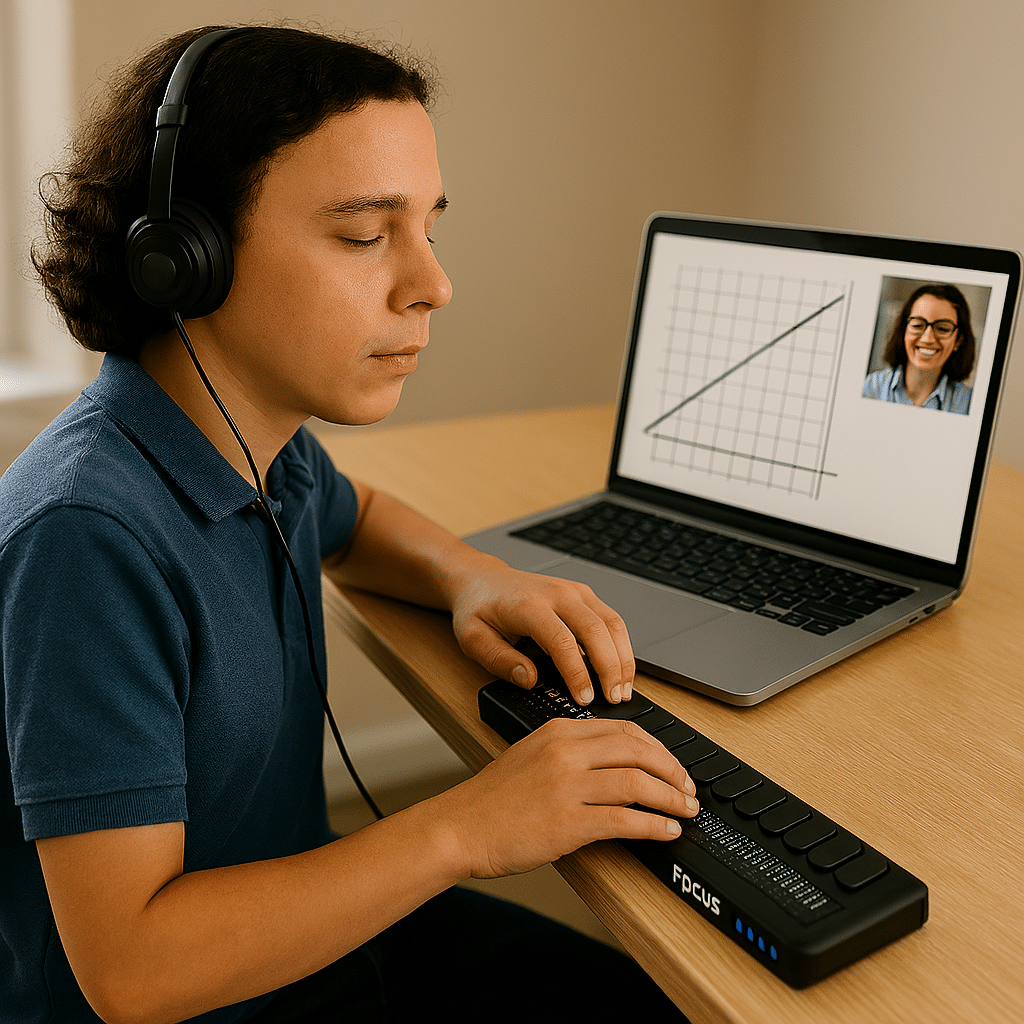
    Remote Instruction with access Technology
    Remote Instruction via access Technology-Finish Real Work in Real Time

    Empowering Blind & Visually Impaired Students Through Technology and Direct Instruction-Access Technology that Gives you Vision

    Offering Personalized 1:1 remote instruction in technology, Braille, Nemeth, and essential blind skills — for students of all ages, anywhere in the world, enhances their educational access. These services ensure all can access educational opportunities effectively.

    Founded in 2007 by Dr. Denise M. Robinson, a global leader in remote instruction for blind and low-vision education, TechVision brings together a nationally recognized team of blind education specialists, access technology experts, transcribers, and certified braille instructors. The team delivers expert training in access technology, braille, braille math code, screen readers, and comprehensive academic accessibility. Through real-time, individualized instruction, TechVision equips blind learners of all ages to participate equally, work independently, and succeed across educational and professional environments.

    What We Do: Educational Access

    We Provide:

    • Support for families, schools, transition programs, and vocational rehabilitation with the goal of improving access to education.
    • 1:1 specialized instruction in technology, Braille, Nemeth, and all academic access through use of a computer.
    • Training for school teams — Teachers of the Blind & Visually Impaired, transcribers, paras, and School staff
    • Technology setup & independence training using screen readers, braille displays, and computers

    The TechVision Difference

    TechVision, LLC transforms lives through personalized, real‑time remote instruction.
    Our team equips blind and visually impaired students and clients with the technology skills they need to compete equally with their sighted peers — in school, work, and life. We collaborate with families, districts, and agencies worldwide to ensure every learner has educational access and independence.

    Why Educational Access Matters

     With cutting‑edge tools — computers, screen readers, braille displays, and smartphones — our students learn to access information, navigate their world, and build independence. TechVision empowers learners to step into education and employment with the same opportunities as their sighted peers.

    Who We Serve

    • College students needing support for educational access
    • Young adults
    • Adults returning to work
    • Anyone needing access to their world

    Real 1:1 TechVision Instruction

    Students learning to create graphs, write documents, code, and navigate technology independently. Doing Everything their peers are doing.

    Contact us

    Contact US: TechVisionTraining@yourtechvision.com
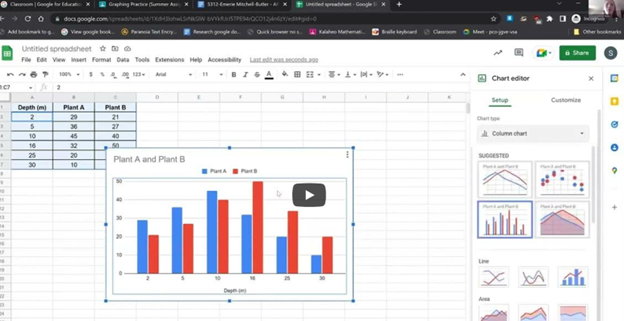
    you can see student in top right corner of screen using TechVision 1:1 remote instruction while she is working on creating graphs in sheets
    Empowering Blind & Visually Impaired Students Through Technology and Direct Instruction: she is working on creating graphs in sheets

    TechVision Access Instruction

  • Learn Out Loud Reading – Audio Books Galore

    LearnOutLoud.com offers a comprehensive resource for audio and video learning materials, perfect for those looking to learn out loud reading strategies. The site provides a wide range of educational content, including audiobooks, podcasts, and video courses. Users can explore topics such as self-development, history, and business. The platform makes learning accessible and convenient with high-quality content. You can access the materials anytime, anywhere. Therefore, if you’re looking to learn out loud, this platform is an excellent choice.

    Learn out Loud Reading
    Learn out Loud Reading

    Navigating LearnOutLoud.com is straightforward. Here’s a step-by-step guide to help you get started:

    Homepage: The homepage displays featured content like popular audiobooks, podcasts, and video courses.

    Search Bar: Type keywords in the search bar to find specific content.

    Categories: Browse categories like Self Development, History, and Business by clicking the “Browse” menu.

    Featured Content: Click on featured content, new releases, or top-rated materials to explore further.

    User Account: Create an account to save favorites, make playlists, and track progress.

    Audio and Video Players: Use the built-in player to play, pause, and skip content.

    Reviews and Ratings: Read user reviews and ratings to decide on content.

    Newsletter and Blog: Subscribe to the newsletter or read the blog for updates and tips.

    More Digital book management options from Calibre

    Tell us how we can help you: Contact US: TechVisionTraining@yourtechvision.com

  • Efficiently Converting Braille Files to HTML and Word

    To efficiently convert Braille files to text or HTML, you can change extensions as shown in the video or open the Braille file in software like Duxbury Braille Translator or Braille Blaster. Export the file as plain text. Use a text editor to manually add HTML tags or employ a conversion tool for HTML formatting. This method ensures the content is accessible in both text and web formats, making it easier to efficiently convert Braille files to HTML and Word.

    Guidance on converting Braille files into HTML or text files from this video:

    Efficiently converting Braille files to HTML and Word requires specific software and keyboard commands. Below is the method I used in the Video

    1. Extract Files:
      • Applications Key: Press Applications Key, then Down Arrow to select “Extract”.
    2. Rename Files:
      • Rename: Press Applications Key, then Up Arrow to “Rename”, and Enter.
      • Change Extension: Use Right Arrow to navigate, Backspace to delete .txt, and type .html, then Enter.
    3. Open Files in Notepad:
      • Open File: Press Enter on the file to open it in Notepad.
    4. Save As HTML:
      • Save As: Press Alt + F, then Down Arrow to “Save As”, and Enter.
      • Change File Type: Press Tab to navigate to the file type dropdown, select “All Files”, and Enter.
      • Rename Extension: Press Shift + Tab to navigate back, use Right Arrow to move to the extension, Backspace to delete .txt, type .html, and Enter.
    5. Copy and Paste Text:
      • Select All: Press Ctrl + A.
      • Copy: Press Ctrl + C.
      • Paste in Word: Open Word, then press Ctrl + V.
    6. Show File Extensions:
      • Open File Explorer: Press Alt + D.
      • Open Organize Menu: Press Tab to navigate to the “Organize” button, and Enter.
      • Folder Options: Press Down Arrow to “Folder and search options”, and Enter.
      • View Tab: Press Ctrl + Tab to switch to the “View” tab.
      • Show Extensions: Press Tab to navigate to “Hide extensions for known file types”, press Spacebar to uncheck, and Enter.

    These commands should help you efficiently manage and convert your files.

    Here is another way to convert files

    1. Extract the Braille File:
      Use software like Duxbury (DBT) or Braille Blaster Translator to open BRF or BRL files. This software can convert Braille files into readable text.
    2. Export to Text Format:
      After extraction, use the “Export” function in DBT or other Braille translation software to save the file as a plain text (.txt) file.
    3. Convert to HTML:
      Use a text editor to open the .txt file. You can manually add HTML tags to structure it as an HTML file or use a basic converter tool to help automate the process.

    Other Ways to Fix your computer

    Let us know how we can help you: Contact US: TechVisionTraining@yourtechvision.com
  • Access

    Empowering Equal Access Through Technology Training

    TechVision teaches blind and visually impaired students—and the educators who support them—how to use access technology with confidence. Through yourtechvision.com and our YouTube Channel, we provide practical, real‑world lessons on screen readers, braille displays, mobile devices, and the tools students need to participate fully in school, work, and life.

    Real‑Time Learning

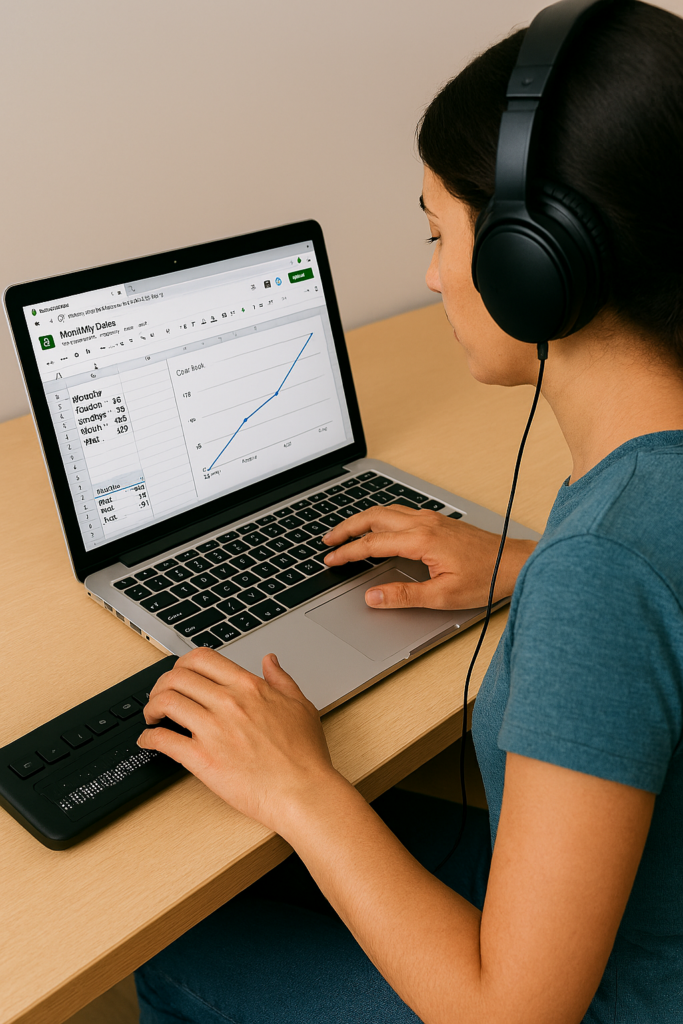
    Students demonstrate their skills by completing assignments in real time, often on video. Whether creating a line graph in Google Sheets or submitting digital work the same day, these lessons show how access technology enables immediate, independent participation.

    Customized Instruction

    Every lesson is tailored to the student. This targeted approach builds independence, accuracy, and confidence. We also support educators, parents, and teams so everyone involved has the knowledge needed to ensure equal access.

    Female creating a Google sheets line graph with Jaws and Braille Display
    Female creating a Google sheets line graph with screen reader and Braille Display

    Flexible, Remote Training

    TechVision provides instruction from anywhere in the world. Students schedule lessons at times that work for them, learn at their own pace, and gain mastery through hands‑on practice. This remote model removes geographic barriers and expands opportunities for all learners.

    Expert Guidance

    Led by Dr. Denise M. Robinson, TechVision Specialists bring deep expertise in assistive technology and academic subjects—including math, STEM, and literacy. Many team members are blind themselves, offering relatable, real‑world insight and encouragement.

    Practical Skills for Daily Life

    Lessons focus on real applications: writing emails, navigating the web, creating documents, completing assignments, and using technology across all subjects. Students learn not just the tools, but how to apply them independently in everyday situations.

    Building Independence and Confidence

    By mastering access technology, students gain autonomy, problem‑solving skills, and the ability to keep up with peers. Parents, educators, and employers benefit from improved communication, participation, and equal access in both learning and work environments.

    Go to All Tech Lessons & Stories

    Let us know how we can help you: Contact US: TechVisionTraining@yourtechvision.com

  • Access Training

    Empowering Blind and Visually Impaired Students Globally

    Under the leadership of Dr. Denise M. Robinson, the TechVision Team equips blind and visually impaired students—and the educators who serve them—with the technology skills needed to thrive in school, work, and life. Our team integrates computers, screen readers, braille displays, mobile devices, and AI into daily instruction, ensuring equal access to academics and independence.

    Access to laptop and braille display with Screen reader
    Access Training to laptop and braille display with Screen reader

    Personalized Instruction

    Every learner is unique. TechVision provides customized, 1:1 instruction for students, clients, and educators. We teach the exact tech skills needed to access information, complete tasks efficiently, and compete equally with sighted peers—whether mastering keyboard commands, transcribing work, or navigating digital platforms.

    Equal Access in Action

    Equal access is foundational to our mission at TechVision. We believe every learner, regardless of visual impairment, deserves the ability to participate fully in school, work, and life. Our video lessons and real‑world demonstrations show exactly how students use technology to complete their work independently. These resources equip both students and educators with the practical skills needed to thrive in any environment and ensure that equal access is not just a goal, but a daily reality.

    Global Reach and Collaboration

    TechVision serves learners worldwide through remote instruction and digital resources. We collaborate with families, school districts, businesses, private organizations, and vocational programs to expand educational and employment opportunities.

    TechVision also provides high‑quality transcription in electronic format for immediate access, ensuring students receive the materials they need without delay. We train school personnel when possible, and when districts are unable to take on this work, our team continues providing all transcription to maintain accuracy, consistency, and equal access for every learner.

    Technology & AI for Independence

    We teach students and clients to confidently use:

    • screen readers
    • braille displays
    • mobile devices
    • AI‑powered learning tools
    • voice and image recognition
    • accessible navigation and productivity apps
    • and so much more

    These tools build independence, problem‑solving skills, and real‑world readiness. AI enhances learning by adapting to individual needs, converting print to accessible formats, supporting navigation, and assisting with daily tasks.

    Early Instruction & Long‑Term Success

    Starting early with proper academics—ideally at age 3—keeps students on pace with their sighted peers. TechVision teaches braille, technology, and digital output from the beginning, enabling students to complete and submit work just like everyone else.
    As students grow, they learn to make inaccessible tasks accessible, upload assignments, and use advanced tools for math, science, and daily life. These skills open doors to employment, independence, and lifelong success.

    Community Engagement & Ongoing Support

    We work closely with parents, teachers, schools and communities to build strong support systems. Our personalized training empowers everyone involved and creates a community of confident learners and educators.
    Together, we remove barriers and expand possibilities for every student.

    Our Commitment

    TechVision is transforming access education. Through innovative technology, tailored instruction, and a deep commitment to equal access, we ensure every learner’s journey is marked by growth, independence, and success.
    We remain dedicated to providing top‑quality education to visually impaired learners and educators worldwide.

    We are Here to Help: Contact US: TechVisionTraining@yourtechvision.com

    Dr. Denise M. Robinson, TVI, AT, IT, PhD
    CEO, TechVision
    Teacher of the Blind and Visually Impaired
    Access Technology Specialist