
AN URGENT PLEA TO SCHOOL DISTRICTS AND PARENTS
Regarding Children Who Are Blind or Have Low Vision
Technology, Independence, and the Right to Compete
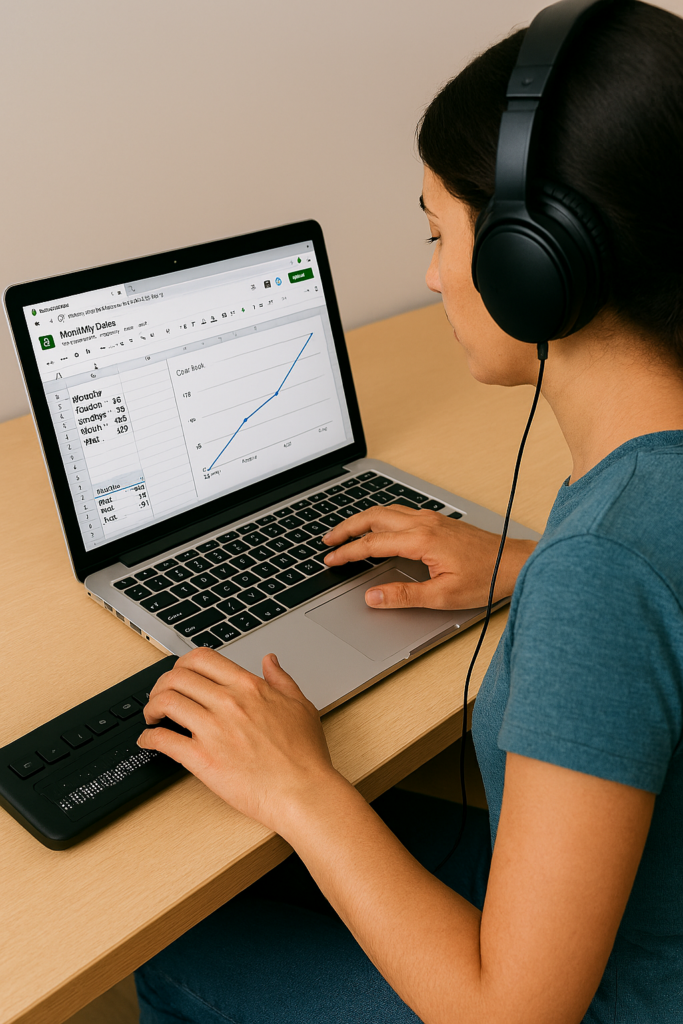
To Every School Administrator, Teacher, and Parent Who has a Child With Vision Loss:
This is not a suggestion. This is a plea – born from nearly 40 years of professional experience in the field of blindness, visual impairment and access technology, and from the realities of a competitive world that will not slow down and will not make exceptions – that you act now, while there is still time to give your child or student every possible advantage.
Children who are blind or have low vision are just as intelligent, capable, and ambitious as any sighted child. What they deserve – what they are owed – is the proper set of tools to demonstrate that capability at full speed. Right now, in too many classrooms and homes across this country, those tools are absent, delayed, or introduced far too late. That must change.
The Foundation: A Windows PC — The World’s Standard Platform
Windows-based PCs represent approximately 72% of all personal computers in use worldwide. This is not a preference – it is the dominant reality of the workplace, the university, the government agency, and the business world your child will enter. Teaching a blind or low vision child on any other primary platform is preparing them for a world that does not exist at scale.
Windows is also open and extensible. Unlike closed ecosystems, a Windows PC can be configured, customized, and expanded with virtually any assistive technology available – screen readers, braille drivers, magnification software, speech input – without restriction. It is the most future-proof environment for a child whose assistive needs may evolve over time. One critical requirement, however: the person who teaches your child must be actively using all components of the system themselves every single day, navigating exclusively by screen reader and braille display. You cannot teach what you do not live.
Every blind or low vision child should be learning on a Windows PC. Period. At the earliest age possible.
The Tools That Open the World: Screen Readers
A screen reader converts on-screen text and navigation into speech or braille output, allowing a blind user to operate a computer fully and independently. There are three primary options, each with a distinct role – and a serious student needs fluency in all three.
JAWS (Job Access With Speech)
JAWS is the gold standard in professional and educational environments. It offers the deepest compatibility with Microsoft Office, enterprise software, and web-based platforms. For any student planning to enter the professional workforce, JAWS fluency is a career asset. It is the screen reader most commonly encountered in workplaces that have made accessibility accommodations.
NVDA (NonVisual Desktop Access)
NVDA is free, open-source, and exceptionally powerful. It is fully supported, actively developed, and used by millions of blind individuals worldwide. For families and schools with budget constraints, NVDA removes every financial barrier to professional-grade access. Students who master NVDA are fluent in a tool used in homes, libraries, and workplaces globally.
Microsoft Narrator
Narrator is built directly into Windows and requires no installation. While not as feature-rich as JAWS or NVDA for complex tasks, it is a valuable tool for early introduction, emergency access, and environments where installing additional software is not immediately possible. Every Windows user – blind or not – has access to Narrator the moment they power on their device and complete setup.
iPhone with Siri and VoiceOver
No conversation about screen readers is complete without addressing the iPhone. Apple’s VoiceOver, built directly into every iPhone, is one of the most powerful tools available to combine the perfect team of PC with iPhone. It is the device you carry with you every hour of every day. Siri adds hands-free voice control outside class but inside class ability to send a quick SOS to their tech instructor for help keeps them moving. One command on the braille display connected to the computer goes right to the iPhone in their pocket, enables the student to send and SOS tech issue so a remote tech instructor can jump on to solve their issue so they can keep moving in class ASAP.
In the real world, blind professionals use a Windows PC at their desk and an iPhone in their pocket. Teaching both, from early on, prepares a student for exactly that reality.
Braille Displays: The Essential Partner to the Screen Reader
A refreshable braille display connects to a PC and presents on-screen text as braille cells that the user reads with their fingertips to teach spelling, paragraph layout and everything the sighted student does with print. This is not optional equipment for a serious student – it is essential. Reading braille is to literacy what reading print is to a sighted child. Without it, a blind student depends entirely on audio output, which is slower for review, comprehension, proofreading, and deep reading tasks. Beyond speed, a braille display teaches spelling, formatting, punctuation, and document structure in ways that audio alone simply cannot.
Recommended Displays
- Focus 40 Blue (Freedom Scientific) — The preferred professional-grade display. Forty braille cells, excellent build quality, seamless integration with JAWS, and trusted in educational and workplace settings worldwide. The 40-cell width allows students to read longer passages without constant panning, dramatically improving reading speed and comprehension.
- Brailliant BI 40X (HumanWare) — An outstanding alternative with strong multi-device connectivity and a comfortable key layout. Compatible with all major screen readers and well-suited for students who work across multiple devices throughout the school day.
A 40-cell display – not a smaller 14- or 20-cell model – is strongly recommended for students. The larger cell count significantly reduces the scrolling required and more closely mirrors the experience of reading a full line of text, building the natural reading rhythm that leads to true fluency. For students pursuing STEM fields, an 80-cell display is worth the investment.
The Hard Truth That No One Wants to Say Out Loud
A blind or low vision child, without proper tools, cannot complete academic work at the same speed as a sighted child with 20/20 vision. This is not a failure of the child. It is biology and failure of an educational system. It is the reality of navigating a world designed for sighted people without the technology that closes that gap.
Schools often respond to this reality by granting extended time – double time, time and a half, reduced assignments – on work and exams. And while this accommodation is legally appropriate, it comes with a hidden cost that is rarely spoken aloud: less work assigned means less information learned, and reduced exposure to content creates knowledge gaps that compound over time. The job that child will one day compete for will not reduce its requirements to match. We must look further down the road with clear Vision:
- Extended time does not exist in a job interview.
- Extended time does not exist when competing against other applicants for a position.
- Extended time does not exist when a deadline arrives, a client is waiting, or a team needs output.
- You learn less in school — and the job will demand more.
Close the Gap Before It Closes Their Future
Life is competitive. It has always been competitive. The kindest, most loving thing we can do for a child who is blind or has low vision is to prepare them to compete – not just to participate, but to compete effectively, efficiently, and with confidence, from kindergarten through career.
The only way to close the speed gap is technology mastered early with braille. A student who has used a screen reader and braille display fluently since early elementary school does not look like a student with a disability when they move through school or enter the workforce. They look like someone who is fast, precise, and capable, because they are.
Additional Reasons This Cannot Wait
1. Independence Is Dignity
A child who relies on a sighted person to read their screen or paper work, describe their assignments, write down their answers, or help navigate their computer is not independent – and they know it. That awareness is not abstract. It settles into them quietly and deeply: the knowledge that someone else is doing for them what they cannot yet do for themselves. It becomes embarrassment. Then frustration. Then, for far too many children, it becomes depression.
This is one of the most significant and least discussed emotional consequences of inadequate assistive technology instruction. These children are not failing because they lack intelligence or effort. They are failing because they have not been given their tools and they are old enough to understand the difference. Worse they watch their classmates work independently. They watch themselves need help. And over time, that gap between what they can do and what they are expected to do without support begins to define how they see themselves.
Independence Is the Antidote
Technology taught by a highly skilled instructor who uses these access tools daily eliminates this dependency. A child who can navigate their own screen, read their own assignments, and submit their own work has done something that no grade or test score can fully capture: they have proven to themselves and others that they can do it. That proof is the foundation of self-worth, confidence, and the unshakeable belief that one can manage one’s own life on one’s own terms.
Independence is not merely practical. It is the antidote to the depression that follows when a child has been taught, unintentionally, that they cannot.
2. Early Learning Equals Deep Fluency
A child who learns a screen reader at age four or five develops the same automatic, effortless relationship with that tool that a sighted child develops with reading text on a page and writing with a pencil. A teenager introduced to a screen reader for the first time is fighting an uphill cognitive battle, learning the tool at the same time they are trying to use it to complete schoolwork. Early adoption eliminates this double burden entirely.
3. Academic Access Across All Subjects
A properly configured PC with a screen reader opens every subject: reading, writing, math (with accessible tools like MathML and Nemeth braille, UEB Braille), science, coding, history, art research, everything. Without it, a blind student’s access to the full curriculum depends entirely on the availability of a human aide or specially prepared materials. Technology removes that bottleneck and gives the student direct, independent access to the same content as every other child in the room.
4. The Job Market Rewards Technology Fluency
Employers, by and large, do not know what screen readers are. They will not know to provide accommodations they have never heard of and in that gap of understanding, a qualified candidate can lose a job simply because the employer cannot picture how the work would get done.
A candidate who arrives already proficient changes that entire dynamic. They sit down at a Windows PC, they are productive immediately, and at the right moment they say with confidence: “I want you to know, I am blind, and this is exactly how I do this job.” Then they show it. With speed and efficiency. With no hesitation. That demonstration does more to overcome an employer’s uncertainty than any disclosure form or accommodation request ever could.
This person competes. The person who has never been properly trained walks into that same room hoping for understanding they may not receive. The difference between those two outcomes is not intelligence. It is preparation.
5. Post-Secondary Education Expectations
Colleges and universities have disability services offices, but those offices cannot replace skill. A student who arrives at university without strong assistive technology fluency will spend precious early semesters struggling to catch up on tools rather than engaging with coursework or they will not catch up at all, and fail. Too often, the alternative is that a parent steps in to do the work for them, which is exactly what regularly occurs when students arrive unprepared. Students who arrive already expert in their technology can advocate for themselves effectively, focus entirely on their education, and move forward alongside their peers.
6. Mental Health and Self-Efficacy
The psychological toll of constantly needing help of always being the student who requires special arrangements, who cannot do what everyone else is doing is real and cumulative. Technology-empowered students report significantly higher confidence, academic engagement, and willingness to attempt challenging tasks. Giving a blind or low vision child their tools is giving them their identity as a capable person.
On the Question of Learning Braille: Who, When, and Why
Braille literacy is one of the strongest predictors of academic success and employment for blind individuals. The research on this is not subtle, it is decisive. But the question of who should learn braille is not always straightforward, and it must be considered carefully in the context of each child’s specific diagnosis.
Children Who Are Fully Blind
There is no question. Braille instruction should begin immediately, ideally by age three, and no later than the beginning of formal schooling. Braille is their print. Delaying braille for a blind child is the equivalent of delaying reading instruction for a sighted child. Every year of delay compounds into a literacy deficit that becomes harder to close.
Children With Low Vision
This requires careful evaluation in partnership with the child’s ophthalmologist and prognosis. Three key questions must guide the decision:
- Is the condition stable or progressive? If progressive, the answer is clear: begin braille instruction immediately, regardless of how much vision the child currently has.
- Can the child read print efficiently at a rate and comfort level that matches a child with 20/20 vision? If not, print alone is not sufficient and braille must be part of the plan.
- Is the child’s functional vision expected to remain sufficient throughout their lifetime? If there is any reasonable doubt, begin braille now. It is far easier to have a skill and not need it than to need a skill and not have it.
When Braille Starts Late
- What if the child is older and braille instruction is only beginning now? Research is unambiguous on this point: students who begin braille instruction after 6th grade rarely achieve functional reading fluency. The tactile sensitivity, finger dexterity, and automatic cell recognition that true braille literacy requires develop in early childhood. That window is largely closed by the time a child enters middle school, and full literary braille instruction after that point becomes, in most cases, an exercise in frustration for both the student and the instructor.
- For the older student who is past that window, the goal must shift to functional braille, what they will actually use in daily life: device navigation, labels, signage, reference points, and targeted reading tasks. Trying to force full literary braille on a resistant older student creates a battle you will not win. You will spend more time fighting than teaching. Focus on usefulness. Motivation follows. And in every case, a PC with a screen reader and braille display becomes the central key to that student’s success going forward.
If the Condition Is Progressive: Braille Is Not Optional
If a child has a progressive eye condition – retinitis pigmentosa, Stargardt disease, glaucoma, or any diagnosis with a trajectory toward increasing vision loss – braille instruction must begin immediately, regardless of how much usable vision the child currently has. Here is why:
- Braille is most easily and deeply learned when taught young, when the brain’s neuroplasticity is at its peak, just as with learning any other language. The earlier the exposure, the deeper the fluency.
- A child who waits until their vision has deteriorated significantly is learning braille at the same time they are grieving a loss: an emotionally devastating combination that slows learning or stops it entirely.
- A teenager or adult who must learn braille after vision loss faces a steep, stressful acquisition curve that can take years to develop into functional fluency.
- A child who learns braille at age three or four and uses it throughout their education will be functionally fluent by the time their vision deteriorates, ready, not scrambling.
Teaching braille to a child who still has usable vision is not pessimism. It is planning. It is love with foresight.
The Crisis That Arrives in Middle School
Every summer, TechVision receives calls about blind and low-vision students who are beginning to fall behind significantly. In most cases, blind children have no technology at all, and low-vision students lack both technology and braille instruction. By middle school, the academic demands increase sharply, the volume of reading and writing grows, and students are expected to manage far more digital work on their own, and they cannot.
For students with progressive low-vision diagnoses, middle school is often the point where remaining vision no longer allows them to complete work efficiently, even with low-vision tools. At that point, they are not only trying to keep up academically. They are also trying to learn braille, screen-reader skills, braille-display use, keyboarding, file management, accessible math, and online platform navigation, all at the same time. The academic and the remedial collide, and the student is caught in the middle.
That is why early instruction matters. Waiting until a student begins failing creates an avoidable crisis. Teaching braille and technology before the crisis gives the student time to build fluency, confidence, and independence.
The Timeline: What the Research and Experience Tell Us
- Age 3: The ideal starting point. Children at this age learn through play and exploration and absorb braille as naturally as sighted children absorb picture books and letters (include a cane here also). Tactile literacy can begin before formal reading instruction in other areas. Introduce them to a PC with a screen reader and braille display through play. By age four, begin teaching touch typing. Done consistently, a child is ready to begin kindergarten already equipped.
- Kindergarten through 2nd grade: Still an excellent window. With intensive, consistent instruction, a child can achieve strong foundational literacy by early elementary school.
- 3rd through 5th grade: Still achievable but increasingly challenging. By this stage, the child is already behind in braille literacy relative to academic demands. Intensive TVI/Tech support is essential and must begin immediately. Think summer time instruction-always.
- Middle school and beyond: Braille can and should still be taught, but the window for achieving deep, automatic fluency is narrowing. Every year of delay past 5th grade represents a harder road. Shift the focus to functional braille and technology mastery.
- When a school district first receives a blind or low vision student at any age: Instruction in assistive technology and braille (where indicated) must begin on day one: not after evaluation periods, not after IEP meetings have stretched across months or years. The clock is running from the moment that child walks through the door. Day one.
What We Are Asking You to Do
For School Districts:
- Ensure every blind or low vision student has immediate access to a Windows PC configured with both NVDA and JAWS, connected to a 40-cell refreshable braille display and paired with a highly skilled instructor who uses these tools daily.
- Hire TVIs and assistive technology instructors who are genuine daily users of the technology they teach. A degree or certification alone does not qualify someone to teach JAWS, NVDA, or a braille display. Technology fluency is not academic knowledge, it is muscle memory. It is the ability to troubleshoot in real time, demonstrate at speed, and anticipate where a student will struggle because you have been there yourself. A Teacher of the Blind and Visually Impaired (TVI) who does not use this technology every single day cannot teach it well, regardless of what their diploma says.
- Coordinate braille and technology instruction as one integrated program, not two separate tracks. When these skills are taught together on the same device, they reinforce each other and the student learns faster. If a TVI is a strong braille teacher but does not have deep technology expertise, the right answer is to pair them with a qualified assistive technology instructor who does. Integration from one highly skilled person is the ideal; a strong partnership between specialists is the practical alternative. One person doing both poorly serves no one.
Begin NOW
- Begin braille instruction for eligible students immediately upon enrollment, not pending further evaluation, not after the next IEP meeting, not once the “right” TVI is located. Interim solutions are acceptable. Delay is not.
- Embed assistive technology instruction into the student’s daily academic life as the primary mode of access, not as a pull-out supplement. Remote instruction is a powerful and underutilized tool: a qualified technology instructor can be present in the classroom via headset and screen share, guiding the student in real time without disrupting the class, while the student remains fully included with their peers. When pulling a student out is unavoidable, choose the one hour of the school day that causes the least disruption to their social and academic integration. These students are already navigating more than their sighted peers. Do not add social isolation to that burden.
- Measure student progress in assistive technology fluency with the same rigor applied to reading, math, and every other subject. The student completes all work on the PC. They email completed assignments to the teacher. The teacher places feedback directly in the document using Word comments and emails it back. This is not a workaround, this is the workflow. It is clean, professional, and mirrors exactly how the working world operates. It holds the student to the same standard of output and accountability as every other person in the room.
For Parents:
- Do not wait for the school to take the lead. Advocate immediately and loudly for your child’s right to assistive technology and braille instruction.
- If your child has a progressive eye condition, contact a TVI and assistive technology specialist today about beginning braille instruction, regardless of your child’s current functional vision level.
- Set up a Windows PC at home with NVDA (free to download) and have your child use it for reading, homework, and exploration every single day.
- Connect with the National Federation of the Blind, the American Foundation for the Blind, and your state’s Blind and Low Vision Services for resources, advocacy support, and community.
- Believe, fiercely and without apology, that your child can compete. Then make sure they have the tools to prove it.
The Future Is Waiting. Start Today.
The child who is three years old today and begins braille and assistive technology instruction this year will walk into their first job interview at age twenty-two as a fully equipped, confident, and capable professional. The child who waits may walk in hoping for accommodations they may not receive, competing at a speed they were never trained to reach.
The tools exist. The research is clear. The need is urgent. All that is required is the will to act: now, not later, not after one more evaluation, not after the next IEP cycle. Now.
Every blind and low vision child deserves to compete. Give them the tools to do it.
Key Resources
NVDA Screen Reader (Free): www.nvaccess.org
JAWS Screen Reader: www.freedomscientific.com
National Federation of the Blind: www.nfb.org
American Foundation for the Blind: www.afb.org
HumanWare Brailliant Display: www.humanware.com
Freedom Scientific Focus 40 Blue: www.freedomscientific.com
Go to All Tech Lessons & Stories
Let us know how we can help you: Contact US: TechVisionTraining@yourtechvision.com