
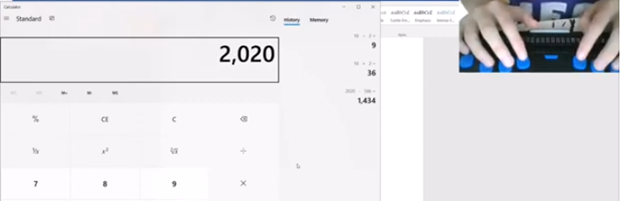
Using Focus 40 Braille Display to do Math Work in Word with Jaws, Kim demonstrates commands in WORD using FOCUS 40 Braille display exclusively. She can control her computer and complete her math work in WORD with just the display.
Here are some essential commands for using the Focus 40 Braille Display to do math in Microsoft Word:
Basic Navigation to braille Math Work in WORD
- Move to the next word:
Dot 5 + Dot 6 + Space - Move to the previous word:
Dot 2 + Dot 3 + Space - Move to the next line:
Dot 4 + Dot 5 + Space - Move to the previous line:
Dot 1 + Dot 2 + Space
Selecting Text with Focus 40 Braille Display
- Select a word:
Dot 5 + Dot 6 + Space + Dot 7 - Select a line:
Dot 4 + Dot 5 + Space + Dot 7
Math Commands using Focus 40 Braille Display
- Insert an equation:
Alt + =(use the Braille display to typeAlt + =) - Navigate within an equation: Use the same navigation commands as above to move through the equation.
Editing and Formatting for Math Work in Word
- Bold text:
Ctrl + B(use the Braille display to typeCtrl + B) - Italicize text:
Ctrl + I - Underline text:
Ctrl + U
Using JAWS with Math
- Read the current equation:
Insert + 5 - Move to the next equation:
Ctrl + Alt + Right Arrow - Move to the previous equation:
Ctrl + Alt + Left Arrow
Calculator commands: with JAWS
Basic Navigation
- Read the current display:
Insert + Up Arrow - Read the previous calculation:
Insert + Shift + Up Arrow - Move to the next button:
Tab - Move to the previous button:
Shift + Tab
Performing Calculations in Windows Calculator
- Clear entry:
Delete - Clear all:
Esc - Equals:
Enter
Memory Functions
- Store in memory:
Ctrl + M - Recall from memory:
Ctrl + R - Clear memory:
Ctrl + L - Add to memory:
Ctrl + P - Subtract from memory:
Ctrl + Q
These commands will help you efficiently navigate and perform calculations using the Windows Calculator with JAWS12.